 Owner’s manual



How many watts is my Samsung microwave model SMH1713B?
Your Samsung microwave/hood combo model SMH1713B is typically a 1,000-watt cooking-power over-the-range microwave. For the exact rated output and electrical specs for your specific unit, we recommend confirming the wattage in the SMH1713B owner's manual.
Where to confirm the wattage (fastest checks)
- Check the rating label (often inside the door frame or on the oven cavity edge); it may list output power (watts) and input power (watts).
- Look in the specifications section of the SMH1713B owner's manual.
- If you see two numbers, use output watts for cooking performance comparisons.
- Use input watts/amps for circuit and electrical load planning.
Output watts vs input watts (what the numbers mean)
Microwaves often show both cooking output and electrical input. They are not the same.
| Spec on label/manual | What it means | Why you care |
|---|---|---|
| Output power (W) | Cooking energy delivered to food | Heating speed and performance |
| Input power (W) or amps | Power drawn from the outlet | Circuit load and troubleshooting |
Why it matters
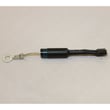
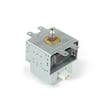
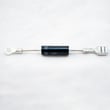
Knowing the correct wattage helps us set accurate cook times, compare performance to other Samsung models, and troubleshoot symptoms like slow heating. If your microwave runs but does not heat, common causes are in the high-voltage system such as the microwave magnetron OM75P-21-ESGN or microwave high-voltage diode DE91-70063D.
Quick troubleshooting tip if heating seems weak
- Test with a measured cup of water for a consistent baseline.
- Make sure you are not using power level below 100%.
- If the unit runs (light, fan, turntable) but does not heat, use our DIY guide: why is my microwave not heating.
Last updated: February 2026
What are common Samsung microwave problems?
Common problems on a Samsung microwave/hood combo like model SMH1713B include not heating, no power, a dead keypad/display, a turntable that will not rotate, loud humming or buzzing, and vent or light issues. Many are caused by power supply, door-interlock, or high-voltage component failures; use the SMH1713B owner's manual for model-specific checks.
Most common symptoms and what they usually point to
- Runs but does not heat: high-voltage circuit issue (magnetron, diode, capacitor, transformer)
- No power or shuts off: outlet/breaker issue, power cord, internal fuse, or control problem
- Starts then stops when door moves: door latch or interlock switch alignment/wear
- Turntable not turning: turntable motor or coupler/roller issues
- Loud hum, burning smell, or arcing: damaged waveguide cover, metal in cavity, or failing high-voltage parts
- Vent fan or surface light not working: bulb/lens, wiring, or control output issue
Quick checks we recommend before ordering parts
- Confirm the microwave is plugged in firmly and the outlet has power.
- Open and close the door firmly; a partially latched door can prevent heating or starting.
- Test a simple heat load: 1 cup of water for 60 seconds; note whether it warms.
- Listen for changes: a steady loud hum with no heat often points to the high-voltage system.
- Inspect the cavity for foil, twist ties, or burn marks that can cause arcing.
Parts commonly involved (and available for this model)
If your symptom matches, these are common repair parts for SMH1713B:
| Symptom | Common suspect part | Example part on this model |
|---|---|---|
| No heat | Magnetron | Microwave magnetron OM75P-21-ESGN |
| No heat, intermittent heat | High-voltage diode | Microwave high-voltage diode DE91-70063D |
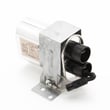
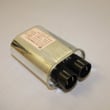
| No heat, loud hum | High-voltage capacitor | Microwave high-voltage capacitor 2501-001011 |
| Won’t start, door-related | Door interlock switch | Microwave door interlock switch 3405-001034 |
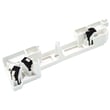
| Door won’t latch right | Latch body/switch assembly | Microwave latch body and switch assembly DE96-00414A |
Safety note for “no heat” and electrical failures
Microwaves contain high-voltage components that can store a dangerous charge even when unplugged. For heating failures, arcing, or burning smells, we recommend using a qualified technician for diagnosis and repair.
Why it matters
A microwave that “runs” but does not heat is usually not a cooking setting problem; it is typically a door-interlock or high-voltage circuit problem. Correctly matching the symptom to the likely circuit saves time and prevents repeat failures.
You can order replacement parts for your Samsung SMH1713B from the parts list for this model, or search by model number on Sears PartsDirect.
Last updated: February 2026
How to reset Samsung microwave error code?
To reset an error code on your Samsung SMH1713B microwave/hood combo, we recommend a full power reset first: unplug the microwave (or switch off the breaker) for at least 60 seconds, then restore power. This clears many temporary control and sensor faults.
Fast reset steps (most error codes)
- Unplug the microwave or turn the circuit breaker OFF.
- Wait 60 to 120 seconds.
- Restore power.
- Set the clock if prompted.
- Try a simple heat test (1 cup of water for 60 seconds).
For model-specific button sequences and code meanings, use the SMH1713B owner's manual.
If the code comes back right away
A repeating code usually points to a door-safety, keypad, or high-voltage heating issue rather than a one-time glitch.
- If the display beeps or acts like keys are being pressed: press Stop/Clear once, then wipe and dry the control panel.
- If the microwave runs but does not heat: the heating circuit is the likely area.
- If the code appears when closing the door: the door interlock system is the likely area.
Common causes and what to check
- Stuck or shorted keypad: moisture, cleaner residue, or a failing touchpad.
- Door not fully latching: misaligned door, worn latch parts.
- Interlock switch problem: door switches not changing state reliably.
- Heating circuit fault: magnetron, diode, capacitor, or transformer issues.
Parts that commonly relate to recurring errors
If troubleshooting points to a specific failure, these are common replacements for this model:
| Symptom after reset | Most likely area | Example part on this page |
|---|---|---|
| Runs but does not heat | High-voltage heating circuit | Microwave magnetron OM75P-21-ESGN |
| Door-related error or won’t start | Door latch and interlocks | Microwave door interlock switch 3405-001034 |
| Intermittent heat, loud hum, or burning smell | High-voltage components | Microwave high-voltage diode DE91-70063D |
Why it matters
Microwave error codes are designed to stop unsafe operation. A power reset is a safe first step, but a code that returns quickly usually means a component is failing and needs testing or replacement.
To order replacement parts for your SMH1713B, use the parts list for this model or search by model number on Sears PartsDirect.
Last updated: February 2026





