 Installation guide
 Owner’s manual



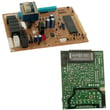
How do I reset a Kenmore microwave?
To reset your Kenmore microwave model 72180594400, we recommend doing a basic power reset first: unplug the microwave (or turn off the circuit breaker) for about 1 minute, then restore power and set the clock. This clears many control glitches without changing normal settings.
- Power reset (recommended): Disconnect power for 60 seconds, then restore power.
- Stop/Clear reset: Touch STOP/Clear to cancel a running cooking cycle or timer.
- Door reset: Open and firmly close the door, then try a simple cook cycle again.
- Circuit check: If the display is dead, check the home breaker or fuse.
The troubleshooting steps in the 72180594400 owner's manual point to a few common causes that look like a “needs reset” problem:
- Door not fully closed and latched
- START not pressed after entering time/power
- A previous operation still running (use STOP/Clear to cancel)
- Household fuse blown or circuit breaker tripped
- Outlet power issue (low voltage can cause weak heating or odd behavior)
| Symptom | Most likely cause | Best next step |
|---|---|---|
| Display works, but won’t start | Door not latched or cycle not started | Close door firmly; press START |
| Nothing works (no display) | Power supply problem | Check breaker/fuse; confirm outlet power |
| Runs but food not hot | Power level or electrical supply issue | Verify power setting; test with a cup of water |
A “reset” often fixes temporary control-board lockups, but it will not correct a door-switch problem, a blown internal fuse, or a high-voltage heating failure. If the unit is completely dead after you confirm house power, an internal fuse such as the us pressed steel microwave fuse 3B74133Q is a common next checkpoint.
Last updated: February 2026
How to unlock a locked microwave door?
On Kenmore microwave/hood combo model 72180594400, a “locked door” symptom is almost always the CHILD LOCK (control lock) feature. To unlock it, touch and hold the designated key until LOCKED disappears from the display (about 4 seconds); then open the door normally (use the 72180594400 owner's manual).
- Make sure the microwave is not cooking.
- Touch and hold the CHILD LOCK key (the same key used to set the lock).
- Keep holding for about 4 seconds.
- Confirm LOCKED disappears from the display.
- Press STOP/CLEAR once if the keypad still seems unresponsive.
- Try opening the door again.
A control lock does not physically latch the door; if the door will not open after unlocking, check these common causes:
- Food splatter or cleaner residue around the door sealing surfaces
- A misaligned door from being pushed or pulled sideways
- A sticking latch mechanism
- A failed door switch or latch-related issue (the oven may also refuse to run)
- Gently press the door closed, then press the door release to open.
- Clean the flat surfaces around the door and the latch area; dry completely.
- If the door is bent, hinges feel loose, or the latch seems broken, stop using the microwave and have it serviced.
If the microwave will not run or behaves like the door is not closed, a door switch can be part of the problem.
| Symptom | What it often points to | Example part for this model |
|---|---|---|
| “LOCKED” showing | Control lock is on | Use the manual steps above |
| Won’t start, acts like door is open | Door interlock circuit issue | Microwave door interlock switch 3B73361E |
| Completely dead (no display) | Power issue or internal fuse | Us pressed steel microwave fuse 3B74133Q |
The door and interlock system are critical safety features. If the door is physically stuck, bent, or the latches are damaged, continuing to force it can damage the latch or defeat the safety interlocks.
Last updated: February 2026
What are common problems with microwave vents?
Common vent problems on the Kenmore 72180594400 microwave/hood combo are weak airflow, lingering smoke or odors, and grease buildup. These issues usually come from dirty or missing filters, a vent path that is too long or restrictive, or a blower setup that does not match your venting style (recirculating vs. wall or roof vented). See the installation guide for venting setup details and duct-length limits.
- Fan runs but airflow is weak: grease filter clogged, damper stuck, or ducting too restrictive
- Smoke or odors stay in the kitchen: wrong venting mode (recirculating vs. outside vent), missing/dirty filters, or blocked wall/roof cap
- Grease dripping or heavy residue: filters not cleaned often enough, fan not used during cooking
- Rattling or vibration when fan is on: loose mounting hardware, damper flutter, or duct connection not sealed
- Steam coming from the vent: normal during cooking; the unit is designed to vent steam
- Clean the grease filter and reinstall it correctly. Grease should not be allowed to accumulate on the hood or filter.
- Confirm the venting type: this model ships set up for room venting (recirculating); it must be adjusted for wall vented or roof vented installations.
- Inspect the duct run for crushed duct, excessive elbows, or a blocked wall/roof cap.
- Check the damper for free movement and proper orientation.
Long duct runs and multiple elbows can dramatically reduce airflow. The installation instructions use “equivalent feet” to rate fittings.
| Duct item (example) | Typical equivalent length impact | Why it matters |
|---|---|---|
| 90° elbow | High | Big airflow loss and more noise |
| 45° elbow | Medium | Less loss than a 90° elbow |
| Wall cap / roof cap | Medium to high | Can restrict flow if clogged or undersized |
- Grease filter: Grease filter 5230W1A012E
- Damper (outside venting): Damper 4900W1A001A (verify fit by model before ordering)
A restricted vent makes the fan louder, leaves more grease on cabinets, and can shorten the life of internal components by trapping heat and grease-laden air.
Last updated: February 2026
What is the life expectancy of a Kenmore microwave?
Most Kenmore microwaves, including the Kenmore 72180594400 microwave/hood combo, typically last 9 to 10 years with normal household use. Regular cleaning, proper ventilation, and fixing small issues early (like a failing door switch or blown fuse) help you reach that lifespan.
- Keeping the cavity and waveguide area clean and free of food splatter
- Not running the microwave empty (this stresses the magnetron)
- Using the exhaust fan to reduce heat and grease buildup in an over-the-range setup
- Avoiding repeated door slams (protects door latches and interlock switches)
- Replacing wear items promptly (filters, lights, fuses)
If you see these symptoms repeatedly, repair may be needed to keep the unit reliable:
- Runs but does not heat food consistently
- Display works but unit goes dead or trips the breaker (often electrical protection issues)
- Turntable stops rotating or makes grinding noises
- Door won’t close firmly or you have intermittent start/stop behavior
- Excessive arcing, burning smell, or visible burn marks
For model-specific operating and care guidance (including cleaning and filter care), use the owner's manual.
| Symptom | Common cause | Typical fix |
|---|---|---|
| Completely dead | Blown fuse or power issue | Check/replace fuse; inspect cord/outlet |
| No heat but runs | High-voltage component issue | Diagnose capacitor/diode/transformer |
| Won’t start when door closes | Door interlock problem | Replace door interlock switch |
| Loud hum or poor heating | Magnetron or HV circuit strain | Professional diagnosis recommended |
If your 72180594400 goes dead, a common service part is the us pressed steel microwave fuse 3B74133Q. If it won’t start reliably when the door shuts, the microwave door interlock switch 3B73361E is a common suspect.
A microwave that is near the end of its service life can become inconsistent (uneven heating, intermittent power loss). Addressing simple issues early, like a fuse or door switch, often restores safe, dependable operation and helps you get the full 9 to 10 years.
Last updated: February 2026


