Installation guide
 Owner’s manual
 Error Codes



How long do Jenn Air cooktops last?
Most Jenn-Air electric cooktops like model JED3430WS01 last 10 to 15 years with normal household use and basic care. Keeping the glass-ceramic top clean, using the correct cookware, and fixing heating or control issues early helps you reach the high end of that range.
Typical lifespan and what affects it
A cooktop’s life is mainly driven by heat stress on the radiant elements, wear on control switches, and how well the glass top is protected.
- 10 to 15 years is the typical service life for an electric cooktop
- Heavy daily cooking can shorten lifespan; light use can extend it
- Spills that bake onto the surface can cause hot spots and overheating
- Loose wiring or failing switches can damage elements over time
- Proper installation and correct circuit protection reduce electrical stress (see the JED3430WS01 installation guide)
Parts that commonly determine “end of life”
If the cooktop still fits your countertop and the glass is intact, replacing a few key parts often restores performance.
| Symptom | Most common wear item | Example part for this model |
|---|---|---|
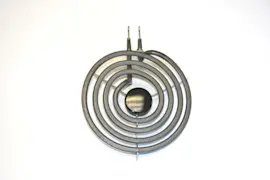
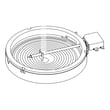
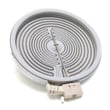
| One burner will not heat | Radiant surface element | Range radiant surface element W11171119 |
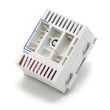
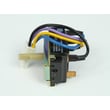
| Burner heats erratically | Element control switch | Cooktop element control switch WPW10222828 |
| Downdraft airflow is weak | Grease filter clogged | Cooktop downdraft vent grease filter WPW10240990 |
Why it matters
Knowing the typical lifespan helps you decide whether to repair or replace. For JED3430WS01, a new element, switch, or grease filter is often a practical fix compared with replacing the entire cooktop, especially when the glass-ceramic top is still in good condition.
For model-specific use and care details (cleaning methods, operating tips, and warranty coverage), follow the JED3430WS01 owner’s manual.
Last updated: January 2026
How to reset jenn air cooktop?
To reset your Jenn-Air cooktop model JED3430WS01, turn OFF the cooktop’s circuit breaker for about 1 minute, then turn it back ON. Let the cooktop cool completely before cooking again, and watch for any error code to return.
Reset steps (safe, standard power reset)
- Turn all surface element knobs to OFF.
- Switch the cooktop OFF at the breaker (or remove power at the home electrical panel).
- Leave power OFF for 60 seconds.
- Restore power ON at the breaker.
- Wait until the glass surface is cool to the touch before using.
- Monitor operation for about 1 minute to confirm the display or indicator does not return.
If the cooktop still will not operate
These checks help separate a power issue from a control or heating issue.
- Confirm the breaker is fully reset (flip OFF, then ON).
- If your home has fuses, check for a blown fuse.
- Try a different surface element setting (low to high) and listen for normal cycling.
- If only one element fails to heat, inspect for a failed radiant element or switch.
- If the downdraft fan is involved, check the grease filter and airflow.
| Symptom | Most common cause | What to check next |
|---|---|---|
| No elements heat | Power supply issue | Breaker, wiring connection, installation requirements |
| One element will not heat | Failed element or control switch | Element, infinite switch, wiring harness |
| Error returns quickly | Overheat or control fault | Let cool longer; verify ventilation and installation clearances |
Parts that commonly relate to “won’t heat” after a reset
If the reset works briefly or only certain burners fail, these parts are common suspects for this model family:
- Radiant surface element (burner)
- Element control switch (infinite switch)
- Wire harness connections
For example, a failed surface element can prevent heating even when the cooktop has power; see range radiant surface element W11171119 if you are troubleshooting a dead burner.
Why it matters
A breaker reset clears many temporary control lockups and power glitches, but it will not fix a failed radiant element, a worn control switch, or a loose wiring connection. Resetting first prevents unnecessary parts replacement.
For electrical requirements, clearances, and ventilation details that can affect operation, follow the JED3430WS01 installation guide.
Last updated: January 2026
Can an electric cooktop be repaired?
Yes, an electric cooktop like the Jenn-Air JED3430WS01 is often repairable when the issue is isolated to a serviceable part such as a surface element, control switch, wiring connection, or downdraft vent components. We recommend following the safety and troubleshooting steps in the JED3430WS01 owner's manual before replacing parts.
What repairs are most common on this cooktop
Many “cooktop won’t heat” or “one burner not working” complaints come down to a failed radiant element, a worn control switch, or a loose/burned wire connection.
Common repairable items include:
- Radiant surface element (burner) that will not heat or heats unevenly
- Element control switch that will not regulate heat or will not turn on
- Wire harness or terminal connections with heat damage
- Downdraft vent parts (filter, fan switch, blower) when ventilation is weak
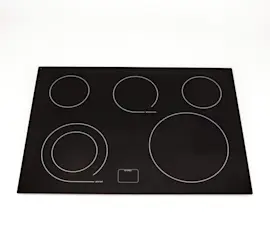
- Glass main top replacement when cracked or badly damaged (replacement is possible, but higher cost)
Quick checks to do before replacing parts
Use these checks first because they solve many “dead cooktop” and “burner not working” calls.
- Check the home breaker or fuse; reset/replace if tripped or blown
- Confirm the knob is being pushed in (if required) and turned to a heat setting
- Match pan size to the element; cookware should not extend more than about 1/2 inch past the cooking area
- If downdraft performance is poor, clean the grease filter and confirm airflow is not blocked
- If the glass is broken, stop using the cooktop and arrange service
Parts that are commonly replaced
If troubleshooting points to a failed component, these are typical repair parts for the JED3430WS01:
| Symptom | Likely part type | Example part for this model |
|---|---|---|
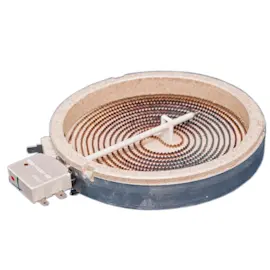
| One element will not heat | Radiant surface element | Range dual radiant surface element WPW10178022 |
| Element stuck on high or won’t turn on | Element control switch | Cooktop element control switch WPW10222828 |
| Downdraft airflow weak | Grease filter | Cooktop downdraft vent grease filter WPW10240990 |
Why it matters
Repairing a cooktop is usually the fastest way to restore safe, consistent heating and proper ventilation. It also helps prevent secondary damage, such as overheated wiring, scorched terminals, or poor cooking results from incorrect heat control.
Last updated: January 2026
Why is my Jenn Air cooktop burner not working?
On the Jenn-Air JED3430WS01 electric cooktop, a burner usually stops heating because the radiant surface element has failed, the element control switch is bad, or a wire connection in the cooktop harness is loose or burned. We recommend confirming power first, then checking the element and switch.
Quick checks (before replacing parts)
- Make sure the cooktop has power (no tripped breaker, no blown fuse, and the cooktop is plugged in if applicable).
- Try a different burner using the same knob position to see if the problem follows the burner or stays with the control.
- If the cooktop has a hot surface indicator, note whether it ever comes on for that burner.
- Let the glass cool completely, then check for cracks, heavy scorching, or signs of overheating around the burner area.
- If you have downdraft ventilation, confirm the venting setup is correct and not restricting airflow; follow the JED3430WS01 installation guide.
Most common causes and what they look like
| Symptom | Most likely cause | What you typically notice |
|---|---|---|
| One burner never heats | Failed radiant surface element | No glow, no heat, other burners OK |
| Burner heats only on some settings | Bad infinite switch/control | Heat cuts in and out, won’t regulate |
| Burner works intermittently | Loose/burned wiring connection | Heat comes and goes, may smell hot wiring |
Parts that commonly fix a dead burner on this model
If one specific burner is out, these are the most common repair parts to match by location and size:
- Radiant surface element options such as range radiant surface element W11171119 or range dual radiant surface element WPW10178022
- Control switches such as cooktop element control switch WPW10222828 or cooktop dual element control switch WPW10234425
- Wiring-related issues may involve the cooktop wire harness (match by connector style and routing)
Why it matters
A burner that is not heating is often a simple failed element or switch, but a loose or overheated wire connection can worsen quickly and cause additional damage to the control or glass area. Diagnosing the cause first helps you buy the right Jenn-Air replacement part the first time.
Last updated: January 2026