 Installation guide
 Owner’s manual



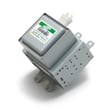
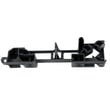
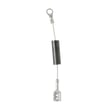

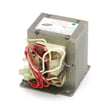
What is the average lifespan of a GE microwave?
Most GE microwaves, including over-the-range models like the GE PNM1971SR1SS microwave/hood combo, typically last 7 to 10 years with normal household use. Heavy daily cooking, poor airflow/venting, and skipped cleaning shorten life; light use and good maintenance extend it.
Typical lifespan and what changes it
A microwave’s lifespan is driven more by heat, grease, and door use than by the brand name on the front.
- Daily run time: reheating a few minutes a day lasts longer than frequent long cook cycles
- Ventilation and airflow: blocked vents and grease buildup raise internal temperatures
- Door wear: repeated slamming stresses the latch and interlock system
- Cleaning habits: grease and food splatter can lead to arcing and component overheating
- Power quality: frequent outages or surges can stress the control board
What “end of life” usually looks like
These symptoms often show up as a microwave approaches replacement time.
| Symptom | Common cause area | What to check first |
|---|---|---|
| Runs but does not heat | High-voltage system | Stop using and diagnose heating circuit safely |
| Dead display/no power | Fuse, wiring, control | Verify outlet power, then internal fuse diagnosis |
| Intermittent operation when closing door | Door interlock system | Door switches and switch lever alignment |
| Loud humming or burning smell | Magnetron/fan/diode | Stop use and inspect for overheating |
Maintenance that extends life (and prevents nuisance failures)
- Keep the grease filters clean and the vent path clear
- Wipe the cavity and door seals regularly; avoid harsh abrasives
- Never run the microwave empty; it overheats components quickly
- Do not use metal or foil that can cause arcing
- If the door feels loose or the unit only runs with the door “just right”, inspect the interlock parts
Why it matters
Over-the-range microwaves also act as a range hood, so grease and heat exposure are higher than on a countertop unit. That extra load can shorten lifespan if filters, airflow, and door interlocks are neglected.
For model-specific use and care guidance, follow the GE PNM1971SR1SS owner's manual.
Last updated: February 2026
Do all over the range microwaves have the same dimensions?
No. Over-the-range microwaves are not all the same dimensions; most are designed to fit standard 30-inch cabinet openings, but height and depth vary by brand and model. For your GE PNM1971SR1SS microwave/hood combo, use the clearances and cabinet requirements in the installation guide before replacing or swapping units.
What is “standard” for OTR microwave sizing?
Most over-the-range (OTR) microwaves follow common fit ranges, but they are not interchangeable without measuring.
- Width: most are about 30 inches (some compact models are narrower)
- Height: commonly 16 to 18 inches (low-profile models are shorter)
- Depth: commonly 15 to 18 inches (handle and door can add more)
- Mounting pattern: rear wall plate and top-cabinet bolt locations can differ
- Vent style: recirculating vs outside venting changes duct alignment needs
Model-specific fit rules that matter for PNM1971SR1SS
Your installation requirements are just as important as the outside dimensions.
- The microwave must be mounted to both a top cabinet and a wall (not an island or peninsula setup).
- Plan for a two-person install due to weight.
- The cabinet above the unit needs a grounded 3-prong outlet on a dedicated 15 to 20 amp branch circuit.
- The unit is intended for installation over ranges up to 36 inches wide.
- If venting outside, ductwork and airflow clearance must match the installation layout.
Quick comparison: what to check before you replace an OTR microwave
| What to measure/check | Why it matters | What to do |
|---|---|---|
| Cabinet opening width | Determines basic fit | Measure inside-to-inside cabinet span |
| Depth above the unit | Prevents door/handle interference | Measure cabinet depth and front overhang |
| Mounting plate and top bolt pattern | Prevents re-drilling and misalignment | Compare templates in the installation guide |
| Venting direction (top, rear, recirc) | Avoids duct mismatch | Confirm your current duct path |
Why it matters
Even when two OTR microwaves are both “30-inch models,” differences in mounting templates, venting alignment, and cabinet depth limits can turn a simple swap into a cabinet and wall rework. Following the model-specific install specs helps prevent poor leveling, blocked airflow, and fit problems.
Last updated: February 2026
Who created PNM1971SR1SS?
GE created the PNM1971SR1SS microwave/hood combo. On this model page, we list it as an official GE over-the-range microwave (microwave/hood combo) with matching parts and documentation to support installation and service.
How we identify the maker for this model
We tie the model number PNM1971SR1SS to the brand and product category shown for the appliance, then match parts and documentation that apply to that model series.
Key identifiers we use:
- Brand: GE
- Model number: PNM1971SR1SS
- Product type: Microwave
- Category: Microwave/hood combo parts
- Documentation: installation guide, owner's manual
What “created” means for parts and repairs
For parts lookup and troubleshooting, “who created it” matters because GE model families share specific door interlock, venting, and turntable components.
Common GE microwave/hood combo parts you may see for this model include:
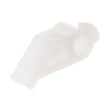
- Door interlock switches and levers
- Turntable motor and coupler
- Venting components (damper, charcoal filter)
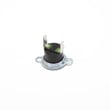
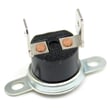
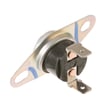
- Thermostats and wiring harnesses
Examples of model-matched parts (from this page)
| What it affects | Example part on this model | When it matters |
|---|---|---|
| Door sensing and safety | Micro-switch WB24X830 | Microwave will not start, door error symptoms |
| Turntable rotation | Microwave turntable motor WB26X10233 | Tray not turning, uneven heating |
| Recirculating venting | Microwave charcoal filter WB02X10956 | Odors/smoke not clearing in ductless setup |
Why it matters
Using the correct manufacturer and model number helps ensure the right fit and safe operation, especially for door interlock components and electrical parts.
Last updated: February 2026
How do I reset my microwave?
To reset your GE PNM1971SR1SS microwave/hood combo, we recommend a hard reset: unplug the microwave (or switch the circuit breaker off) for 1 to 5 minutes, then restore power and set the clock. This clears most control glitches and keypad lockups.
Quick reset options (try in this order)
- Press Clear/Off once to stop a cycle and clear many temporary errors.
- If the control panel is still unresponsive, unplug the unit for 1 to 5 minutes, then plug it back in.
- If it is hardwired or the plug is not accessible, turn the breaker off for 1 to 5 minutes, then back on.
- Reset the clock and re-test a simple cook cycle (for example, 1 minute with a cup of water).
- If the issue returns immediately, check for a door that is not fully latching.
What a reset fixes (and what it does not)
A reset is best for software-like issues (display oddities, stuck keys, random beeping). It will not fix a failed door interlock switch, thermostat, or heating component.
| Symptom | Reset likely helps? | What to check next |
|---|---|---|
| Display frozen or keypad not responding | Yes | Power cycle; then inspect door closing and latches |
| Microwave runs but does not heat | Sometimes | Heating circuit diagnosis (magnetron, diode, capacitor) |
| Dead, no display at all | Sometimes | House power, breaker, internal fuse (service-level repair) |
| Starts then stops when door moves | No | Door interlock system (switches and lever) |
Why it matters
Microwaves like the PNM1971SR1SS use an electronic control board; brief power interruptions and electrical noise can cause the control to “hang.” A hard reset restores normal operation without replacing parts.
If the problem is door-related after resetting
If the unit only works when you push on the door, stops when you open or close it, or shows intermittent operation, the door interlock system is a common cause. These model-matched parts are often involved:
- Micro-switch WB24X830 (door interlock switch)
- Switch-micro WB24X829 (interlock switch)
- Microwave door interlock switch lever WB06X10128 (actuator lever)
For model-specific operating details and control features, use the owner's manual.
Last updated: February 2026





