 Installation guide
 Owner’s manual
 Error Codes
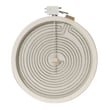


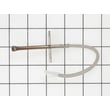
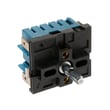

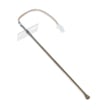



What is JBS86SP4SS?
JBS86SP4SS is a GE 30-inch free-standing electric double oven range. It’s a freestanding electric range designed for everyday baking and broiling in two oven cavities, with a glass cooktop and electronic oven controls; see the JBS86SP4SS owner’s manual for feature and control details.
What you can expect from this GE electric range
Common characteristics for the GE JBS86 series include:
- 30-inch freestanding footprint (fits most standard range cutouts)
- Electric double oven design (upper and lower oven compartments)
- Glass cooktop with radiant-style surface heating
- Electronic control panel for oven modes and temperature settings
- Standard range service parts such as bake elements, sensors, and surface element components
Where to find the model and rating information
If you’re confirming you have the right model before ordering parts, use these quick checks:
- Look for the rating plate on the oven frame or the drawer frame
- Match the full model number exactly: JBS86SP4SS
- Use the rating plate information when selecting electrical cords or verifying power requirements
| Item to verify | Where to look | Why it matters |
|---|---|---|
| Model number (JBS86SP4SS) | Rating plate | Ensures correct part fit |
| Electrical requirements | Installation instructions | Prevents wiring and breaker issues |
| Oven features and modes | Owner’s manual | Helps you use the correct settings |
Why it matters
Using the exact model number JBS86SP4SS is the difference between ordering a correct-fit GE part (like a bake element or temperature sensor) and getting a look-alike that won’t mount, wire, or heat properly.
Last updated: February 2026
How much does a GE double oven weigh?
For the GE JBS86SP4SS electric range (30-inch free-standing double oven), the exact weight depends on the specific configuration and packaging; we use the JBS86SP4SS installation guide to confirm handling and fit requirements, and we plan for a typical installed weight range of about 200 to 260 lb for ranges in this class.
What to use as the most reliable weight
The most dependable weight is the net (installed) weight listed for your exact model and revision.
- Check the specifications section in the JBS86SP4SS owner’s manual
- If you are moving the range, plan for 2-person lifting minimum
- Remove oven racks, drawers, and loose accessories before moving
- Protect the glass cooktop and door glass from twisting or impact
- Keep the range upright to avoid damaging internal supports
Planning for moving, delivery, or flooring
Even without an exact published weight in the excerpts above, we can plan safely using typical ranges and the installation clearances.
| Scenario | What to plan for | Practical tip |
|---|---|---|
| Moving across a room | 200 to 260 lb | Use an appliance dolly with straps |
| Loading into a truck | 200 to 260 lb | Use a ramp; do not lift by the door handle |
| Setting into a cutout | Weight plus push force | Confirm anti-tip bracket engagement |
Why it matters
Weight affects safe handling, floor protection, and anti-tip bracket performance. GE’s installation instructions emphasize switching power off and using the anti-tip bracket; those steps are especially important any time the range is moved or reinstalled.
Last updated: February 2026
How to fix F7 error code?
On the GE JBS86SP4SS electric range, an F7 is treated as a function error code; we fix it by canceling the fault, letting the oven cool, then resetting power. If the code returns after a reset, the problem is typically in the keypad (stuck key) or the oven control.
Quick fix steps (in order)
- Press Cancel/Off and let the oven cool for 1 hour.
- Turn power off at the breaker (or unplug) for at least 30 seconds, then restore power.
- If the display comes back normal, test Bake and Broil for a few minutes.
- If F7 returns, check the control panel for a stuck or continuously pressed key.
- If keys feel normal but F7 repeats, schedule service; the touch panel or control usually needs attention.
What F7 usually means on a GE range
F7 commonly points to a control input problem (keypad/touch panel signal) or an electronic oven control issue. Heat, steam, and cleaning chemicals can contribute to intermittent key signals.
What to check before replacing parts
- Power and cooling: Many function codes clear after the oven cools and power is reset.
- Keypad behavior: Make sure no key is physically stuck; wipe the panel with a barely damp cloth and dry it.
- Recent events: Power surge, heavy steam, or a self-clean cycle can trigger temporary faults.
Parts that may be involved
If troubleshooting points to an electronic control issue, these model-listed parts are commonly associated with control and sensing (exact diagnosis matters):
| Symptom pattern | More likely cause | Less likely cause |
|---|---|---|
| F7 returns immediately after reset | Keypad/control input fault | Temperature sensor |
| F7 appears after heating for a while | Control overheating or failing | Loose connection |
| F7 plus erratic temps | Sensor circuit issue | Surface element issue |
If you are already diagnosing temperature-related faults, the wall oven temperature sensor WB23T10015 is the sensor used for oven temperature feedback on this model.
Why it matters
An F7 can disable baking and broiling or cause unpredictable operation. Clearing the code safely and confirming whether it repeats helps you avoid unnecessary part replacement and gets the range back to reliable cooking.
For model-specific operating steps and troubleshooting tips, use the JBS86SP4SS owner’s manual.
Last updated: February 2026
How do I reset the error code on my GE oven?
On the GE JBS86SP4SS electric range, you can usually clear a flashing “F” error code by pressing Cancel/Off, letting the oven cool, then restoring operation. If the code repeats, do a quick power reset (turn power off, wait at least 30 seconds, then turn it back on).
Step-by-step: clear the code safely
- Press Cancel/Off.
- If the oven is hot, let it cool for about 1 hour before trying to use it again.
- Try starting Bake at a normal temperature to see if the code is gone.
- If the code returns, turn power off at the breaker (or unplug if accessible).
- Wait 30 to 60 seconds, then restore power.
- If the same code keeps coming back, stop using self-clean/steam clean until the issue is corrected.
For the exact wording and model-specific troubleshooting table, use the JBS86SP4SS owner’s manual.
What the reset does (and does not do)
A reset clears temporary control glitches caused by heat, a power surge, or an interrupted cycle. If the control detects the same fault again, the code will return because a component or wiring issue is still present.
Common causes when the code returns
| What’s happening | Common suspect | What we recommend next |
|---|---|---|
| “F” code repeats after cooling | Oven temperature sensing problem | Check the sensor circuit; replace the wall oven temperature sensor WB23T10015 if testing confirms it’s out of range |
| Error appears during/after cleaning | Oven too hot or cycle interrupted | Cancel, allow full cool-down, then retry the cycle per the manual |
| Random codes after outage | Power interruption | Reset clock and retry cooking function |
Why it matters
Repeated error codes can disable heating or cause uneven temperatures. Resetting is a good first step, but a repeating code helps pinpoint whether the issue is heat-related, power-related, or tied to a part such as the temperature sensor.
If you want code definitions and next steps by code family, use GE freestanding range error codes.
Last updated: February 2026





