 Owner’s manual




How many cubic feet is a Kenmore Model 72179209010 microwave?
The Kenmore Elite microwave model 72179209010 is about 1.7 cubic feet in capacity. This is the interior cooking space, and it helps you judge what size dishes fit and how much food you can heat at one time.
We recommend checking the capacity listing in the 72179209010 owner's manual. That is the best place to confirm the published spec for your specific model.
- Look for a section labeled Specifications, Product information, or Features
- Capacity is usually listed in cu. ft. (cubic feet)
- If your microwave has a model/serial tag, confirm it reads 72179209010
- If you are comparing sizes, measure the largest dish you use most often (diameter and height)
Capacity affects everyday fit and performance expectations, especially for common items like dinner plates, casserole dishes, and microwave-safe bowls.
| Capacity (cu. ft.) | Typical fit | Common use case |
|---|---|---|
| 0.7 to 1.1 | Small plates, mugs | Dorm, office |
| 1.2 to 1.6 | Most dinner plates | Everyday reheating |
| 1.7 | Larger plates and bowls | Family-size reheating |
| 2.0+ | Large cookware | Frequent batch cooking |
If you are troubleshooting heating results (not just size), see why is my microwave not heating for common causes like door switch issues, power supply problems, or high-voltage component failures.
Last updated: January 2026
How much clearance for a countertop microwave?
For the Kenmore Elite countertop microwave model 72179209010, we recommend leaving about 3 inches of clearance on the top and both sides, about 1 inch at the rear, and keeping the front edge set back at least 3 inches from the counter edge for stable, safe airflow.
- Top: ~3 in.
- Left side: ~3 in.
- Right side: ~3 in.
- Rear: ~1 in.
- Front: keep the microwave’s front edge at least ~3 in. back from the counter edge
Proper clearance helps the cooling airflow move around the cabinet so the microwave can run efficiently. It also reduces nuisance shutoffs from overheating and helps prevent accidental tipping if the unit is too close to the counter edge.
- Place the microwave on a flat, level, sturdy surface.
- Keep it away from heat sources (range, toaster oven) and steam.
- Avoid enclosing it tightly in a cabinet unless the space is designed for a countertop unit.
- Make sure the air intake and exhaust vents are not blocked by walls, backsplash, or décor.
- Confirm any model-specific placement notes in the 72179209010 owner's manual.
| Area around microwave | Target clearance | What it helps prevent |
|---|---|---|
| Top and sides | ~3 in. | Overheating, poor ventilation |
| Rear | ~1 in. | Pinched cord, blocked rear venting |
| Front setback | ~3 in. | Tipping risk, bumped door |
Airflow problems can contribute to overheating symptoms, but heating failures can also involve internal electrical parts. If you have symptoms like “runs but doesn’t heat,” use our troubleshooting steps in why is my microwave not heating.
Last updated: January 2026
How do you reset a Kenmore Elite microwave?
To reset a Kenmore Elite microwave like model 72179209010, we recommend doing a simple power reset first: unplug the microwave (or switch off the breaker) for about 1 minute, then restore power and set the clock. For model-specific reset steps, use the 72179209010 owner's manual.
- Power reset: Unplug for 60 seconds, plug back in.
- Breaker reset: Turn the microwave circuit breaker off for 60 seconds, then on.
- Control panel refresh: After power returns, wait 10 to 30 seconds before pressing keys.
- Clock reset: Set the clock; some functions will not run until time is set.
- Test heat: Heat 1 cup of water for 1 minute to confirm normal operation.
If the display is on but buttons do not respond, the issue is usually a stuck key, moisture/grease on the touch panel, or a door-safety circuit problem.
- Clean and dry the control panel surface (no dripping cleaner).
- Open and close the door firmly; confirm it latches smoothly.
- If the microwave runs only with the door held or it stops when you bump the door, inspect the door latch parts and interlock system.
| Symptom | What it often points to | Example part for this model |
|---|---|---|
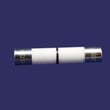
| Dead display, no response | Blown line fuse or power issue | Microwave fuse 3B74133Q |
| Starts then stops when door moves | Door interlock switch or latch issue | Microwave door interlock switch (model-specific options) |
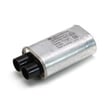
| Runs but does not heat | High-voltage circuit components | High-voltage components (capacitor/diode) |
A proper reset clears minor control glitches and restores normal keypad logic. If symptoms return quickly, the microwave is usually protecting you from an electrical or door-interlock fault that needs diagnosis.
Last updated: January 2026


