 Error Codes





How to clean the igniter on a KitchenAid gas stove?
On your KitchenAid KSGS330SPS0 gas range, we clean the igniter by removing the burner parts, wiping the igniter tip gently, and clearing any clogged burner ports so gas can reach the spark. This restores reliable clicking and ignition without damaging the ceramic igniter.
Safe prep (do this first)
- Turn all burner knobs to OFF.
- Let the cooktop cool completely.
- Shut off the gas supply if you will lift the cooktop or remove multiple parts.
- Unplug the range (or switch off the breaker) to prevent accidental sparking.
- Use only mild soap and water; avoid soaking the igniter.
Steps to clean the igniter and burner ports
- Remove the grate and lift off the burner cap and burner head (if applicable).
- Wipe the igniter carefully with a damp cloth; then dry it fully.
- Clean the gas tube opening under the burner base (crumbs and spills commonly block it).
- Clear clogged burner ports with a straight pin, needle, or small-gauge wire.
- Reassemble the burner parts so they sit flat and centered; then test ignition.
What to use (and what to avoid)
| Item | Use it for | Avoid because |
|---|---|---|
| Damp microfiber cloth | Cleaning the igniter tip and surrounding area | Abrasives can crack the ceramic |
| Pin or needle | Clearing burner ports | Enlarging ports changes the flame |
| Mild dish soap + warm water | Cleaning caps and heads | Harsh cleaners can corrode finishes |
If it still will not light after cleaning
- Make sure the burner cap is seated correctly; misalignment prevents ignition.
- Dry everything again; moisture causes weak spark and delayed ignition.
- If you hear clicking but get no ignition on multiple burners, the spark system may need service.
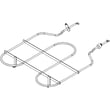
- If the bake burner will not ignite, inspect the oven ignition components; the electrode, bake W11524031 is one model-matched part to check.
Why it matters
A dirty igniter or clogged burner ports can cause delayed ignition, uneven flame, and repeated clicking. Keeping the burner base and ports clean helps your KSGS330SPS0 light quickly and burn efficiently.
Last updated: February 2026
Does KitchenAid make gas ranges?
Yes. KitchenAid makes gas ranges, including freestanding gas range models like KitchenAid KSGS330SPS0. If you already own this model, we list replacement parts for common repairs such as ignition, oven door sealing, and burner components.
What “gas range” includes
A KitchenAid gas range typically combines these systems:
- Gas cooktop burners (valves, igniters, flame spreaders)
- Gas oven bake and broil ignition
- Electronic spark/ignition module and wiring
- Oven door components (glass, gasket, hinges)
Parts you can replace on KSGS330SPS0
If your KitchenAid gas range needs service, these model-matched parts are examples we carry:
- Electrode, bake W11524031 (helps ignite the bake burner)
- Module-spk W10898291 (controls spark ignition for burners)
- Seal, door W11542153 (helps keep heat inside the oven)
- Flame spreader (left front) W11531096 (shapes burner flame for even heating)
Quick symptom-to-part guide
| Symptom | Common area to check | Example part for this model |
|---|---|---|
| Oven will not ignite | Bake ignition | Electrode/igniter circuit |
| Burners click but won’t light | Spark system | Spark module |
| Oven heat leaks, uneven baking | Door sealing | Door seal |
| Uneven flame on one burner | Burner head/spreader | Flame spreader |
Why it matters
Knowing KitchenAid makes gas ranges helps you match parts correctly. Gas ranges use model-specific ignition and burner components; using KSGS330SPS0-MATCHED parts helps restore safe ignition, stable flames, and consistent oven temperatures.
Last updated: February 2026
Why is the display not working on my KitchenAid stove?
On your KitchenAid KSGS330SPS0 gas range, a dead display is usually caused by a power supply issue to the control, a loose or damaged user interface connection, or a failed electronic control. Start with a safe power reset and then inspect wiring and the control panel components.
Quick checks first (no parts needed)
- Confirm the range has power: the clock and oven light should work; if nothing works, check the house breaker.
- Do a hard reset: turn the breaker OFF for 2 minutes, then turn it back ON.
- If the cooktop burners spark or light but the display stays dark, focus on the control panel and wiring.
- If the display is dim or flickers, a failing user interface or unstable power connection is common.
What to inspect (power off)
Turn the breaker OFF before removing any panels.
- Check for a loose ribbon cable or connector between the user interface and the main harness.
- Look for pinched, burned, or broken wires near the control panel area.
- Reseat connectors one at a time; a partially backed-out plug can kill the display.
- If you find damaged wiring, use our guide how to repair broken or damaged wires video.
Parts that commonly fix a dead or blank display
If power is good and connections are secure, the failure is typically in the user interface or an ignition/control-related module feeding the display logic.
| Symptom | Most likely area | What we usually replace |
|---|---|---|
| Completely blank display, other functions may still work | User interface or its connections | User interface W11795412 |
| Display works intermittently when pressing/ flexing panel | Control panel connection or UI | Control panel (black) W11771186 |
| Multiple burners clicking/ignition odd behavior plus control issues | Spark/ignition module | Module-spk W10898291 |
Why it matters
The display is your main feedback for bake, broil, timer, and error conditions. Fixing a blank display restores safe, predictable oven operation and helps prevent temperature or ignition problems from going unnoticed.
Last updated: February 2026
Why is my KitchenAid gas range not heating up?
If your KitchenAid KSGS330SPS0 gas range oven is not heating, the most common causes are a weak bake ignition system (no flame), a gas supply issue, or a control problem that is not sending power to the igniter. Start by confirming you get a steady bake flame.
Quick safety check first
- If you smell gas, turn the oven off, shut off the gas supply, and ventilate the room.
- Do not keep trying to light the oven repeatedly.
- Let the range cool completely before inspecting anything inside the oven cavity.
What to check (in order)
- Bake igniter behavior: Set Bake and watch through the oven bottom openings (or listen). A healthy system typically clicks, the igniter glows (if equipped), and the burner lights within about 30 to 90 seconds.
- No flame but you hear clicking: The bake ignition parts can be dirty, misaligned, or failing. The model-specific bake ignition part to check first is the electrode, bake W11524031.
- Flame starts but goes out or is very weak: Burner ports can be blocked by spills; the burner box and spreader area may need cleaning.
- Broil works but bake does not: This points strongly to a bake ignition component (electrode/igniter circuit) rather than the gas supply.
- Neither bake nor broil works: Check the gas shutoff valve is fully open and confirm other gas appliances work; then suspect a control or gas valve issue.
Common symptoms and likely causes
| Symptom | Most likely cause | What we recommend |
|---|---|---|
| No heat, no flame | Failed bake ignition component | Inspect/replace electrode, bake W11524031 |
| Clicking but no ignition | Dirty/misaligned electrode, weak spark, poor grounding | Clean and re-seat electrode connections; replace if damaged |
| Oven heats unevenly or takes too long | Partial burner blockage, airflow/insulation issues | Clean burner area; inspect oven cavity components |
| No bake and no broil | Gas supply off, gas valve/control issue | Verify gas supply; then diagnose valve/control circuit |
Why it matters
A gas oven that will not heat is usually an ignition or gas-delivery problem. Fixing the root cause restores proper burner ignition, prevents repeated misfires, and helps the oven reach and hold temperature for baking and roasting.
Helpful DIY guidance
If you need to test wiring or electrical continuity during diagnosis, we use a meter-based approach like the steps in how to use a multimeter to test electrical parts video.
Last updated: February 2026





