 Installation guide
 Owner’s manual



How do I reset my Kenmore microwave?
To reset your Kenmore Elite microwave/hood combo model 72180833500, unplug it (or switch off the breaker) for about 1 minute, then restore power. If the controls are locked, press and hold START for 3 seconds to unlock before testing operation (heat, light, and vent). See the 72180833500 owner's manual for control and lock details.
Quick reset options (most common)
- Power reset: Unplug the microwave or turn off the circuit breaker for 60 seconds, then restore power.
- Cancel a stuck cycle: Press STOP/CLEAR to cancel an operation that is still running.
- Turn off Kitchen Timer mode: Press KITCHEN TIMER, turn the dial to Turn off, then press the dial.
- Unlock the control panel (Child lock): Press and hold START for 3 seconds.
- Confirm the door is latched: Close the door firmly; the microwave will not run if it is not fully latched.
If it still will not run after a reset
A reset fixes many control glitches, but it will not correct a power or safety-interlock problem. Check these items next:
| What you see | What it usually means | What to do |
|---|---|---|
| Display is blank, nothing works | No power to the unit | Check outlet power, house fuse/breaker, then try a power reset |
| Display works but it will not start | Door not latched, timer mode, or control lock | Latch door, cancel timer, unlock controls, press START |
| It goes dead when you press Start | Possible internal protection issue | Stop using it and have it serviced (microwaves store high voltage) |
Why it matters
Resetting the 72180833500 clears temporary control logic issues and helps you rule out simple causes (timer mode, child lock, door latch) before you spend time on deeper troubleshooting.
Last updated: February 2026
How many cubic feet is a Kenmore Model 72180833500 microwave?
The Kenmore Elite 72180833500 microwave/hood combo is a 1.7 cu. ft. over-the-range microwave. For the full feature set and operating details for this exact model, use the 72180833500 owner's manual.
Quick specs snapshot
| Item | What to expect |
|---|---|
| Capacity | 1.7 cu. ft. |
| Appliance type | Over-the-range microwave/hood combo |
| Brand | Kenmore Elite |
Why capacity matters
Microwave capacity (cubic feet) helps you judge what will fit and how the oven performs day to day, including:
- Whether larger dinner plates and casserole dishes fit on the glass tray
- How much food you can heat evenly at one time
- How well common cookware sizes work with the turntable
- Whether the interior size matches your cooking habits (reheating vs. larger dishes)
Tips for confirming fit in your kitchen
Capacity is the interior volume, not the outside size. For installation clearances and cabinet measurements, we recommend checking the 72180833500 installation guide and then verifying these items at home:
- Cabinet width and depth above the range
- Distance from cooktop to the bottom of the microwave
- Venting setup (recirculating with charcoal filter vs. ducted)
- Location of the wall mounting plate and upper cabinet holes
Related parts that affect real-world use
If you are trying to improve venting performance or odors (which can feel like a “small microwave” issue when steam builds up), these model-compatible filters are common maintenance items:
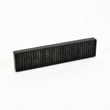
- Grease filter 5230W1A012E (captures grease from cooking)
- Lg microwave charcoal filter 5230W1A003A (helps with odors in recirculating setups)
Last updated: February 2026
What is the average lifespan of 72180833500?
A Kenmore Elite microwave/hood combo like model 72180833500 typically lasts 10 years with normal household use. Keeping the grease filters clean, ensuring good airflow, and fixing small issues early helps the magnetron, fan motor, and door switches last longer.
What affects lifespan most
- Ventilation and heat: blocked vents and heavy high-power cooking shorten component life.
- Grease buildup: clogged filters make the hood fan work harder and trap heat.
- Door use: slamming the door stresses the interlock system.
- Power quality: frequent surges can damage electronic and high-voltage parts.
- Maintenance habits: regular cleaning prevents overheating and odor issues.
Maintenance checklist (best ROI)
- Wash the metal grease filter regularly; replace it if it is bent or won’t clean up (see grease filter 5230W1A012E).
- Replace the charcoal filter on recirculating setups when odors linger (see lg microwave charcoal filter 5230W1A003A).
- Keep the bottom intake and top exhaust areas clear.
- Clean the cavity and door surfaces so the door closes squarely.
- Use microwave-safe cookware and avoid running the unit empty.
Common “end-of-life” symptoms and what they usually mean
| Symptom | Most common cause | Typical fix path |
|---|---|---|
| Runs but does not heat | High-voltage component or magnetron | Diagnose high-voltage circuit; often involves microwave magnetron 6324W1A001L |
| Dead display, no response | Blown fuse or power issue | Check outlet, then test microwave fuse 3B74133Q |
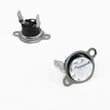
| Stops mid-cycle, overheats | Thermostat or thermal cut-off opening | Check airflow, then test safety devices |
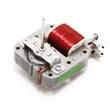
| Fan loud or weak airflow | Grease restriction or motor wear | Clean filters; inspect fan and ducting |
Why it matters
At around the 10-year mark, repairs often involve high-voltage or safety components. Planning maintenance and addressing early symptoms helps you avoid sudden no-heat or no-power failures and keeps cooking performance consistent.
For model-specific care, cleaning guidance, and operating tips, follow the owner's manual.
Last updated: March 2026


