Owner’s manual
 Error Codes



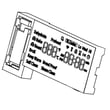
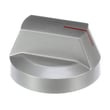
What model is my Samsung electric range?
Your Samsung electric range model number is printed on the appliance’s rating label. On the Samsung NE63A6311SS series, a common place to find it is around the storage drawer area; pull the drawer out and look for the label on the frame or inside the drawer opening. For diagrams and label locations, use the NE63A6311SS user manual.
Where to look for the model tag
Check these spots first (in this order):
- Inside the storage drawer opening (after you pull the drawer out)
- On the range frame behind the drawer front
- Along the oven door frame area (open the oven door and look around the frame)
- On the back panel of the range (if accessible)
What you should write down
Record the full identification details so you get the right Samsung range parts:
- Model number (example format: NE63A6311SS)
- Version suffix (often shown after a slash, such as /AA-00)
- Serial number
| Label item | Why it matters when ordering parts |
|---|---|
| Model number | Identifies the correct product platform and parts list |
| Version (for example, /AA-00) | Matches the exact production version for fit and wiring |
| Serial number | Helps confirm manufacturing date and compatible revisions |
Why it matters
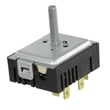
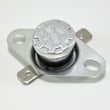
Samsung electric ranges can have multiple versions that look identical but use different control boards, wire harnesses, or surface element switches. Using the exact model and version helps ensure parts like an oven temperature sensor or surface element control switch match correctly.
Last updated: February 2026
Is the NE63A6311SS oven a smart oven?
Yes. The Samsung NE63A6311SS electric range includes Smart Control features that let you monitor the oven and cooktop from the SmartThings app, and (when Smart Control is enabled) remotely start and stop oven cooking. Voice control is also supported through compatible assistants.
What “smart” features you can use
From the SmartThings app, the main capabilities include:
- Monitor oven and cooktop status
- Start the oven remotely (after enabling Smart Control on the range)
- Turn the oven off remotely
- Check for errors in the app (when remote control is on)
- Change time and temperature remotely after cooking starts
For the exact steps and feature list, follow the NE63A6311SS owner's manual.
How remote start works (Smart Control)
Remote start is not always “on” by default. In general, you:
- Connect the range to Wi-Fi in the SmartThings app.
- Enable Smart Control on the range so it can accept remote commands.
- Start the oven from your phone.
Smart Control typically turns off when cooking ends or is canceled, and opening the oven door can disable Smart Control.
Voice control overview
Voice control is available when you use a supported platform (such as Bixby, Amazon Alexa, or Google Assistant) on your mobile device. Common voice actions include starting or preheating the oven and turning it off.
Quick reference table
| Feature | Available on NE63A6311SS | Notes |
|---|---|---|
| SmartThings monitoring | Yes | Oven and cooktop status monitoring |
| Remote oven start | Yes | Requires Smart Control enabled on the range |
| Remote oven off | Yes | Works through the app |
| Remote self clean start | No | Self clean cannot be started remotely |
| Voice control | Yes | Requires compatible assistant app |
Why it matters
Smart features help you preheat, monitor progress, and shut the oven off without being in the kitchen, which is especially useful for busy schedules. For best performance, place the range where it has a strong Wi-Fi signal.
Last updated: February 2026
What are the common problems with Samsung ranges?
Common problems on Samsung electric ranges like model NE63A6311SS typically involve heating performance (no heat, slow preheat, uneven baking), cooktop burner control issues, display or control panel glitches, and door or door-lock concerns. We recommend starting with the built-in troubleshooting steps in the NE63A6311SS owner's manual.
Most common symptoms (and what they usually point to)
- Oven not heating or takes too long to preheat: failed heating circuit, temperature sensing issue, or control problem
- Oven temperature seems inaccurate: temperature sensor drift, calibration needed, or airflow/rack placement issues
- Cooktop element not working or stuck on high: surface element control switch or radiant element problem
- Hot surface light stays on: indicator circuit issue or a surface element staying warm longer than normal
- Display flickers, beeps, or buttons do not respond: control panel or oven control board issue
- Door will not close right or feels misaligned: hinge/hinge lock position or door assembly wear
Quick checks we recommend before replacing parts
- Power reset: Turn the range off at the breaker for 1 minute, then restore power.
- Confirm the symptom is isolated: Test Bake and Broil separately; test multiple surface elements.
- Check for obvious safety issues: If the cooktop glass is cracked, switch off and unplug the range before using it again (per the manual).
- Door and hinge check: If the door was recently removed, verify the hinge locks are set correctly.
- Use the error code list when applicable: If an error code appears, match it to the recommended checks in Samsung freestanding electric range error codes.
Parts that commonly solve these problems
| Symptom | Common part involved | Example from this model’s parts |
|---|---|---|
| Oven temp inaccurate or error codes related to sensing | Oven temperature sensor | DG32-00002B |
| Surface element won’t regulate heat | Surface element control switch | DG44-01006D or DG44-01009B |
| One burner won’t heat | Radiant surface element | DG47-00060A (6-in) or DG47-00067A (dual) |
Why it matters
Heating and control issues affect cooking results and can create unsafe conditions if the appliance behaves unpredictably. The manual’s safety guidance is clear: if you notice burning smells, smoke, or a cracked cooktop surface, disconnect power and stop using the range until it’s addressed.
Last updated: February 2026
What are the electrical requirements for Samsung NE63A6311SS?
Samsung NE63A6311SS is a 240-volt electric range that uses a dedicated 4-wire (recommended) or 3-wire range circuit with a properly grounded connection. For most installations, we use a 40-amp range cord and matching 40-amp breaker sized for 125/250 VAC service; confirm the exact rating and wiring method in the NE63A6311SS owner's manual.
Typical electrical setup (what we install most often)
- Dedicated 120/240 VAC (or 120/208 VAC in some buildings) branch circuit
- 40-amp circuit breaker (common for many freestanding electric ranges)
- Range cord rated for 40 amps with 125/250 VAC insulation rating
- Proper grounding; 4-wire connection is the modern standard in most homes
- Correct strain relief on the cord where it enters the range
Quick checklist before you plug it in
- Turn off power at the breaker before accessing the terminal block.
- Verify the receptacle type matches your cord (3-prong vs 4-prong).
- Confirm the cord is secured with a strain relief (prevents wire damage).
- Make sure the anti-tip bracket is installed and engaged after positioning the range.
- If you see damaged wiring, stop and have a qualified technician correct it.
Common configurations (at a glance)
| Home wiring/receptacle | Cord type | Neutral and ground | When it’s used |
|---|---|---|---|
| 4-slot receptacle | 4-wire cord | Separate | Most modern installations |
| 3-slot receptacle | 3-wire cord | Bonded per instructions | Older homes where allowed |
Why it matters
Correct voltage, amperage, and grounding protect the oven control board, surface elements, and wiring harness from overheating, nuisance tripping, and electrical faults. It also helps the range heat properly and operate safely.
Last updated: February 2026
How do I reset my Samsung oven control board?
To reset the control board on your Samsung NE63A6311SS electric range, we recommend doing a power reset: turn the range off, disconnect power for at least 30 seconds, then restore power and restart the oven. This clears many temporary control and keypad faults.
Quick reset steps (power reset)
- Press OFF/CLEAR to stop any active cooking cycle.
- Unplug the range from the wall outlet.
- If you cannot access the plug, turn OFF the range circuit breaker.
- Wait at least 30 seconds with power fully disconnected.
- Restore power, then set the clock and try BAKE again.
When a reset is the right fix
A reset is especially useful if you see an information code tied to the keypad or control logic. For example, some codes instruct you to press OFF/CLEAR, restart, and then disconnect power for 30 seconds if the code returns. See the steps and code list in the NE63A6311SS owner's manual.
If the problem comes back after resetting
If the oven still will not start, heats incorrectly, or repeatedly shows sensor or control-related codes, focus on the most common causes below.
- Power supply issue: a tripped breaker or loose plug can mimic a control failure.
- Keypad/control panel issue: stuck or shorted keys can trigger recurring faults.
- Temperature sensing issue: a failed sensor can cause error codes or bad baking results.
- Wiring connection problem: a loose harness connection can interrupt signals.
Common symptoms and what to check
| Symptom | What to try first | Likely next step |
|---|---|---|
| Display frozen or acting erratic | Power reset (30 seconds) | Check for recurring codes in the manual |
| Oven will not turn on | Verify outlet and breaker | Review control settings and error codes |
| Temperature seems inaccurate | Confirm mode and preheat | Test/replace oven temperature sensor |
Why it matters
A proper reset clears the control board’s temporary memory and can restore normal operation after a power glitch or keypad fault. If the same code returns, it points to an underlying issue (keypad, sensor, wiring, or the control board itself) that needs diagnosis.
Last updated: February 2026
What is the life expectancy of a Samsung electric range?
A Samsung electric range like model NE63A6311SS typically lasts 13 to 15 years with normal household use and basic maintenance (keeping the cooktop clean, avoiding overheating, and addressing heating or control issues early). For care and operating guidance specific to your range, use the NE63A6311SS owner's manual.
Typical lifespan and what affects it
Most electric ranges reach the 13 to 15 year range; these factors usually determine whether you land on the low or high end:
- Heating system wear: radiant surface elements and oven heating components cycle on and off for years
- Electronics and controls: control boards and switches can fail from heat, power surges, or heavy use
- Door and latch wear: hinges, door alignment, and latches affect sealing and cooking performance
- Cleaning habits: spills left to bake on can cause odors, smoke, and overheating around components
- Installation and power quality: improper power connection can cause operating problems (the manual notes a “bAd LinE” message when power is connected improperly)
Quick “is it worth repairing?” guide
Use this simple rule of thumb when deciding between repair and replacement.
| Range age | Typical recommendation | Why |
|---|---|---|
| 0 to 5 years | Repair | Plenty of remaining service life |
| 6 to 10 years | Repair if cost is reasonable | Mid-life; many repairs pay off |
| 11 to 15 years | Compare repair cost vs. replacement | Near typical end of life |
| 16+ years | Replace | Reliability and parts costs trend up |
Maintenance that helps you reach the high end (15 years)
These steps reduce stress on key parts and help keep temperatures stable:
- Keep cookware flat-bottomed and sized to the element to prevent overheating
- Wipe up sugary spills quickly to protect the cooktop surface
- Avoid slamming the oven door; it stresses hinges and can affect sealing
- If baking temperatures seem off, check the oven temperature sensor and calibration steps in the manual
- If you see an error code, use Samsung freestanding electric range error codes to identify the most likely cause and next steps
Why it matters
A range that is heating unevenly, taking longer to preheat, or showing error codes often uses more energy and can cook inconsistently. Catching issues early can extend the life of high-cost components like controls and heating circuits.
Last updated: February 2026