Owner’s manual
 Error Codes




Where to find part number on Samsung oven?
On your Samsung NE63T8111SG electric range, the model and serial tag (what you use to look up the correct replacement part numbers) is typically found on the frame behind the storage drawer. Pull the storage drawer fully out and look on the oven frame near the opening; then match parts using that model information in the NE63T8111SG owner's manual.
How to locate the model and serial tag (fast steps)
- Turn the range off and let all surfaces cool.
- Pull the storage drawer straight out until it stops.
- Lift the front slightly (if needed) and continue pulling to remove the drawer.
- Look for a rating label on the frame behind the drawer opening (often on the left or right side rail).
- Write down the model number and serial number exactly as shown.
- Use that information to select the correct Samsung electric range parts for your exact version.
What “part number” means (and what to record)
The label on the range usually does not list every replaceable part number. It identifies the appliance so you can choose the right parts list.
| What you’re looking for | Where it’s used | Example for this range |
|---|---|---|
| Model number | Matches the correct parts diagrams | NE63T8111SG |
| Serial number | Helps confirm production version | (varies by unit) |
| Part number | Identifies a specific replacement part | DG47-00068A (broil element) |
Why it matters
Samsung ranges can have multiple versions that look the same but use different switches, elements, or wiring. Using the model and serial from the tag helps you order the correct surface element control switch, radiant surface element, or terminal block the first time.
Ordering the right replacement part
Once you have the model and serial information, order parts from the parts list for this model, or search by model number on Sears PartsDirect.
Last updated: February 2026
What type of plug does a Samsung electric range use?
Samsung electric ranges such as model NE63T8111SG typically use a dedicated 240/120V (or 208Y/120V), 60 Hz range circuit and connect with either a 3-prong or 4-prong range cord and plug, depending on your home’s wiring. The power cord is usually not included; confirm the exact connection requirements in the NE63T8111SG manual.
Which plug you need (3-prong vs 4-prong)
In most homes, the outlet type determines the cord:
- 4-prong (4-wire): Common in newer installations; separate neutral and ground.
- 3-prong (3-wire): Common in older installations; neutral and ground are combined.
- Range cords are heavy-duty and match the outlet style (you do not use a standard 120V plug).
- Use a dedicated circuit sized for an electric range (typical is 40A to 50A, depending on the range and installation).
Quick compatibility checklist
Use this checklist before buying a cord:
- Match the cord to your wall outlet (3-slot vs 4-slot).
- Verify your electrical service supports 240/120V or 208Y/120V, 60 Hz.
- Confirm the range is fully de-energized before any wiring work (unplug or shut off the breaker).
- Make sure the cord strain relief is installed correctly so the cord cannot pull on the terminal connections.
Common setups at a glance
| Home outlet style | Cord/plug style | Typical when |
|---|---|---|
| 3-slot range receptacle | 3-prong range cord | Older homes and older range circuits |
| 4-slot range receptacle | 4-prong range cord | Newer homes and updated electrical codes |
Why it matters
Using the correct range cord and plug style helps prevent loose connections, overheating at the terminal block, nuisance breaker trips, and shock risk. It also ensures your Samsung electric range is connected the way it was designed to operate.
Ordering parts and help
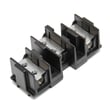
If you’re also replacing electrical connection components during installation, we list model-matched parts for NE63T8111SG on this page (for example, the range terminal block DG96-00173A if your terminal connections are damaged). You can also search by model number on Sears PartsDirect.
Last updated: February 2026
How do I reset my Samsung oven control board?
To reset the control on your Samsung NE63T8111SG electric range, we recommend doing a full power reset: turn the range OFF, then shut off the circuit breaker for 1 to 5 minutes and restore power. This clears many temporary control glitches and error states.
Safe reset steps (power cycle)
- Turn the oven OFF and make sure no cooking mode is running.
- Switch the range circuit breaker OFF (or unplug the range if accessible).
- Wait 1 to 5 minutes.
- Restore power.
- Set the clock and test BAKE and BROIL.
If the display shows an error code after the reset
Your range can display specific fault codes tied to sensors, overheating, or power wiring. Use the error code list in the NE63T8111SG owner's manual and match the code before replacing parts.
Common examples from the manual:
| Display code | What it points to | What to do next |
|---|---|---|
| C-30 | PCB sensor open/short while operating | Reset power; if it returns, service-level diagnosis is needed |
| C-31 | PCB temperature abnormally high | Let the range cool, check airflow/venting, then retest |
| bAd LinE | Power cord/power connection installed improperly | Reconnect the power connection correctly, then retest |
When a “reset” is really a settings change
Some issues are caused by a setting, not a failed control board. These are changed through the Options menu (press and hold Options for 3 seconds):
- Sound On/Off (silent operation)
- Wi-Fi On/Off
- Demo mode (heating elements do not operate)
If the oven will not heat, confirm Demo mode is OFF in the Options menu.
Why it matters
A power reset is the fastest way to clear a locked-up keypad, a stuck Smart Control state, or a one-time error. If an error code returns immediately after a reset, it usually indicates a real problem (sensor, overheating condition, or power connection issue) that needs targeted troubleshooting.
You can also order replacement parts for this model from the parts list for NE63T8111SG, or search by model number on Sears PartsDirect.
Last updated: February 2026
What are common Samsung oven problems?
Common problems we see with the Samsung NE63T8111SG electric range include no heat or uneven baking, slow preheat, error codes on the display, and cooktop elements that do not regulate correctly. These symptoms often involve the heating circuit, temperature sensing, or a control input issue.
Most common symptoms (and what they usually point to)
- Oven will not heat (bake or broil): power supply issue, failed heating circuit, or control not sending power
- Uneven baking or temperature swings: oven temperature sensor drifting out of range
- Slow preheat: heavy cookware, frequent door opening, or a weak heating system
- Cooktop element stuck on high/low or won’t cycle: surface element control switch problem
- Display error code or beeping: control detecting a fault (often sensor or keypad related)
Quick checks we recommend first (safe, no tools)
- Confirm you have full 240V power (a tripped breaker can leave partial power: lights work, heat does not)
- Cancel the cycle, wait 60 seconds, then try Bake again
- Make sure the oven door closes fully and the gasket area is clean
- Test Broil vs. Bake; if one works, the issue is usually isolated to that circuit
- Match any displayed code to steps in Samsung freestanding electric range error codes
Parts commonly involved on NE63T8111SG
Use the symptom to narrow the likely part:
| Symptom | Part to check | Example part on this model |
|---|---|---|
| Cooktop won’t regulate heat | Surface element control switch | Range surface element control switch DG44-01009B |
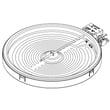
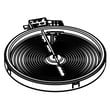
| Cooktop element not heating | Radiant surface element | Range radiant surface element, 6-in DG47-00060A |
| Power connection damage, burning smell at cord | Terminal block | Range terminal block DG96-00173A |
Why it matters
Heating and control problems cause undercooked food, overheating, and repeated shutdowns. Fixing the root cause (power, sensor feedback, or a failing switch) restores stable temperatures and predictable cooking.
For model-specific operating and safety guidance, use the owner's manual. You can order replacement parts from the parts list for this model, or search by model number on Sears PartsDirect.
Last updated: February 2026