Installation guide
 Owner’s manual



Is there a big difference between 900W and 1000W in a microwave?
Yes. A 1000W microwave typically heats about 10% faster than a 900W unit, so cook times are shorter and you may get slightly more even results on larger portions. With a GE PVM9005EJ3ES microwave/hood combo, you can also fine-tune results by using power levels instead of always cooking on High.
In day-to-day use, the difference is noticeable but not dramatic. Most foods still cook well in either wattage; you mainly adjust time and stirring.
- Reheating leftovers: usually needs a little less time at 1000W
- Frozen meals: may heat through slightly faster at 1000W
- Dense foods (casseroles, potatoes): benefit from lower power levels and rest time in either wattage
- Small portions: difference is minor
- Larger portions: difference is more noticeable
Use this as a practical starting point when converting a recipe written for 1000W to a 900W microwave.
| If directions are for 1000W | Start with this at 900W | Then adjust |
|---|---|---|
| 5:00 | 5:30 | Add 15 to 30 seconds if needed |
| 8:00 | 8:50 | Stir or rotate halfway |
| 10:00 | 11:00 | Add a short rest time before serving |
Your GE microwave uses variable power levels, which cycle microwave energy on and off. Lower settings cook more evenly and reduce boil-overs, even if the microwave is higher wattage. See the PVM9005EJ3ES owner’s manual for the exact power level options and how to change them during cooking.
- Power level 10: fastest heating, may need more stirring/turning
- Power level 7: gentler reheating and casseroles
- Power level 3: defrosting and controlled heating
Wattage mainly affects speed. Technique affects quality. If food is hot outside and cold inside, lowering the power level and adding a rest period usually fixes it better than buying a higher-watt microwave.
Last updated: January 2026
What are common problems with GE profile microwaves?
Common problems we see on GE Profile microwave/hood combos like model PVM9005EJ3ES include not heating, sparking or arcing, door switch or latch faults, and control or power issues (dead display, random beeping, or shutting off). Use the PVM9005EJ3ES owner’s manual to match symptoms to the correct checks.
- Runs but does not heat: high-voltage circuit problem (often the magnetron, diode, or capacitor)
- Dead or intermittent power: blown fuse, loose wiring, or a failing noise filter
- Starts then stops when the door moves: door interlock or monitor switch issue
- Sparking/arcing inside the cavity: food splatter, damaged waveguide cover, or metal contact
- Vent fan turns on by itself: normal protection behavior when heat rises from the cooktop
- Confirm the door closes firmly and the latch feels solid.
- Try a different outlet or reset the breaker (power interruptions can also affect features like Bluetooth pairing).
- Clean the cavity and turntable area; dried-on debris can trigger arcing.
- For sensor cooking, use microwave-safe containers and vented covers; moisture on dishes can mislead the sensor and affect results.
| Symptom | Common suspect part | Example part for this model |
|---|---|---|
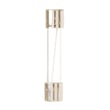
| No power | Fuse | Microwave fuse WB27X11138 |
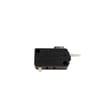
| Stops when door closes or opens | Door interlock switch | Microwave door interlock switch WB24X10146 |
| Blows fuse or acts erratic around door | Door monitor switch | Microwave door monitor switch WB24X10205 |
Microwave/hood combos use door interlocks and high-voltage components to control heating safely and consistently. Fixing the correct root cause prevents repeat failures like blown fuses, no-heat complaints, and nuisance shutdowns.
Last updated: January 2026
What's the average lifespan of a GE microwave?
Most GE microwaves average 8 to 10 years of service life in normal home use. For a GE microwave/hood combo like PVM9005EJ3ES, lifespan depends most on daily run time, keeping airflow and filters clean, and avoiding overheating or door-slam damage; see the PVM9005EJ3ES owner’s manual for care and cleaning guidance.
- Heat and ventilation: Grease buildup and restricted airflow make components run hotter.
- Door use: A misaligned door can stress interlock switches and stop operation.
- Power quality: Surges and repeated breaker trips can shorten control and noise-filter life.
- Cleaning habits: Spills and steam left inside can lead to corrosion and arcing.
- Cooking practices: Avoid running the microwave empty and avoid oversized metal cookware.
| Usage pattern | What to expect | What helps most |
|---|---|---|
| Light (a few minutes/day) | Often reaches the high end of the range | Regular wipe-down, gentle door use |
| Moderate (multiple uses/day) | Usually near the average | Keep venting clear, don’t overheat |
| Heavy (many cycles/day) | Can wear sooner | Clean filters, avoid long back-to-back runs |
- Food heats slowly or unevenly (even at full power)
- Loud buzzing/humming beyond normal fan noise
- Intermittent operation when closing the door
- Display resets, dead keypad areas, or random shutoffs
- Burning smell, arcing, or repeated fuse blowing
These are frequent wear or failure points in over-the-range microwaves:
- Door safety switches such as the microwave door interlock switch WB24X10146
- Line protection such as the microwave fuse WB27X11138
- Heating system components (magnetron, capacitor, diode)
Knowing the typical 8 to 10 year lifespan helps us decide whether a symptom points to a simple fix (like a door switch or fuse) or whether it makes more sense to plan for replacement, especially if multiple high-voltage parts are involved.
Last updated: January 2026
How to reset a GE microwave after power failure?
After a power failure, we reset the GE PVM9005EJ3ES microwave/hood combo by restoring power, then clearing the control and re-setting the clock. If features like Chef Connect act disconnected after a brief outage, a full power reset (unplug or breaker reset) restores normal operation.
- Press Clear/Off once to stop any beeping or cancel a stuck cycle.
- Set the clock again (the clock typically flashes after power is restored).
- If the display or keypad is unresponsive, unplug the microwave (or switch the circuit breaker off) for about 1 minute, then restore power.
- If Chef Connect is used, re-sync it by holding the Chef Connect button for 3 seconds after initiating pairing on the range.
- Test with a short cook cycle using a cup of water.
These checks help narrow down whether the issue is power, the door circuit, or a protective shutdown.
- Confirm the outlet has power (try a lamp or small appliance).
- Make sure the door closes firmly; a misaligned latch can prevent operation.
- If the unit is completely dead (no display), a blown fuse is a common cause.
- If it runs but does not heat, the high-voltage system may need diagnosis.
| Symptom after outage | Most likely area to check | Common next step |
|---|---|---|
| Display is on but won’t start | Door switch circuit | Inspect door latches and switches |
| Completely dead (no display) | Line fuse | Check/replace fuse |
| Runs but no heat | High-voltage components | Follow heating troubleshooting |
If the reset does not restore operation, these model-compatible parts are often involved:
- Microwave fuse WB27X11138
- Microwave door interlock switch WB24X10146
- Microwave door monitor switch WB24X10205
A power interruption can leave the control in a “confused” state or interrupt paired features like Chef Connect. A proper reset clears the control logic, restores normal keypad response, and helps you confirm whether the problem is a simple control reset or a component such as a fuse or door interlock.
For control settings, clock setup, and Chef Connect reconnection steps specific to this model, use the PVM9005EJ3ES owner’s manual.
Last updated: January 2026