Owner’s manual
 Error Codes




How to reset Samsung oven gas?
To reset your Samsung NX60T8111SS slide-in gas range oven, we recommend a hard reset: turn the range off, shut off power at the breaker for about 1 to 5 minutes, then restore power and set the clock. This clears many control glitches and error beeps.
- Turn all surface burners and the oven off.
- Switch the range circuit breaker OFF.
- Wait 1 to 5 minutes.
- Switch the breaker ON.
- Re-set the clock and try Bake again.
Many Samsung ranges have a control lock feature that makes the keypad look unresponsive.
- Look for a lock icon or “Loc” on the display.
- Press and hold Lock, Start, or Cancel/Off (whichever your panel has) for 3 to 5 seconds.
- Try selecting Bake and setting a temperature.
Check the exact key sequence for your model in the NX60T8111SS owner’s manual.
A reset helps with software glitches, but it will not fix a failed heating or sensing part. For a gas oven that will not heat or heats erratically, these are the most common checks:
- Confirm the gas shutoff valve is fully open.
- Make sure the range is getting power (display and oven light working).
- Listen for the igniter sequence when you start Bake or Broil.
- Inspect the burner area for heavy soil or blocked ports.
- If temperatures are inaccurate, the oven sensor can be the cause; see Samsung range oven temperature sensor DG32-00002B.
| Symptom | Most likely area to check | What a reset changes |
|---|---|---|
| Display frozen or beeping | Control logic | Often helps |
| Keypad won’t respond | Control lock | Sometimes (unlock needed) |
| Oven won’t ignite | Igniter, gas supply | Does not help |
| Oven temp off by 25 to 50°F | Sensor, calibration | Sometimes (then calibrate) |
Resetting restores normal control operation after a power surge or software hiccup. If the oven still will not heat after a reset and unlock attempt, the issue is usually in the ignition, gas flow, or temperature sensing system, not the control settings.
Last updated: February 2026
What is error code C F2 on Samsung gas range model NX60T8111SS?
On the Samsung NX60T8111SS slide-in gas range, error code C-F2 points to a communication problem between the touch control panel (keypad) and the main control board. In most cases, the fix is restoring a solid connection to the control, or replacing the failed control component.
- Power reset: turn the breaker off for 2 to 5 minutes, then restore power.
- If the code returns, remove power again and check for a loose or damaged ribbon/connector between the touch panel and control board.
- Look for pinched wires, corrosion, or a connector that is not fully seated.
- If the display is unresponsive, beeping randomly, or selecting keys by itself, the touch panel is commonly the cause.
- If the oven works intermittently and then faults, the main control board or harness connection is commonly the cause.
For model-specific control locations, access steps, and wiring routing, use the NX60T8111SS owner's manual.
| What you notice | Most likely issue | What usually fixes it |
|---|---|---|
| Code appears right after a power event | Glitch or weak connection | Breaker reset; reseat connectors |
| Buttons do not respond or act “stuck” | Touch control panel failure | Replace touch control panel/control panel assembly |
| Code returns during preheat or broil | Heat-related connection or control issue | Inspect harness; replace control board if needed |
| Code appears with other odd display behavior | Control communication failure | Check harness; replace failed control component |
C-F2 is a control communication error, but temperature regulation problems can sometimes be confused with control faults. If you are also seeing overheating, underheating, or long preheat times, testing the oven sensor is a smart next step.
- Inspect and test the oven sensor circuit
- Check for damaged wiring at the rear of the range
- Verify connectors are tight and fully seated
If you need the sensor for this model, we list the Samsung range oven temperature sensor DG32-00002B.
A communication fault can prevent safe, accurate oven operation. Addressing C-F2 quickly helps avoid no-heat conditions, runaway heating symptoms, and repeated shutdowns during baking or broiling.
Last updated: February 2026
Why is my Samsung gas oven not heating up?
On the Samsung NX60T8111SS slide-in gas range, an oven that will not heat is usually caused by a weak igniter, a failed bake burner circuit, or a temperature-sensing/control issue. Start with the simplest checks (gas supply and settings), then inspect ignition and burner operation using the steps in the NX60T8111SS owner's manual.
- Confirm the range is set to Bake (not just Broil) and the temperature is above 200°F.
- Make sure the gas shutoff valve is fully open and other gas appliances are working normally.
- If the cooktop burners look weak too, suspect a gas supply issue (not an oven-only part).
- If the oven is in a special mode (Sabbath, demo), exit that mode and retest.
- Power-cycle the range (turn off the breaker for 1 minute, then restore power) and try Bake again.
Set Bake and watch what happens in the first 60 to 90 seconds.
| What you observe | Most likely cause | What to do next |
|---|---|---|
| No glow, no ignition | Igniter not powering, wiring issue, control issue | Check connections; test voltage and continuity |
| Igniter glows but no flame | Weak igniter or gas valve not opening | Replace the igniter first in most cases |
| Flame lights briefly then shuts off | Sensor/control problem, poor flame sensing, airflow issue | Check sensor and burner flame pattern |
| Flame is uneven or delayed ignition | Dirty burner ports, misaligned burner parts | Clean and reseat burner components |
If your symptoms match, these model-compatible parts are common solutions:
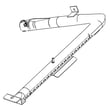
- Range bake burner DG62-00066E if the bake burner is damaged, warped, or not distributing flame.
- Samsung range oven temperature sensor DG32-00002B if temperatures are erratic or the oven shuts down early.
- Samsung range broil igniter DG94-01441A if Broil will not ignite (and some heating complaints are actually broil-ignition failures).
A gas oven needs the right ignition strength, gas flow, and temperature feedback to heat safely and consistently. When one piece is weak (especially ignition), the oven can fail to light or heat very slowly even though the cooktop still works.
Last updated: February 2026
Why does my Samsung stove smell like gas?
A gas smell from your Samsung NX60T8111SS slide-in gas range usually means gas is not igniting right away (delayed ignition) or a burner is burning poorly because parts are dirty or mis-seated. If the odor is persistent or strong, stop using the range and shut off the gas supply.
- Turn all burner knobs to OFF.
- Open windows and run the vent hood.
- If the smell continues with everything off, shut off the gas valve to the range.
- Avoid flames and avoid operating electrical switches near the odor.
- Resume use only after the cause is corrected.
- Burner cap or head not seated: clicking, delayed lighting, uneven flame.
- Clogged or wet burner ports: brief gas smell at ignition, yellow or lifting flame.
- Oven delayed ignition (bake or broil): noticeable odor before the burner lights.
- Gas control issue: inconsistent ignition or heat.
- Remove and reseat the burner cap so it sits flat.
- Clean burner ports with a soft brush; dry completely.
- Light the burner and look for a steady blue flame.
| What you see | What it often means | What to do |
|---|---|---|
| Yellow, lazy flame | Dirty ports or poor air mix | Clean and dry burner parts |
| Clicking, slow light | Cap/head misaligned | Reseat cap and head |
| Smell even when off | Possible supply connection leak | Keep gas off; have it checked |
- If the right burner flame is uneven after cleaning and reseating, inspect the range surface burner cap DG62-00070A for warping or damage.
- If broil is slow to ignite or does not ignite reliably, the Samsung range broil igniter DG94-01441A is a common suspect.
Unburned gas is a safety concern and also causes poor cooking performance. Correct burner seating and reliable ignition help the range light quickly and burn cleanly.
For model-specific cleaning and operating guidance, use the NX60T8111SS manual.
Last updated: February 2026