 Installation guide
 Owner’s manual



What's the average lifespan of a GE microwave?
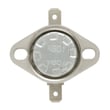
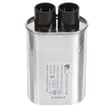
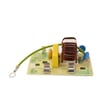
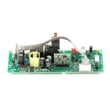
A GE microwave typically lasts 7 to 10 years with normal household use. For your GE PEB7227BL1TS built-in microwave, consistent cleaning, proper ventilation, and avoiding arcing (metal/foil contact) are the biggest factors that help it reach the high end of that range.
What affects microwave lifespan most
- Daily run time (multiple long heat cycles per day shortens life)
- Keeping the cavity clean to prevent overheating and arcing
- Door closing and latching gently to protect the interlock system
- Stable power (surges and repeated outages stress the control board)
- Not running empty (can damage internal high-voltage components)
Quick care checklist for longer life
Use these habits to reduce wear on common failure points like the door switches, thermostat, and control panel:
- Wipe spills promptly; dry the control panel after cleaning
- Use microwave-safe cookware; keep foil and metal away from the walls
- Ensure the door closes squarely; do not slam it
- Keep vents clear; do not block airflow around the trim kit area
- After a power outage, clear the display and resume normal use per the PEB7227BL1TS owner's manual
“Repair or replace?” practical guide
| Situation | What it usually means | Typical next step |
|---|---|---|
| Heats slowly or not at all | High-voltage system issue | Consider service; compare repair cost vs. age |
| Runs only with door pressure | Door interlock alignment/switch issue | Inspect door latch area; service if needed |
| Random resets or dead display | Power issue or control problem | Check outlet/breaker; then diagnose |
| Loud buzzing plus no heat | High-voltage component strain | Stop using; schedule service |
Why it matters
Once a microwave is past the 7 to 10 year window, the chance of multiple wear items failing increases, so it helps to weigh the unit’s age against the cost of parts and labor before investing in a major repair.
Last updated: February 2026
Can you replace the door on a GE microwave?
Yes. On the GE PEB7227BL1TS built-in microwave, the door can be replaced as an assembly when it’s damaged, not closing correctly, or the latch area is worn. Because the door is part of the microwave safety-interlock system, we recommend using the correct replacement parts and following the PEB7227BL1TS owner’s manual safety guidance.
When door replacement is the right fix
Replace the door (or door-related parts) when you see any of these issues:
- The door won’t close flush or pops open
- The latch feels loose, sticky, or misaligned
- The microwave won’t run unless you push on the door
- The door is bent, cracked, or the seal area is damaged
- You see wear around the latch hooks or interlock area
Parts that commonly cause “door” problems
Many “bad door” symptoms are actually caused by the interlock switches or their mounting.
- Door asm bs WB56X34979 (complete door assembly)
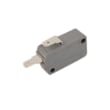
- Microwave door interlock switch WB24X10146 (switch that confirms the door is closed)
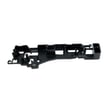
- Microwave door interlock switch bracket WB14X10049 (holds switches in alignment)
Quick comparison: replace the door vs. repair the latch/interlock
| Symptom | Most likely fix | Typical part type |
|---|---|---|
| Door is physically damaged or warped | Replace door assembly | Door assembly |
| Must press door to start | Check/replace interlock switch or bracket | Switch, bracket |
| Door closes but unit stops randomly | Check switch alignment and latch action | Switch, bracket |
| Door won’t latch smoothly | Inspect latch hooks and bracket alignment | Door parts, bracket |
Safety and installation notes (important)
Microwaves use door safety interlocks to prevent operation with the door open. For safe results:
- Unplug the microwave before any inspection or part replacement
- Never defeat or bypass the door interlock switches
- Keep the sealing surfaces clean and free of residue
- If the door does not close properly after repair, stop using the microwave
For built-in installations, use the PEB7227BL1TS installation guide to understand trim frame and mounting steps before removing the unit from the cabinet.
Why it matters
A door that does not close correctly can prevent the microwave from running and can also cause repeated switch failures. Fixing the door, latch, or interlock parts restores normal operation and protects the control board from nuisance shutdowns.
Last updated: February 2026
How do I reset my GE microwave touchpad?
To reset the touchpad on your GE PEB7227BL1TS built-in microwave, disconnect power for about 30 seconds (unplug it or switch the circuit breaker off), then restore power and try the keypad again. This clears many temporary control glitches and “PF” power-failure messages.
Quick reset steps
- Press Cancel/Off once to stop any active cooking cycle.
- Unplug the microwave (or turn the breaker off).
- Wait 30 seconds.
- Restore power.
- Set the clock if needed, then test several keys.
If the panel is locked or acting “stuck”
Your model has a control lock feature. If you see “LOC”, the keypad is locked.
- Press and hold Cancel/Off for about 3 seconds to lock or unlock.
- If “F3” appears, a key is being detected as pressed too long; dry the control panel thoroughly after cleaning.
- If “PF” appears, a power failure occurred; press Cancel/Off to clear it.
| Display message | What it means | What to do |
|---|---|---|
| LOC | Controls locked | Hold Cancel/Off ~3 seconds |
| PF | Power failure | Press Cancel/Off |
| F3 | Key sensed as pressed >60 seconds | Dry panel; reset power |
When a reset is not enough
If the control panel lights up but the oven will not start, we check the door-latch safety circuit next because the microwave will not run unless the door is fully closed and the interlock switches are working.
- Close the door firmly; listen for a solid latch click.
- Try a simple cook cycle: enter time, then press Start/Pause.
- If the door feels loose or inconsistent, inspect the interlock area.
Helpful parts commonly involved:
Why it matters
A power reset clears software-like glitches, but door interlock problems are safety-related and can prevent starting even when the display looks normal.
For control features and display messages specific to this model, use the PEB7227BL1TS owner’s manual.
Last updated: February 2026
What are the parts of a microwave?
A GE microwave like model PEB7227BL1TS is made up of cooking-area parts (turntable system and cavity), safety parts (door and interlocks), controls, and high-voltage heating components that generate microwave energy. These assemblies work together to heat food safely and evenly.
Main microwave parts (what they do)
- Door and latch system: keeps the door sealed and engages safety switches
- Door interlock switches: prevent operation unless the door is fully closed
- Control panel and mainboard: accepts keypad input and runs cooking programs
- Turntable system: rotates food for more even heating (do not run without it)
- Waveguide cover: protects the waveguide opening from splatter and helps prevent arcing
- High-voltage system: powers the magnetron (transformer, capacitor, diode)
- Cooling fan and thermostats: manage heat and protect components
Parts you will commonly replace on PEB7227BL1TS
If you are troubleshooting a no-start, door error, arcing, or uneven heating issue, these are frequent service parts for this model:
| Symptom | Common part involved | Example part for this model |
|---|---|---|
| Won’t start or stops when door moves | Door interlock switch or bracket | Microwave door interlock switch WB24X10146 |
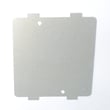
| Sparking or burn marks near side wall | Waveguide cover | Microwave waveguide cover WB39X10034 |
| Turntable not rotating | Turntable tray or drive components | Microwave glass turntable tray WB48X29704 |
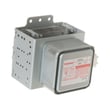
| Runs but does not heat | High-voltage components or magnetron | Microwave magnetron WB27X41826 |
Why it matters
Knowing which “system” a part belongs to speeds up diagnosis. For example, if the control panel lights but the oven will not start, we focus on the door-closure and start sequence first (door fully closed, then Start/Pause), before moving to internal electrical parts.
Good to know from the manual
- We recommend operating with the turntable installed and unrestricted for proper cooking.
- Avoid metal or foil contacting the oven walls; that can cause arcing.
For diagrams, safety notes, and operating details specific to GE PEB7227BL1TS, use the PEB7227BL1TS owner’s manual.
Last updated: February 2026


