 Owner’s manual




What is the most common problem with LG dishwashers?
For the LG LDP6809SS dishwasher, the most common “problem” we see is poor cleaning or poor draining caused by everyday maintenance issues: a dirty filter, blocked spray-arm holes, or loading that prevents the spray arms from rotating. These are usually fixable without major repairs (see the LDP6809SS owner’s manual).
Most common issues and what to check first
Start with these quick checks before assuming a part has failed:
- Clean the filtration system; trapped food can cause odor, poor wash results, and drainage complaints.
- Inspect spray arms for clogged jet holes; blocked holes reduce wash coverage.
- Confirm dishes are not blocking spray arm rotation or holding the detergent dispenser closed.
- Use the right detergent amount; too much can leave film, too little can leave soil.
- Verify hot water supply is adequate; low inlet temperature can reduce cleaning and drying.
- Use rinse aid for better drying; this model uses a hybrid drying approach that relies on retained heat.
Quick symptom-to-cause guide
| Symptom | Most likely cause | First action |
|---|---|---|
| Dishes still dirty | Clogged spray arm holes or filter | Clean spray arms and filters |
| Water left in tub | Drain path restriction | Check air gap/disposal and filter area |
| Cloudy film on glassware | Hard water plus detergent | Reduce detergent, add rinse aid |
| Poor drying | No rinse aid or door opened early | Add rinse aid, let cycle finish |
When it may be a part (not just maintenance)
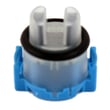
If you have already cleaned the filters and spray arms and the dishwasher still will not fill or fills slowly, the water inlet valve can be the culprit. For this model, the compatible replacement is the dishwasher water inlet valve 5221DD1001E.
Why it matters
Keeping the filter and spray system clean helps your LG LDP6809SS maintain proper water flow, wash pressure, and drainage. That prevents repeat issues like poor cleaning, odor, and standing water, and it can reduce wear on the circulation and drain systems.
Last updated: January 2026
How to force reset LG dishwasher?
To force reset an LG LDP6809SS dishwasher, cancel the current cycle by pressing and holding Start for 3 seconds so it drains and powers off; then press Power to restart and select a new cycle. For control lock issues, you must turn Control Lock off first.
Quick reset options for LDP6809SS
- Cancel and drain (most common reset): Press and hold Start for 3 seconds.
- Power reset: Press Power to turn the dishwasher off, wait about 10 seconds, then press Power again.
- Control Lock reset: Press and hold Half Load and Energy Saver together for 3 seconds to toggle Control Lock off.
- After a power outage: The dishwasher may resume automatically when power returns; cancel and restart if the cycle acts “stuck.”
For button locations and control panel behavior, use the LDP6809SS owner’s manual.
If the dishwasher won’t start after a reset
These are the most common causes on this LG model:
- The door is not fully latched (close firmly, then press Start).
- You waited too long after pressing Start; on many LG top-control designs, the door must be closed shortly after pressing Start.
- Control Lock is on (toggle it off using the button combo above).
- The unit is in a test or special mode; power off and back on, then try a normal cycle.
What you’ll see (common display clues)
| What you see | What it usually means | What to do |
|---|---|---|
| CL | Control Lock is active | Hold Half Load + Energy Saver 3 sec |
| Cycle won’t run, drains instead | Cancel/drain was activated | Select a cycle and press Start |
| Error code appears | A fault was detected | Use LG dishwasher error codes to identify next steps |
Why it matters
A “reset” on the LDP6809SS is mainly a safe way to stop a cycle, drain standing water, and clear temporary control glitches. If an error code returns right after resetting, troubleshooting the underlying issue saves time and prevents repeat shutdowns.
Last updated: January 2026
How to force an LG dishwasher to drain?
On the LG LDP6809SS dishwasher, you can force a drain by canceling the current cycle: press and hold Start for 3 seconds. The drain pump will run, the unit will drain, and then the dishwasher powers off (once draining is complete). See the LDP6809SS owner's manual for the control-panel “Cancel” instructions.
Steps to force-drain (cancel and drain)
- Press Power to wake the control panel (if it is off).
- Press and hold Start for 3 seconds to activate Cancel.
- Keep the door closed while it drains.
- Wait until draining finishes and the dishwasher turns off.
- If needed, turn it back on and start a new cycle.
If it will not drain after canceling
These checks apply to the LDP6809SS and most LG dishwashers:
- Check the drain hose for kinks or pinches (especially where it passes through the cabinet).
- If connected to a garbage disposal, confirm the disposal inlet knockout plug was removed.
- Clean the sink air gap (if your setup uses one).
- Clean the dishwasher filters and remove debris from the sump area.
- If the drain pump hums but water does not move, the pump may be jammed or failing.
Common “won’t drain” causes at a glance
| What you see | Likely cause | What to do next |
|---|---|---|
| Standing water, no pump sound | Control/door issue | Re-try Cancel; confirm door is latched |
| Pump runs, drains slowly | Partial clog | Check hose, air gap, disposal, filters |
| Pump hums, no draining | Pump jam/failure | Inspect pump area; consider replacing pump |
Parts that may be involved (if a repair is needed)
If troubleshooting points to a failed component, these are common drain-related parts for this model:
- Dishwasher drain pump ABQ75742505 (moves water out during drain)
- LG dishwasher drain hose AEM74333104 (routes drain water to plumbing)
Why it matters
Cancel-and-drain is the fastest way to clear standing water so you can safely open the door, reset the cycle, and prevent odors caused by leftover water in the tub.
Last updated: January 2026
Does LG have Aquastop?
LG does not typically use the “AquaStop” name on the LDP6809SS dishwasher; that term is most commonly associated with other brands. However, LDP6809SS does have leak and overflow protection features that can stop filling and run the drain pump when a leak is detected. See the LDP6809SS owner’s manual.
What “AquaStop” usually refers to
People often use “AquaStop” to mean one or more leak-protection features, such as:
- A leak sensor in the base that triggers draining
- A float or water-level device that helps prevent overfilling
- Control logic that stops the cycle and shows an error
- A safety-style inlet valve or hose design (varies by brand)
What we can confirm for LG LDP6809SS
The documentation for LDP6809SS describes automatic error monitoring and leak-related behavior (including alerting and draining when a leak is detected). It does not label that system as “AquaStop.”
If you suspect the protection system is activating, check these common causes:
- Water in the base pan from a slow leak
- Door not sealing due to loading or alignment
- Loose water supply connection at the inlet
- Suds from using the wrong detergent (hand dish soap)
- Drain hose routing issues that cause backflow
Parts commonly involved when diagnosing leaks or fill problems
If you’re troubleshooting water entering, not entering, or leaking, these model-compatible parts are often involved:
| Symptom | What to inspect | Model-compatible part |
|---|---|---|
| Not filling or filling slowly | Inlet valve and supply connection | Dishwasher water inlet valve 5221DD1001E |
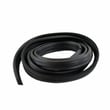
| Drips at the door | Door seal condition and fit | Dishwasher door seal 3920DD3002D |
Why it matters
Leak protection helps reduce the chance of cabinet and flooring damage by shutting off water flow and draining when the dishwasher senses abnormal water where it should not be.
Last updated: January 2026





