 Installation guide
 Owner’s manual
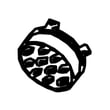


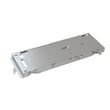

What is the lifespan of a whirlpool microwave?
Most Whirlpool microwaves, including the Whirlpool WMH53520CS2 microwave/hood combo, typically last 7 to 10 years with normal household use. Lifespan depends most on daily run time, keeping airflow and filters clean, and avoiding overheating or arcing; our WMH53520CS2 user guide covers safe-use and care basics.
What affects lifespan the most
- Heavy use (multiple long cook cycles per day) shortens life faster than light use.
- Poor ventilation (blocked vent grille or dirty filters) increases heat stress on internal parts.
- Door slamming or misalignment can wear door latches and interlock switches.
- Power issues (frequent breaker trips, surges) can damage the control system.
- Arcing and burn marks from metal, twist ties, or damaged waveguide cover can lead to early failure.
Signs it is nearing end of life (or needs repair)
If you see these symptoms, we treat them as a repair or replacement decision point:
| Symptom | Common area involved | What to do first |
|---|---|---|
| Runs but does not heat | High-voltage circuit | Stop using and schedule service; review why is my microwave not heating |
| Dead display, no response | Power supply, fuse | Check house breaker; then consider the microwave fuse W11707984 |
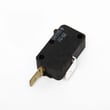
| Starts only with door held or errors when closing | Door interlock system | Inspect latch alignment; consider microwave door interlock switch W10269458 |
| Loud buzzing or burning smell | High-voltage components | Stop using immediately and have it serviced |
Maintenance that extends life
- Clean grease buildup and keep the grease filter clean so the hood fan can move air.
- Keep the vent path clear and do not block the top vent grille.
- Heat liquids and foods in microwave-safe containers only; avoid metal and foil.
- Wipe the cavity after spills to prevent carbonized spots that can arc.
- Replace worn door-switch components promptly to prevent intermittent operation.
Why it matters
Microwave/hood combos like the WMH53520CS2 rely on good airflow to protect the magnetron and controls. Simple upkeep (filters, cleaning, gentle door use) reduces heat and electrical stress, which is what most often ends a microwave’s service life.
Last updated: February 2026
What are common problems with whirlpool microwaves?
Common problems we see with Whirlpool microwaves like model WMH53520CS2 include the microwave not operating at all, not heating, door and latch issues, sparking or burning inside the cavity, unusual noises, and vent or light problems. Many start with power, door-closure, or control settings before any part failure.
Quick checks first (fast, no parts)
- Confirm the outlet has power; reset the household breaker or replace a blown fuse.
- Open and firmly re-close the door; a door that is not fully latched can stop operation.
- Try heating 1 cup of water for 2 minutes on High to confirm a true “no heat” symptom.
- Check for a blocked vent grille or greasy filters that restrict airflow.
- If the control panel is unresponsive, unplug for 1 minute to reset, then retry.
For model-specific troubleshooting steps and safety guidance, follow the WMH53520CS2 user guide.
Most common symptoms and likely causes
| Symptom | What it usually points to | Common next step |
|---|---|---|
| Won’t run at all | Power supply issue, door not closing, internal fuse | Check breaker; inspect door closure; test fuse |
| Runs but does not heat | High-voltage circuit issue | Stop using; diagnose heating circuit |
| Starts when door moves, or stops randomly | Door switch/interlock problem | Inspect and test door switches |
| Sparking or burn marks | Damaged waveguide cover, food splatter, metal in cavity | Clean; inspect waveguide cover |
| Loud buzzing/humming | High-voltage component strain | Stop using; diagnose before further use |
Parts that commonly fail on WMH53520CS2
These parts are frequently involved when the symptoms above persist after basic checks:
- Microwave fuse W11707984 (dead unit, intermittent power)
- Microwave door interlock switch W10269458 (won’t start, stops when door is touched)
- Microwave door switch W10727360 (door sensing problems)
- Diode W11256462 (runs but does not heat)
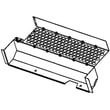
- Microwave waveguide cover W10533497 (sparking, burn marks in the cavity)
Why it matters
Microwave/hood combos contain high-voltage components that can store dangerous energy even when unplugged. Doing the quick external checks helps you avoid unnecessary parts replacement and helps you decide when a repair should be handled by a qualified technician.
Last updated: February 2026
What is the price of Whirlpool WMH53520CS2?
Pricing for the Whirlpool WMH53520CS2 microwave/hood combo varies by retailer, finish, and whether you’re buying the full appliance new, used, or as a replacement unit. For model-specific details like the exact configuration and installation requirements, use the WMH53520CS2 user guide.
What you can expect to pay
Because this page is focused on parts (not selling the complete microwave), the most reliable pricing we can provide here is for replacement parts commonly purchased for the WMH53520CS2.
Typical parts pricing examples for this model:
| Item (WMH53520CS2) | What it affects | Typical use case |
|---|---|---|
| Microwave fuse W11707984 | Power protection | Microwave is dead, no display, or blows fuse after a surge |
| Diode W11256462 | Heating circuit | Microwave runs but does not heat |
| Filter W10208631A | Venting/grease capture | Poor airflow, greasy buildup, routine maintenance |
Quick checks before buying anything
These steps help you avoid ordering the wrong part or chasing the wrong symptom:
- Confirm the model number on the label behind the door opening (it must read WMH53520CS2).
- If the unit is completely dead, check the house breaker first, then suspect the internal fuse.
- If it runs but does not heat, heating-circuit parts (like the diode) are common suspects.
- If the vent fan is loud or airflow is weak, start with cleaning or replacing the grease filter.
- Match parts by part ID (not just description) to ensure fit.
Why it matters
Microwave/hood combos like the Whirlpool WMH53520CS2 can look similar across model families, but internal components (door switches, fuses, filters, control parts) vary. Using the correct model number and documentation prevents wrong-part returns and repeat repairs.
Last updated: February 2026





