 Owner’s manual




Are all washers 27 inches wide?
No. Washers are not all 27 inches wide; 27 inches is just a very common “standard” width for full-size machines. For the LG WT7155CW, the owner’s manual lists the washer width as 27 inches, so it fits the standard size category. See the WT7155CW manual.
What this means for LG WT7155CW
The WT7155CW is designed as a full-size top-load washer with a 27-inch cabinet width. When planning your laundry space, also account for depth, height, and clearance for hoses and airflow.
- Washer width (cabinet): 27 inches
- Depth: 28 3/8 inches
- Height: 44 1/2 inches
- Minimum clearances (typical guidance in the manual): 1 inch on each side, 4 inches behind
Typical washer widths you’ll see (general guidance)
Even though 27 inches is common, widths vary by style and capacity.
- Compact washers: often around 24 inches wide
- Full-size washers: commonly 27 inches wide
- Extra-large or specialty models: can be wider than 27 inches
- Stackable laundry setups: may have different width and clearance needs
Quick size comparison table
| Washer type | Common width range | Best for |
|---|---|---|
| Compact | ~24 in. | Tight closets, apartments |
| Full-size | ~27 in. | Most standard laundry rooms |
| Oversize/specialty | 28 in. and up | Larger capacity needs |
Why it matters
A washer that is even 1 inch wider than your opening can prevent installation, and tight clearances can also kink inlet hoses or the drain hose. Measuring your space and comparing it to the model’s listed dimensions helps avoid delivery and hookup problems.
Last updated: January 2026
How to make an LG washer drain only?
On the LG WT7155CW, we typically drain the tub by running a Spin Only or Drain & Spin style option (if your control panel offers it). If your model does not show a dedicated drain-only selection, starting a spin cycle will still activate the drain pump first to remove water; see the cycle and option details in the WT7155CW manual.
Steps to drain water (WT7155CW)
- Press Power.
- If available, select Spin Only (or Drain & Spin).
- Set Spin speed to the lowest option if you want minimal spinning.
- Press Start/Pause to begin.
- Wait for the pump-out to finish; the washer may shut off after draining.
If you cannot find “drain only” on the panel
On WT7155CW-SERIES top-load washers, the exact button labels can vary by version, but the drain pump still runs at the start of any spin sequence.
- Choose a cycle that allows Spin adjustment.
- Set Spin to No Spin if your panel offers it; if not, use Low.
- Start the cycle and let it pump out.
When draining does not work (quick checks)
If the washer will not drain, we focus on the most common restrictions first:
- Kinked or crushed drain hose behind the washer
- Drain hose pushed too far into the standpipe (can cause siphoning)
- Clog in the drain hose or household drain
- Lid not locking (some cycles will not proceed)
- Drain pump issue
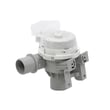
If you suspect a pump problem, the compatible replacement for this model is the washer drain pump assembly AHA75673404.
Why it matters
Draining the tub before opening the lid or moving the washer helps prevent flooding, reduces strain on the drive system, and can clear certain drain-related errors.
| What you want | Best choice | What it does |
|---|---|---|
| Remove water only | Spin/Drain option (if present) | Pumps water out with little to no agitation |
| Remove water and extract water from clothes | Spin Only | Pumps out, then spins to remove water |
Last updated: January 2026
How do I find the model number on my WT7155CW?
Your LG washer’s model number is printed on the appliance identification label; for WT7155CW-SERIES washers, you will use that exact model number (and the serial number) when ordering parts, checking specifications, or looking up operating instructions in the WT7155CW owner's manual.
Where to look on the washer
Check these common label locations first (use a flashlight and wipe dust off the label):
- Under the lid along the top rim of the tub opening
- On the underside of the lid
- Around the lid opening near the hinge area
- On the back panel near the water inlet connections
- Inside the cabinet opening near the front edge (less common)
What to write down
Record the information exactly as shown on the label.
- Model number (example format: WT7155CW)
- Serial number (needed for service history and exact production details)
- Electrical rating (helpful for installation checks)
Why it matters
The model number ensures you get parts that fit your exact LG washer configuration. Even small model variations can change components such as the water inlet valve, lid switch, or drain pump.
| You need it for | What it affects |
|---|---|
| Ordering replacement parts | Correct fit and electrical compatibility |
| Using the right instructions | Cycle features, error codes, and maintenance steps |
| Confirming specs | Dimensions, water pressure range, and power requirements |
Quick tip for parts matching
When you shop for parts, match the model number from the label to the listing, then confirm the part description.
- Drain issues often point to a pump problem (example part: washer drain pump assembly AHA75673404)
- Fill issues often relate to the inlet valve (example part: LG washer water inlet valve assembly AJU75152602)
- Lid not locking or starting can involve the lid switch (example part: LG washer lid switch EBF61674804)
Last updated: March 2026


