Owner’s manual
 Error Codes


Does the Samsung Model RS27T5200SG have a water filter?
Yes. The Samsung RS27T5200SG side-by-side refrigerator uses a replaceable water filter on applicable configurations; the manual includes water filter replacement and filter reset steps, which confirms the model supports a water filter system. See the RS27T5200SG owner's manual for the exact location and procedure.
We use these quick checks to confirm the filter is installed and in use:
- Look for a Filter Reset indicator on the control panel (it turns red when it is time to replace the filter).
- Check for a filter cartridge housing inside the fresh food section (common location).
- If you have a dispenser, run water; a newly installed filter can cause brief spurting as air clears.
- If water flow is weak and you use reverse osmosis, the filter can further reduce pressure.
- If the filter is overdue, the indicator may turn on or blink and water dispensing issues can show up.
The manual’s process is straightforward:
- Shut off the water supply.
- Turn the filter cartridge knob 90 degrees counterclockwise to unlock.
- Pull the cartridge straight out.
- Install the new cartridge and lock it by turning clockwise.
- Reset the filter indicator by pressing and holding Ice Maker for 3 seconds.
- Run dispenser water for about 7 minutes to clear air and impurities.
| What you see | What it usually means | What to do |
|---|---|---|
| Filter Reset light is red | Filter life is used up | Replace filter, then reset |
| Water spurts after replacement | Air in the line | Run water several minutes |
| Low water pressure | Supply issue or filter restriction | Check supply valve; replace filter if needed |
A fresh, correctly installed filter helps protect water taste and flow, and it reduces the chance of leaks caused by a damaged or improperly seated cartridge.
Last updated: February 2026
Is it okay to use a generic water filter in a Samsung refrigerator?
For the Samsung RS27T5200SG, we recommend using only Samsung-provided or Samsung-approved water filters. The RS27T5200SG owner's manual warns that third-party (generic) filters can leak, damage the refrigerator, and create an electric shock risk.
- Use a Samsung-provided or Samsung-approved filter that matches your exact housing style.
- Shut off the water supply before removing the old cartridge.
- Replace the filter when the filter indicator turns on or blinks, then reset the indicator.
- If you have reverse osmosis (RO), expect lower flow; the refrigerator filter can reduce pressure further.
- If you notice dripping at the filter area, stop using the filter and inspect the cartridge seating and O-rings.
| Option | Fit and leak risk | Water quality performance | Best for |
|---|---|---|---|
| Samsung-approved filter | Lowest risk when installed correctly | Consistent | Most homes, especially with dispenser/ice maker |
| Generic (third-party) filter | Higher risk (fit and seal vary) | Varies by brand and certification | Only if it is explicitly approved for your model and housing |
A water filter is part of the pressurized water path feeding the dispenser and ice maker. A poor seal or incorrect bypass design can cause leaks inside the cabinet, and the manual specifically calls out unapproved filters as a cause of water dispensing problems and potential damage.
- If your fridge stopped making ice after a filter change or low water flow started, follow why your Samsung fridge stopped making ice and how to fix it.
- For step-by-step filter replacement and best practices, use how to replace the water filter in a Samsung refrigerator.
Last updated: February 2026
What is the most common problem with Samsung refrigerators?
The most common Samsung refrigerator complaint is cooling and airflow trouble that leads to warm temperatures, frost buildup, or noisy operation. On the Samsung RS27T5200SG, the fastest wins usually come from restoring airflow (vents not blocked), confirming stable temperature settings, and checking fan operation.
- Air vents blocked by food packages: keep vents clear so cold air can circulate.
- Frost or ice restricting airflow: can cause warm sections and fan noise.
- Evaporator fan not running or noisy: poor cooling in the refrigerator or freezer.
- Temperature sensor issues: can cause inconsistent temps or overcooling.
- Ice maker or dispenser symptoms: low ice production, clumping, or jams.
For model-specific operating guidance and safety notes, use the RS27T5200SG owner's manual.
| Symptom | Most common cause | What to do next |
|---|---|---|
| Fridge warm, freezer OK | Airflow restriction or fan issue | Clear vents; listen for fan; check for frost |
| Both sections warm | Cooling system or control issue | Verify settings; clean condenser area; check for error codes |
| Loud buzzing/whirring | Fan hitting ice or failing fan motor | Inspect for frost; consider fan motor replacement |
| Frost buildup in freezer | Door not sealing, frequent openings, airflow blocked | Check door closure; reorganize; defrost if needed |
| Ice maker stopped or slow | Ice maker issue, frozen fill path, dispenser/auger issue | Follow ice maker troubleshooting steps |
If troubleshooting points to a failed component, these model-matched parts are commonly involved:
- Airflow/cooling noise: Samsung refrigerator evaporator fan motor DA31-00342A
- Temperature feedback: refrigerator temperature sensor DA32-00024L
- Ice production: refrigerator ice maker assembly DA97-19010A
A refrigerator cools by moving air. When vents are blocked or frost builds up, the RS27T5200SG can run longer, get noisier, and struggle to hold safe food temperatures. Fixing airflow first prevents unnecessary part replacement.
- Use our why your Samsung fridge stopped making ice and how to fix it if the main complaint is ice production.
- If the display shows a code, use a Samsung refrigerator error code guide to narrow the failure quickly.
Last updated: February 2026
What water filter for Samsung RS27T5200SG?
For the Samsung RS27T5200SG side-by-side refrigerator, use a Samsung-provided or Samsung-approved water filter cartridge that matches the filter housing in your unit. We recommend confirming the exact filter type and replacement steps in the RS27T5200SG owner's manual before ordering.
- Check the filter location (inside the fresh food compartment or in the filter housing area).
- Match the cartridge style and locking method (Samsung uses a 1/4-turn style on many models).
- Verify the filter name/number shown on the existing cartridge label.
- Confirm your dispenser and ice maker are working normally before and after replacement.
- Use only Samsung-provided or approved filters to prevent leaks and dispenser issues.
The RS27T5200SG manual outlines a standard process:
- Shut off the water supply line.
- Turn the filter cartridge knob 90 degrees counterclockwise (1/4 turn) to unlock.
- Pull the cartridge straight out.
- Insert the new cartridge and turn clockwise to lock.
- Reset the filter indicator by pressing and holding Ice Maker for 3 seconds.
- Run water through the dispenser for about 7 minutes to clear air and impurities.
| Symptom | Most common cause | What to do |
|---|---|---|
| Water spurts briefly | Air in the water line | Dispense water for several minutes |
| Slow water flow | Filter restriction or supply issue | Check shutoff valve fully open; flush longer |
| No water dispenses | Dispenser lock or water off | Turn off Dispenser Lock; confirm water supply on |
| Dripping at dispenser | Normal after change | Usually stops after flushing |
Using the correct, approved filter protects the water filter housing, helps prevent leaks, and keeps water flow strong for the dispenser and ice maker.
For related ice and water performance tips, see why your Samsung fridge stopped making ice and how to fix it.
Last updated: February 2026
What's the average lifespan of a Samsung fridge?
Most Samsung refrigerators average about 10 to 15 years of service life with normal household use. For your Samsung RS27T5200SG side-by-side, consistent temperatures, clean airflow, and timely maintenance (as outlined in the RS27T5200SG owner's manual) are the biggest factors that help it reach the upper end of that range.
Here’s a practical way to think about “lifespan” versus “major repair window”:
| Item | Typical timeframe | What it means for you |
|---|---|---|
| Overall refrigerator lifespan | 10 to 15 years | Common replacement timeframe for most households |
| Higher-risk repair years | Years 7 to 12 | More issues show up with fans, sensors, ice maker, and sealed system |
| Sealed system durability | Often 10+ years | Compressor and refrigerant system can last a long time when airflow is good |
We see these issues reduce lifespan more than anything else:
- Blocked interior vents from overpacked shelves (restricted airflow causes temperature stress)
- Dirty condenser area and poor ventilation around the cabinet
- Doors not sealing or not closing fully (warm air and moisture drive frost and run time)
- Skipping water filter changes (can reduce water flow and strain dispenser/ice functions)
- Ice maker problems that lead to clumping, jams, or repeated cycling
These steps are simple and make a measurable difference:
- Keep food clear of the rear vents so air circulates freely
- Set stable temps and avoid frequent large adjustments
- Clean spills and moisture promptly to reduce odors and corrosion
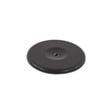
- If you notice puddles or icing, inspect the drain area and related parts like the refrigerator drain cap DA67-01301A
- Address ice production issues early using why your Samsung fridge stopped making ice and how to fix it
A refrigerator that runs longer and steadier holds safer food temperatures, makes ice more reliably, and reduces wear on high-cost components like the compressor and evaporator fan motor.
Last updated: February 2026
Where is the water filter on a Samsung RS27T5200SG?
On the Samsung RS27T5200SG side-by-side refrigerator, the water filter is installed in the refrigerator compartment and is removed by turning the filter cartridge knob about a quarter-turn (90 degrees) counterclockwise, then pulling the cartridge straight out. See the RS27T5200SG owner's manual for the exact location diagram and steps.
- Shut off the water supply line.
- Turn the filter cartridge knob 90 degrees counterclockwise (about 1/4 turn) to unlock.
- Pull the cartridge straight out to remove it.
Tips that prevent leaks and stuck filters:
- Pull straight out (do not twist while pulling) to reduce dripping.
- If the cartridge is hard to remove, use steady force; contamination can make it tight.
- After installing the new filter, run dispenser water for about 7 minutes to clear air and impurities.
- A new filter can cause brief spurting; that is normal while air purges.
After you install the new cartridge, reset the filter life indicator:
- Press and hold Ice Maker on the main control panel for 3 seconds.
| Task | What you do | What to expect |
|---|---|---|
| Remove old filter | 1/4 turn left, pull straight out | Some dripping is normal |
| Install new filter | Insert, then turn right to lock | Firm stop when seated |
| Flush the line | Dispense water ~7 minutes | Brief spurting possible |
| Reset light | Hold Ice Maker 3 seconds | Filter indicator turns off |
A correctly seated, approved water filter helps prevent leaks, protects the water dispenser and ice maker, and keeps water flow steady. We also recommend using Samsung-provided or approved filters to avoid fit and leakage problems.
Last updated: February 2026