Owner’s manual
 Error Codes



What's the average lifespan of a Samsung fridge?
Most Samsung refrigerators last 10 to 14 years. For your Samsung RB195ABBP bottom-mount refrigerator, regular cleaning, good airflow around the cabinet, and fixing cooling or icing problems early are the biggest factors that help you reach (or exceed) that typical lifespan; see the owner's manual for care and setup details.
What affects lifespan the most
- Condenser and airflow: Keep clearance around the refrigerator so the cooling system can work efficiently.
- Cleaning habits: Clean interior surfaces and spills regularly to reduce odors and strain on components.
- Door sealing and usage: Frequent door openings and poor sealing increase run time.
- Defrost performance: Frost buildup can reduce airflow and cooling.
- Fan operation: A noisy or stalled evaporator fan can lead to warm temperatures.
Quick maintenance checklist (high impact)
- Wipe door gaskets and contact surfaces; keep them clean and dry.
- Keep vents inside the fresh food and freezer sections unblocked.
- Maintain proper installation clearance on the sides, back, and top.
- Clean interior shelves and drawers with mild detergent; dry before reinstalling.
- If you see water pooling or frost buildup, address it promptly to prevent secondary damage.
Common “wear” items vs. “major” items
| Item type | Examples on this model | Why it matters |
|---|---|---|
| Airflow and cooling parts | Evaporator cover, evaporator fan motor | Poor airflow causes warm temps and longer compressor run time |
| Defrost parts | Defrost heater | Frost buildup restricts airflow and reduces cooling |
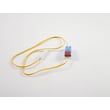
| Sensors and controls | Temperature sensor | Bad readings can cause temperature swings |
Why it matters
A refrigerator that runs longer to maintain temperature uses more energy and puts more hours on the sealed system. Good airflow, clean surfaces, and timely part replacement help your RB195ABBP stay efficient and extend service life.
Last updated: February 2026
How to find Samsung fridge part number?
To find the correct part number for your Samsung bottom-mount refrigerator model RB195ABBP, first locate the model and serial label inside the fresh food compartment (typically on the left side). Then match that model to the exact part listing and diagram in the owner's manual.
Where to look for the model and serial label
On RB195ABBP, the model and serial number are printed on a label inside the refrigerator section.
- Open the refrigerator (fresh food) door
- Look along the left interior wall for the label
- Write down the full model number and serial number
- Use the full model number when searching parts (RB195ABBP)
- If the label is hard to read, take a clear photo and zoom in
How to identify the right part number once you have the model
After you confirm the model, use the part name and location in the refrigerator to narrow it down.
- Find the part by symptom and location (freezer, fresh food, back of unit)
- Match the part name to the diagram callout for your model
- Confirm the part number before ordering
- If multiple similar parts exist, compare how it mounts and where it plugs in
Examples of model-matched parts on this page
| What you are replacing | Example part name | Example part number |
|---|---|---|
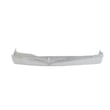
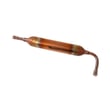
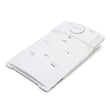
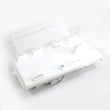
| Fresh food evaporator cover and fan assembly | Refrigerator evaporator cover | DA97-06656J |
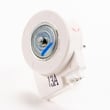
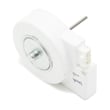
| Evaporator fan motor | Refrigerator evaporator fan motor | DA31-00146H |
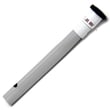
| Defrost heater | Refrigerator defrost heater | DA47-00244Q |
Why it matters
Samsung refrigerators often use different parts across close model variations. Using the exact RB195ABBP model from the inside label helps us match the correct evaporator fan motor, defrost heater, door bin, or shelf assembly so the fit, wiring connectors, and airflow design are correct.
Last updated: February 2026
How to reset Samsung ice maker bottom freezer?
To reset the ice maker on your Samsung RB195ABBP bottom-mount refrigerator, pull out the ice maker and press the Test button on the lower front of the ice maker. After the test, allow time for the ice maker to cycle and start producing ice again (a short delay is normal). See the owner's manual for the exact button location and control panel details.
Quick reset steps (bottom freezer ice maker)
- Press Ice Off (if it is on) so ice production is enabled.
- Pull out the ice bin to access the ice maker.
- Pull out the ice maker (as needed for access).
- Press the Test button on the lower front side of the ice maker.
- Reinstall the ice maker and bin fully.
- Wait for the next harvest cycle; discard the first few batches after a reset.
What to check if it still will not make ice
- Feeler arm blocked: Make sure nothing interferes with the sweep of the feeler arm.
- Freezer temp too warm: Use Power Freeze to boost freezing for about 2.5 hours.
- Ice Off enabled: If you do not want ice, you press Ice Off; for ice, keep it off.
- Recent shutoff: After turning the ice maker back on, a delay before it resumes is normal.
- Clumped or stale ice: Several cubes joined together can be normal; dump old ice if not used often.
Helpful timing and output expectations
| Item | What to expect |
|---|---|
| Ice per cycle | About 8 cubes |
| Daily production | About 100 to 130 cubes per 24 hours (varies by conditions) |
| After reset | A short delay before ice production resumes |
Why it matters
A proper reset confirms the ice maker can run its harvest cycle. If the test runs but ice production stays low, the issue is usually temperature, an obstruction at the feeler arm, or a water supply problem rather than the control settings.
Last updated: February 2026
What is the most common problem with Samsung refrigerators?
The most common problems we see on Samsung refrigerators like the RB195ABBP are cooling-related issues (warm fresh food section or freezer), ice buildup from defrost or airflow problems, and ice maker or water-supply complaints. Many of these start with restricted airflow, dirty coils, or a door that is not sealing well; check the owner's manual for model-specific operating and safety guidance.
Most common symptoms and what they usually point to
- Fridge warm, freezer OK: airflow issue in the fresh food section (evaporator fan, frost buildup, blocked vents)
- Freezer warm, fridge warm: condenser airflow problem, sealed system issue, or controls/sensors
- Frost or ice on back wall: defrost system problem or air leak at the door gasket
- Water under drawers or on floor: clogged/iced drain path
- Noisy humming or rattling: fan blade hitting ice, failing fan motor, or debris near the condenser fan
Quick checks you can do first (no parts required)
- Confirm doors close fully and nothing is holding them open.
- Set temperatures to normal targets: 37°F fresh food, 0°F freezer.
- Avoid overfilling; packed shelves block vents and reduce cooling.
- Clean condenser coils and make sure the unit has breathing room.
- If you unplug the refrigerator, wait at least 5 minutes before plugging it back in (this is a safety and compressor-protection step).
Common parts involved when cooling or icing problems persist
| Problem you notice | Common cause | Example part on this model page |
|---|---|---|
| Frost buildup, weak airflow | Evaporator area iced over, fan not moving air | Refrigerator evaporator fan motor DA31-00146H |
| Ice on rear panel, poor cooling | Defrost heater not melting frost | Refrigerator defrost heater DA47-00244Q |
| Water puddles inside | Drain path restricted | Refrigerator drain cap DA97-04049A |
Why it matters
Cooling and airflow problems can quickly lead to food spoilage and can also overwork the compressor. Catching a fan, defrost, or drain issue early usually prevents repeat icing and temperature swings.
For display codes and symptom-based troubleshooting, use Samsung rb series bottom freezer refrigerator error codes.
Last updated: February 2026