





How to find model number on Hotpoint dishwasher?
On a Hotpoint dishwasher like model HDF310PGR3WW, the model number is printed on a rating label that’s typically visible when you open the door. Check the door frame (left or right side) and the top edge of the tub opening; write the full model number exactly as shown so you can match the correct parts.
Where to look on the dishwasher
Check these common label locations (in order):
- Along the inner door frame, near the latch side
- Along the inner door frame, near the hinge side
- On the top lip of the tub opening (visible with the door open)
- On the inside edge of the door itself (near the perimeter)
- Behind the lower kickplate area (less common, but possible)
What to copy from the label
For parts lookup, we use the exact identifiers from the rating label.
- Model number (example: HDF310PGR3WW)
- Serial number (helps confirm production run when parts vary)
- Brand (Hotpoint)
- Any revision or engineering code if shown
Quick tips so you get the right parts
Small character mix-ups are the most common reason parts don’t match.
- Treat 0 (zero) and O (letter O) carefully
- Copy every character; don’t shorten the model
- Take a clear photo of the label before ordering
- If you’re replacing a wash or drain component, match the part to the exact model
Common parts people look up by model number
Once you have the model number, you can quickly find frequently replaced items for HDF310PGR3WW, such as:
| Symptom | Common part to check | Example part on this model page |
|---|---|---|
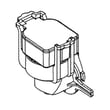
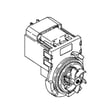
| Not draining | Drain pump | Dishwasher drain pump WD19X25461 |
| Poor cleaning | Spray arm | G.e. dishwasher spray arm, lower WD22X33499 |
| Won’t start or won’t latch | Door latch lock | Dishwasher door latch lock WD01X29878 |
Why it matters
Dishwasher parts are model-specific; even similar Hotpoint dishwashers can use different control boards, pumps, spray arms, or gaskets. Using the exact model number helps us match the correct replacement part the first time.
To order, use the parts list for HDF310PGR3WW on this page, or search by model number on Sears PartsDirect.
Last updated: February 2026
What does F03 mean on a Hotpoint dishwasher?
On a Hotpoint HDF310PGR3WW dishwasher, the F03 code means the unit is timing out while trying to drain (a water drain failure). Fixing it usually comes down to clearing a drain restriction, correcting the drain hose routing, or addressing a drain pump or control issue.
What to check first (fast, no-parts steps)
- Cancel the cycle and let the dishwasher attempt to drain; listen for the drain pump running.
- Check the sink drain or garbage disposal connection; a clogged disposal or blocked dishwasher inlet can stop draining.
- Inspect the drain hose for kinks, crushing, or a low spot that traps water.
- Make sure the hose has a proper high loop under the counter (or an air gap if your setup uses one).
- Clean the sump area inside the tub; remove debris that can block the drain path.
Parts that commonly solve an F03 drain timeout
If the hose and plumbing are clear but the dishwasher still will not drain, these model-matched parts are the most common next suspects:
Quick symptom-to-part guide
| What you notice | Most likely cause | Part to consider |
|---|---|---|
| Hums but little or no water leaves | Pump impeller jammed or weak pump | Drain pump |
| Drains sometimes, then fails randomly | Intermittent control or wiring issue | Electronic control board |
| Poor wash plus drain issues | Water level sensing or circulation problems | Pressure sensor or wash pump |
Related parts that can contribute to poor water movement (and sometimes drain complaints):
Why it matters
When the dishwasher cannot drain on time, it can leave dirty water in the tub, stop mid-cycle, and trigger repeated error codes. Clearing restrictions early prevents pump strain and helps protect the control from repeated timeouts.
Ordering the right parts
We list model-specific replacement parts for Hotpoint HDF310PGR3WW on this page; for broader part searches by model number, use Sears PartsDirect.
Last updated: February 2026
Why is my brand new Hotpoint dishwasher not draining?
If your Hotpoint HDF310PGR3WW dishwasher is brand new and not draining, the most common causes are a kinked or incorrectly routed drain hose, a blocked air gap or garbage disposal inlet, or a drain pump issue. Start with the installation and drain path checks before replacing parts.
Quick checks that fix most “new install” drain problems
- Cancel the cycle and listen for the drain pump; you should hear a steady humming/whirring.
- Check the drain hose for kinks, crushing, or a low spot that traps water.
- Make sure the drain hose has a high loop under the counter (or is routed to an air gap if you have one).
- If draining into a garbage disposal, confirm the disposal inlet knockout plug was removed.
- Clean the sink air gap (if installed) and check for clogs in the short hose to the disposer or drain.
- Verify the dishwasher filter/sump area is clear of packing material, labels, or debris.
Parts to consider if the drain path is clear
If the hose routing and plumbing connection are correct and the dishwasher still will not drain, a failed pump or a control-related issue is next.
| Symptom | Most likely area | Part to check on this model |
|---|---|---|
| Hums but little or no water leaves | Drain pump jammed or failed | Dishwasher drain pump WD19X25461 |
| Drains sometimes, then stops mid-cycle | Sump restriction or seal issue | Dishwasher sump and seal assembly WD19X28199 |
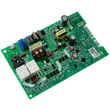
| Won’t drain and acts “confused” (odd stopping/starting) | Water level sensing or control | G.e. dishwasher pressure sensor WD21X25468 or dishwasher electronic control board WD21X32938 |
Why it matters
A dishwasher that cannot drain will leave dirty water in the tub, can trigger cycle interruptions, and can cause odors. On a new installation, correcting the drain hose routing or disposer connection usually restores normal draining without any parts.
Helpful DIY guidance
For step-by-step troubleshooting, use our dishwasher not draining video. For ordering model-correct replacement parts, use the parts list for HDF310PGR3WW or search by model on Sears PartsDirect.
Last updated: February 2026





