 Installation guide
 Owner’s manual
 Error Codes

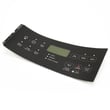
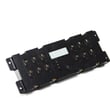
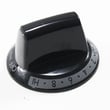
How do you reset a Kenmore electric stove?
To reset your Kenmore electric range model 79092513210, shut off power at the breaker (or unplug if accessible) for about 1 minute, then restore power. This clears many control glitches and can restore normal oven and cooktop operation; confirm the clock and settings afterward using the owner's manual.
Quick reset steps (safe and effective)
- Turn all surface element knobs to OFF.
- Switch the range circuit breaker OFF (preferred) or unplug the cord.
- Wait 60 seconds.
- Switch the breaker ON (or plug back in).
- Set the clock and test Bake and a surface element.
If the range still acts up after a reset
A reset fixes temporary electronic lockups; it will not correct a failed part or wiring issue. Check these common causes next:
- Tripped breaker (some ranges use a double-pole breaker; reset it fully OFF then ON)
- Control lock or a stuck key on the touch panel
- Oven not heating due to a failed sensor or heating element
- Surface element not heating due to a bad infinite switch
- Error code that returns immediately after power is restored
| Symptom after reset | Most likely area to check | Example part on this model page |
|---|---|---|
| Oven temperature is inaccurate or error code returns | Oven temperature sensing circuit | Frigidaire range oven temperature sensor 316490000 |
| One small burner will not regulate heat | Surface element control switch | Frigidaire range small surface element control switch 316436000 |
| Oven will not broil | Broil heating circuit | Range broil element 316203301 |
Why it matters
Resetting power is the fastest way to clear a “frozen” control board state. If a problem returns right away, that points to a real fault (sensor, element, switch, or wiring) rather than a one-time glitch.
Installation and wiring note
If you are resetting because the range is newly installed and seems dead, confirm the power connection is correct. The installation instructions emphasize not loosening the factory-installed terminal block nuts, because that can cause loss of electrical connection. Use the installation guide for the correct 3-wire or 4-wire connection steps.
Last updated: February 2026
What does F5 mean on a Kenmore oven?
On Kenmore electric range model 79092513210, an F5 error typically points to a communication problem between the user interface (keypad/display) and the oven’s electronic control. Reset power first; if the code returns, inspect wiring connections and control components per the owner's manual.
What to do first (safe reset and quick checks)
- Turn the range off at the breaker for 1 minute, then restore power.
- If F5 returns, avoid repeated resets; the fault is usually persistent.
- Check for a stuck or unresponsive keypad area (some models trigger F-codes when keys read as pressed).
- If the oven was just used, let it cool and retry; heat can aggravate marginal connections.
- If you recently moved the range, recheck that nothing is pinched behind the control panel.
What usually causes the F5 code
Most F5 communication faults come from one of these issues:
- Loose or oxidized wire harness connection between the user interface and control board
- Damaged harness (pinched, rubbed-through insulation, or a partially backed-out connector)
- Failed user interface (touch panel) or failed electronic oven control
- Power interruption or electrical noise event that corrupted communication
Parts that can be involved
If troubleshooting points to a heating or sensing issue along with the code (for example, erratic temps), these model-compatible parts are commonly checked during diagnosis:
| Symptom you notice | Common area to inspect | Example part on this model page |
|---|---|---|
| Oven temp seems wildly off | Temperature sensing circuit | Frigidaire range oven temperature sensor 316490000 |
| Broil not heating correctly | Broil circuit and element | Range broil element 316203301 |
| Bake not heating correctly | Bake circuit and element | Range bake element 316413800 |
Why it matters
When the user interface and control board cannot communicate reliably, the oven may stop heating, beep, or lock out functions to prevent unsafe operation. Fixing the connection or the failed control component restores normal bake, broil, and timing features.
Last updated: February 2026
What was the size of the Kenmore 79092513210 oven?
For the Kenmore 79092513210 electric range, the installation instructions confirm it is a standard 30-inch class range and list required installation clearances; they do not provide a single “oven size” line (such as oven cavity cubic feet) in the excerpted pages. Use the installation guide to match the exact cutout and clearance dimensions for your kitchen.
What “size” usually means for this model
When customers ask for the “size of the oven,” it typically refers to one of these:
- Range width (commonly 30 inches for freestanding ranges)
- Overall exterior dimensions (width, height, depth)
- Oven capacity (cubic feet)
- Cabinet and clearance requirements (minimum safe spacing)
For model 79092513210, the documentation excerpt we have is focused on clearances and safe installation, not oven capacity.
Key clearance and fit details (from the installation instructions)
The installation guide calls out minimum clearances that affect fit and safety:
- 30-inch minimum from cooktop to an unprotected wood/metal cabinet bottom
- 24-inch minimum if the cabinet bottom is properly protected
- 0-inch minimum clearance at the rear of the range (while still following all listed dimension requirements)
- Avoid storage above surface units; use a hood that projects at least 5 inches if overhead cabinets exist
Quick reference table
| Measurement type | What to use it for | Where to find it |
|---|---|---|
| Range class width (30-inch) | Confirms standard opening category | Installation guide |
| Minimum overhead clearance (24 to 30 inches) | Prevents heat damage and fire risk | Installation guide |
| Rear clearance (0 inches minimum) | Helps plan depth and placement | Installation guide |
Why it matters
Using the correct dimensions and clearances prevents cabinet damage, overheating, and installation problems (including incorrect countertop or cabinet cuts). It also helps ensure the range sits level and operates safely.
Last updated: February 2026
Where can I find my Kenmore electric range model number?
On Kenmore electric range model 79092513210, the model and serial number plate is typically on the lower right front frame of the range; you can see it when you open the oven door or pull out the lower drawer. Some units also have the plate under the cooktop. For diagrams and access details, use the installation guide.
Common places to check
- Open the oven door and look along the front frame, especially the lower right side
- Pull out the storage or warming drawer and check the front frame behind it
- Look under the cooktop (lift-up or access from above, depending on design)
- Check the back panel near the vent area (less common on this style)
- Wipe the label gently; grease can hide the printed model number
Quick steps to find it fast
- Turn the oven light on and use a flashlight for glare-free reading.
- Open the oven door and scan the front frame corners.
- If you do not see it, slide out the bottom drawer and check the frame behind it.
- If needed, check under the cooktop for an alternate serial plate location.
What the label looks like
| What you’ll see | Why it helps |
|---|---|
| Model number (example: 79092513210) | Ensures you get the correct Kenmore range parts |
| Serial number | Helps match production version when parts vary |
| Electrical ratings | Useful for installation and power cord/terminal block work |
Why it matters
We use the exact model number to match the correct parts list, wiring configuration, and installation requirements for your range. That prevents ordering the wrong bake element, surface element switch, or oven temperature sensor.
Last updated: February 2026







