 Owner’s manual
 Error Codes



Why is my electric wall oven not working?
If your LG WSES4728F wall oven won’t work, the most common causes are a power supply problem (plug, breaker, fuse), controls that aren’t set correctly, or the oven being too hot to operate after a high-heat cycle. Use the troubleshooting steps in the WSES4728F owner's manual to pinpoint the exact condition.
Quick checks we recommend first
- Confirm the oven’s plug is fully inserted into a live, properly grounded outlet.
- Reset the home circuit breaker or replace a blown fuse.
- Verify the oven controls are set correctly for the cooking mode you want.
- If the oven is still very hot (or the door is locked), press STOP and let it cool below the locking temperature.
- If the control is beeping and showing an F-code, write down the code before turning the oven off.
What the symptoms usually mean
| What you see | Likely cause | What to do next |
|---|---|---|
| No display, no response | No power to oven | Check outlet, breaker, fuse |
| Display works but won’t heat | Heating fault or control issue | Check for error code; test heating circuit |
| Beeping with an F-code (example: F-19) | Control detected a fault (F-19 relates to not heating) | Clear, retry; if it returns, service is needed |
| Fan keeps running after shutoff | Normal cooling fan operation | Wait; it shuts off when components cool |
Parts that commonly relate to “won’t heat” complaints
If the oven powers on but does not heat, these model-compatible parts are often involved in diagnosis and repair:
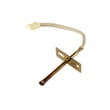
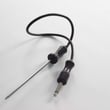
- LG range oven temperature sensor EBG61305805 (temperature feedback to the control)
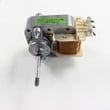
- Convection airflow parts (if convection mode is affected), such as the fan motor or fan blade
- Electronic control boards (if the oven is beeping, showing fault codes, or not driving heat)
Why it matters
A wall oven that won’t run is often protecting itself (over-temperature lockout, fault code) or simply not getting steady power. Starting with power and control settings prevents unnecessary parts replacement and helps you decide when a sensor, fan, or control issue is more likely.
Last updated: January 2026
What is the WSES4728F oven?
The LG WSES4728F is an electric wall oven designed for household cooking. In the product documentation, it’s identified as a wall oven model WSES4728F and includes accessories such as standard racks, a gliding rack, a broiler pan and grid, a meat probe, and an air fry tray (see the WSES4728F owner's manual).
What type of appliance it is
This model is a built-in wall oven (not a cooktop). The manual describes the unit as a wall oven and outlines its control panel, settings, and cooking accessories.
- Brand: LG
- Model number: WSES4728F
- Appliance type: Electric wall oven
- Intended use: Household cooking only
- Common included accessories: racks, gliding rack, broiler pan and grid, meat probe, air fry tray
What you can expect to find inside the box
Accessory sets can vary, but the manual lists these common items for cooking.
| Accessory | What it’s used for | Notes |
|---|---|---|
| Heavy duty standard racks | Everyday baking and roasting | Often multiple racks included |
| Gliding rack | Easier access to heavy dishes | Slides out smoothly |
| Broiler pan and grid | Broiling and catching drips | Helps reduce splatter |
| Meat probe | Monitoring internal food temperature | Useful for roasts and poultry |
| Air fry tray | Air fry-style cooking | Promotes airflow around food |
Why it matters
Knowing the exact model (WSES4728F) helps us match the right parts and troubleshooting steps, especially for heating performance, convection operation, and sensor-related temperature issues.
If you’re diagnosing cooking temperature problems on this model, the oven temperature sensor is a common component to check, such as the LG range oven temperature sensor EBG61305805.
Last updated: January 2026
How do I know which LG oven I have?
To identify which LG oven you have, find the model number and serial number on the appliance’s rating label, then match that model number to your parts list and manual. For this wall oven series, the owner’s manual is labeled for model WSES4728F. See the WSES4728F owner's manual.
Where to find the model and serial number
Check these common label locations for LG wall ovens:
- Along the oven door frame (visible when you open the door)
- On the side trim or inner side panel near the front opening
- Behind the control panel area (less common)
- On the back of the unit (usually easiest to see before installation)
What to do once you find the label
Use the model number first, then confirm with the serial number.
- Write down the full model number exactly as shown (letters and numbers)
- Record the serial number for warranty and service history
- Use the model number to look up diagrams and parts for the correct revision
- If your oven has smart features, the model may also appear in the LG ThinQ app after registration
Quick ID checklist
| Item on label | What it’s used for | Example format |
|---|---|---|
| Model number | Correct parts and manuals | WSES4728F |
| Serial number | Warranty and manufacturing info | Varies |
| Electrical rating | Installation and troubleshooting | Varies |
Why it matters
LG wall oven parts can vary by model and revision. Using the exact model number helps ensure you order the right components (for example, an oven temperature sensor or convection fan motor) and follow the correct operating and safety instructions.
Last updated: January 2026





