Owner’s manual
 Error Codes




Can I fix the de error myself?
Yes, in many cases you can fix a DE (door error) on your LG WM2250CW washer yourself by reseating the door, checking for items blocking the door boot, and inspecting the door latch area. If the washer still will not lock, the door lock or strike may need attention.
What DE usually means on this model
DE typically points to a problem with the washer recognizing the door as fully closed and locked. Start with the simple checks first, then move to parts inspection using the WM2250CW manual.
Quick DIY checks (no parts)
- Press Pause/Cancel, wait 10 seconds, then try Start again.
- Open the door and remove any laundry caught between the door and the gasket.
- Wipe the door glass and the door boot sealing surface; detergent residue can prevent a full seal.
- Check that the washer is level; a twisted cabinet can slightly misalign the door.
- Power reset: unplug for 2 minutes (or switch the breaker off/on), then retry.
Parts to inspect if the error returns
If the door closes normally but DE keeps coming back, these are the most common components involved:
- Door lock assembly: the lock may not engage or the internal switch may not report “locked.”
- Door strike/strike area: if the strike is loose or worn, the lock cannot grab it consistently.
- Door hinge alignment: a sagging door can prevent proper engagement.
For this model page, a common lock-related replacement is the washer door lock switch EBF49827801.
Symptoms and what they point to
| What you notice | Most likely cause | What to do next |
|---|---|---|
| Door will not “click” into lock | Door lock not engaging | Inspect lock and mounting, consider replacing lock |
| Door closes but pops back open | Misalignment or obstruction | Clear boot area, check hinge and leveling |
| DE appears intermittently | Loose connection or worn latch/strike | Check fasteners, inspect strike area and wiring |
Why it matters
A front-load washer will not tumble or spin unless the control senses a locked door. Fixing DE quickly prevents mid-cycle stops, standing water, and unnecessary strain on the door latch and hinge.
Last updated: January 2026
How many years does a LG washing machine last?
Most LG washers like model WM2250CW typically last about 10 to 15 years with normal household use and consistent maintenance. Actual lifespan depends more on installation, load habits, and routine cleaning than on the model number alone; see the care guidance in the WM2250CW manual.
What affects lifespan the most
- Overloading or washing heavy items too often (stress on tub, bearings, and motor)
- Poor leveling (extra vibration that wears shocks and suspension)
- Detergent overuse (buildup that can cause odors and drainage issues)
- Hard water (scale buildup in valves and internal water paths)
- Skipped maintenance (not cleaning the door gasket and drain filter)
Maintenance habits that help WM2250CW last longer
We recommend these simple routines for LG front-load washers:
- Leave the door slightly open between loads to reduce moisture and odor
- Wipe the door boot and glass regularly; check for small items trapped in the folds
- Run periodic tub-cleaning cycles per the WM2250CW manual
- Clean the drain pump filter if you notice slow draining or leftover water
- Use the correct detergent type and amount for your load size and soil level
Common “end-of-life” symptoms vs fixable problems
Many issues that feel like “the washer is done” are actually repairable.
| Symptom | Often caused by | Typical next step |
|---|---|---|
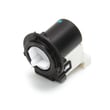
| Won’t drain or drains slowly | Clogged filter, failing pump | Clean filter; inspect/replace drain pump motor (4681EA2001T) - washer part by LG electronics 4681EA2001T |
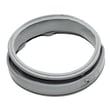
| Leaks at the door | Worn or torn door boot | Inspect/replace LG washer door boot 4986ER0004F |
| Door won’t lock or open | Door lock assembly issue | Inspect/replace washer door lock switch EBF49827801 |
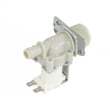
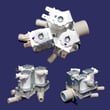
| Won’t fill or fills slowly | Inlet valve or screen restriction | Check screens; inspect washer water inlet valve 5221ER1003A |
Why it matters
A washer that is cleaned, leveled, and not overloaded usually reaches the upper end of the 10 to 15 year range. Good habits also reduce nuisance failures like leaks, odors, and drain problems that can shorten the usable life of the machine.
Last updated: January 2026
How do I force an LG washer to drain?
On our LG WM2250CW washer, you can usually force a drain by running a drain-and-spin style cycle so the control turns on the drain pump and pumps water out. Exact button names can vary by control panel version; confirm the cycle selection steps in the WM2250CW manual.
Quick ways to force a drain
- Press Power.
- Select a Spin cycle or a Drain + Spin style option (wording varies by panel).
- Set Spin speed to Low if you want the gentlest drain.
- Press Start/Pause and listen for the pump running.
- If the tub is very full, stop after a minute and restart to drain in stages (helps prevent standpipe overflow).
If it will not drain: what to check first
A forced drain can fail if the drain path is restricted or the pump cannot move water.
- Make sure the drain hose is not kinked, crushed, or pushed too far down the standpipe.
- Clean out the drain pump filter area (coins, lint, small socks are common).
- Verify the door is fully closed and locking; many LG front-load washers will not drain/spin with a door lock issue.
- If you hear a hum but no water movement, the pump may be jammed or failing.
Parts that commonly affect draining on this model
| What you find | What it points to | Example part for WM2250CW |
|---|---|---|
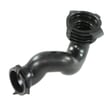
| Water drains slowly, hose/filter area clogged | Restriction at pump filter drain path | Washer drain pump filter drain hose 5214FR4006G |
| Pump hums, is loud, or will not pump | Failed or jammed pump motor | Drain pump motor (4681EA2001T) - washer part by LG electronics 4681EA2001T |
Why it matters
Forcing a drain removes standing water so you can safely troubleshoot, reduce odor risk, and avoid spills when you access the pump filter area.
Last updated: January 2026