 Installation guide
 Owner’s manual


What is the average lifespan of a microwave?
Most microwaves last 7 to 10 years; for a KitchenAid microwave/hood combo like KHMS2050SSS0, 8 to 9 years is a solid average with normal daily use, proper ventilation, and routine cleaning. Heavy use, poor airflow, and repeated overheating shorten lifespan.
What affects lifespan the most
- Usage frequency and cook times (multiple long heat cycles per day wear components faster)
- Ventilation and airflow (blocked intake or grease buildup raises internal temperatures)
- Door closing and latch wear (slamming can stress the door lock system and interlocks)
- Cleaning habits (grease and food soils can lead to odors, arcing, and overheating)
- Power quality (frequent surges can stress the electronic control)
Maintenance that helps your KHMS2050SSS0 last longer
Follow the cleaning and care steps in the KHMS2050SSS0 owner’s manual. Key habits include:
- Keep the cavity and door-contact surfaces clean and dry
- Clean the microwave inlet cover regularly to help prevent arcing
- Replace and clean filters on schedule (grease and charcoal filters on hood combos)
- Avoid running the microwave empty
- Use microwave-safe cookware; avoid metal and foil where not allowed
Repair vs replace: a practical rule of thumb
A common guideline is to repair when the fix is straightforward and the unit is otherwise in good shape; replace when multiple major parts are failing.
| Situation | Usually makes sense to | Why |
|---|---|---|
| Door won’t start, intermittent running | Repair | Often related to door interlock components |
| No heat, loud hum, burning smell | Service/replace decision | High-voltage system repairs can be costly |
| Display or keypad issues | Repair decision | Control-related parts can be expensive |
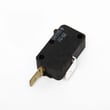
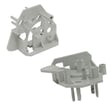
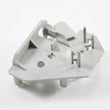
If the microwave will not run unless the door is held a certain way, door interlock parts are common suspects, such as the microwave/hood micro-switch W10269458.
Why it matters
Microwave/hood combos work in a hotter, greasier environment than countertop units. Keeping vents, filters, and the cavity clean reduces heat stress on parts like the thermal fuse, inverter, and electronic control.
Last updated: February 2026
What are the signs of a bad microwave?
A KitchenAid microwave/hood combo like model KHMS2050SSS0 is likely failing when it runs but does not heat, makes new loud buzzing or humming, shows arcing (blue flashes) in the cavity, smells like something is burning, or repeatedly blows power or shuts off mid-cycle.
Common symptoms and what they usually point to
- Runs but food stays cold: high-voltage system issue (magnetron, capacitor, inverter) or a control problem
- Sparks or blue flashes inside: arcing from metal contact, damaged cavity coating, or incorrect cookware use
- Door won’t start the cook cycle: door interlock switch or bracket problem
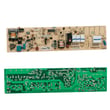
- Dead display or intermittent power: thermal fuse, thermal cut-off, loose wiring, or control board issue
- Loud buzzing, grinding, or unusual hum: failing high-voltage component or blower/turntable-related issue
Quick checks we recommend before replacing parts
- Stop using the microwave if you see arcing or smell burning.
- Confirm the unit is on a proper grounded 3-prong outlet and not on an extension cord (power issues can mimic failures).
- Test with 1 cup of water for 60 seconds; if the water does not warm, heating has failed.
- Remove any metal or foil touching cavity walls; arcing can damage the interior.
- Check that the door closes firmly and the latch area is clean; door alignment affects interlock switches.
Parts that commonly fail with these symptoms (model KHMS2050SSS0)
| Symptom | Common suspect | Example part for this model |
|---|---|---|
| Won’t start when door closes | Door interlock switch | Microwave/hood micro-switch W10269458 |
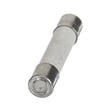
| Randomly goes dead or stops | Overheat protection | Thermal fuse W11707984 |
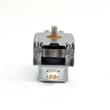
| Runs but does not heat | High-voltage system | Inverter W10217711 or ikea microwave magnetron 8206079 |
Why it matters
Microwaves contain high-voltage components; continuing to run a unit that is arcing, overheating, or not heating correctly can quickly turn a small issue (like a door switch) into a bigger repair.
For model-specific operating and safety guidance (including grounding and cookware rules), use the KHMS2050SSS0 owner’s manual.
Last updated: February 2026
Is it worth replacing a microwave?
If your KitchenAid KHMS2050SSS0 microwave/hood combo is around 10 years old or more, replacement is usually the better value, especially if the problem involves heating or repeated electrical shutdowns. For newer units, a repair can make sense when the fix is limited to a common service part.
Quick decision guide (repair vs. replace)
- Replace if the microwave is 10+ years old, has no heat, or has multiple symptoms (no heat plus dead display, burning smell, or repeated tripping).
- Repair if it is under ~6 years old and the issue is isolated (door won’t start, intermittent operation, light or fan issue).
- Repair if the cost is mainly labor plus a small part (for example, a door interlock switch).
- Replace if you have recurring failures after a recent repair.
- Pause DIY if the symptom points to high-voltage components; use a qualified technician.
Typical cost and risk comparison
| Scenario | What it often involves | Usual best choice |
|---|---|---|
| Door won’t start, acts like it is open | Door interlock switch or bracket alignment | Repair |
| Runs but does not heat | High-voltage system diagnosis | Replace (often) |
| Completely dead | House power check, fuse/thermal protection, control issues | Depends on age and total cost |
| Cosmetic only (handle, glass) | Door parts | Repair if you like the unit |
Model-specific checks that affect the decision
Your KHMS2050SSS0 manual recommends basic troubleshooting first (for example, confirming the door is fully closed and testing heating by warming 1 cup of water for 2 minutes at full power). Use the KHMS2050SSS0 owner's manual for the exact steps and safety guidance.
If the unit will not start and the door fit feels “off,” the door interlock system is a common repair path; the microwave/hood micro-switch W10269458 is one of the interlock-related parts used on this model.
Why it matters
Over-the-range microwave/hood combos cost more to install and service than countertop units. Once a unit is older, a major repair can approach the value of a replacement, and you still keep an aging fan, control, and door system.
Last updated: February 2026
What two things should you not put in a microwave?
For the KitchenAid KHMS2050SSS0 microwave/hood combo, the two biggest “do not put in” categories are (1) metal items that can arc and (2) non-approved containers or materials that can melt, ignite, or burst. For the full do-not-use list and cookware guidance, follow the KHMS2050SSS0 owner’s manual.
The two most important things to keep out
- Metal cookware or utensils (including items with metallic trim): can cause arcing (sparks) and damage.
- Non-microwave-safe materials/containers (such as Styrofoam, straw/wicker/wood, or unapproved plastics): can melt, ignite, or contaminate food.
Other common “do not” examples from typical microwave safety rules
- Whole eggs in the shell: steam buildup can make them burst.
- Brown paper bags and newspaper: can ignite.
- Twist ties, staples, skewers, and foil liners: can arc.
- Oversized metal utensils: can create a fire or shock risk.
Quick safe vs. unsafe guide
| Item/material | Use in microwave? | Why |
|---|---|---|
| Microwave-safe glass or ceramic | Yes | Heats food safely when manufacturer-approved |
| Wax paper | Yes | Helps prevent splatter |
| Metal cookware, gold/silver trim | No | Arcing and cavity damage risk |
| Styrofoam, straw/wicker/wood | No | Melting, ignition, or damage risk |
Why it matters
Microwaves reflect off the metal interior and heat food by exciting water, fat, and sugar molecules. Metal objects and non-approved materials can turn normal heating into arcing, overheating, smoke, or fire.
Best practices we recommend
- Use containers labeled microwave-safe.
- Keep foil and metal away from the cavity walls.
- If you see sparks or burning smells, stop the cycle and remove the item.
- Use cookware testing guidance from the manual when you are unsure.
Last updated: February 2026


