 Installation guide
 Owner’s manual



How do I do a hard reset on my GE microwave?
To hard reset your GE JNM3163RJ3SS microwave/hood combo, we cut power to the unit (unplug it or switch the breaker OFF) for about 1 to 2 minutes, then restore power and reset the clock. This clears many control glitches after a power surge.
- Turn the microwave OFF and stop any cooking by pressing Cancel/Off.
- Unplug the power cord; if it’s hardwired/over-the-range, switch the circuit breaker OFF.
- Wait 1 to 2 minutes.
- Plug back in or switch the breaker ON.
- Set the clock using the steps in the JNM3163RJ3SS owner’s manual.
Sometimes the microwave is not “frozen”; it’s just locked or still has a selection active.
- Cancel/Off: stops and cancels cooking.
- Control lock-out: press and hold Cancel/Off for about 3 seconds to lock or unlock; “Loc” shows when locked.
- Start/Pause: must be pressed after entering a cook selection.
| What you see | What it usually means | What to do |
|---|---|---|
| Display works but won’t start | Door not closed, selection not cleared, or Start/Pause not pressed | Close door firmly; press Cancel/Off; re-enter time; press Start/Pause |
| “Loc” flashes when buttons are pressed | Control lock is on | Hold Cancel/Off about 3 seconds |
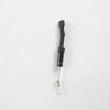
| Completely dead (no display) | House fuse/breaker issue or internal fuse | Check breaker; if still dead, test/replace the microwave fuse WB27X25389 |
A hard reset clears the control’s temporary memory after a power surge, which often restores normal keypad and cooking operation without replacing parts.
Last updated: February 2026
How many watts is a GE microwave model jnm3163rj3ss?
The GE JNM3163RJ3SS microwave/hood combo is a 1,000-watt microwave (cooking power). For operating details like power levels, sensor features, and recommended cookware, follow the settings and charts in the JNM3163RJ3SS owner’s manual.
- Use a microwave-safe container with water (not metal or foil).
- Select Power Level 10 (High) for fastest heating.
- Avoid running the vent fan on high if you are troubleshooting weak heating; focus on cook settings first.
- Make sure the door closes firmly; a misaligned latch can prevent proper operation.
- If heating seems inconsistent, test with a different outlet circuit (microwaves need a stable supply).
Microwave wattage is the maximum cooking output. Lower power levels cycle the magnetron on and off to reduce average heat.
| Setting | Typical use | What changes |
|---|---|---|
| High (10) | Boiling water, reheating | Fastest heating |
| Medium (5) | Gentle reheats | Slower, more even |
| Low (1-3) | Softening, defrost finishing | Minimal heating |
A GE over-the-range microwave that lights up and turns but does not heat often points to a high-voltage or safety-interlock issue. We use these checks first:
- Verify the door latches smoothly and the switches click consistently.
- Check for a blown fuse after a power surge or door-slam event.
- Inspect for overheating symptoms that can trip a thermal cut-off.
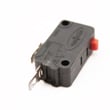
Common related parts for this model include the microwave fuse WB27X25389 and door safety switches such as the microwave primary interlock switch WB24X10047.
Knowing the wattage helps you set cook times correctly, compare performance to other GE microwaves, and troubleshoot “not heating” complaints without guessing whether the unit is underpowered.
Last updated: February 2026
What is the life expectancy of a GE microwave?
A GE microwave typically lasts 8 years. For an over-the-range model like GE JNM3163RJ3SS, most owners see about 5 to 10 years depending on daily run time, ventilation/grease buildup, and whether the door and interlock system stay properly aligned.
- Light use (a few minutes/day): 9 to 12 years
- Average use (10 to 20 minutes/day): about 8 years
- Heavy use (multiple long heat cycles/day): 5 to 7 years
- Poor ventilation or heavy grease exposure: lifespan drops faster
| Usage pattern | Expected lifespan | What usually fails first |
|---|---|---|
| Light | 9 to 12 years | Door switches, lamps |
| Average | ~8 years | Control board, door switches |
| Heavy | 5 to 7 years | Magnetron circuit, thermal protection |
- Keep the vent grille and filters clean so heat can escape.
- Wipe out steam and grease after cooking; grease traps heat and odors.
- Avoid running the microwave empty; it stresses the magnetron.
- Close the door gently; slamming can knock the latch and switches out of alignment.
- Use microwave-safe cookware; metal and foil can cause arcing and interior damage.
- Runs but does not heat consistently.
- Display or keypad becomes intermittent.
- Fan runs abnormally loud or the unit shuts off mid-cycle.
- Door feels loose or you need to lift/push it to start.
If the door system is acting up, these model-matched parts are common fixes:
- Microwave primary interlock switch WB24X10047
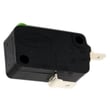
- Microwave door interlock switch WB24X25397
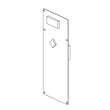
- Latch board WB10X25380
Microwaves can appear “fine” right up until a door interlock, fuse, or high-voltage component fails. Knowing the typical 5 to 10 year window helps you decide whether to troubleshoot and repair or plan for replacement. For operating and care guidance specific to this unit, use the jnm3163 owner’s manual.
Last updated: February 2026
Is the GE JNM3163RJ3SS easy to use?
Yes. The GE JNM3163RJ3SS microwave/hood combo is designed for straightforward daily use with a simple control panel, common time and defrost features, and a clear digital display. For the exact button functions and feature list, follow the operating section in the jnm3163 owner’s manual.
We consider this model easy to use when these everyday tasks feel quick and consistent:
- Reheating with basic time cook controls
- Using built-in defrost options (time or weight-based, depending on the setting)
- Turning the vent fan and cooktop light on and off
- Reading the display and confirming the microwave starts and stops normally
- Cleaning and reinstalling filters after routine maintenance
These steps help the microwave behave predictably from the start:
- Confirm the unit is installed correctly and stable (mounting and power).
- Plug into a dedicated 15 to 20 amp outlet.
- Install the turntable and support ring so food heats evenly.
- Install the grease filters before cooking.
- Read the basic operating and safety sections in the manual.
| Task | Why it helps | Where to look |
|---|---|---|
| Install turntable and ring | Prevents uneven heating and noise | Jnm3163 installation guide |
| Install grease filters | Helps venting and reduces grease buildup | Jnm3163 installation guide |
| Learn control functions | Avoids wrong settings and resets | Jnm3163 owner’s manual |
Most usability complaints come down to visibility or response. Try these practical fixes first:
- Clean the control panel and display; smudges can reduce contrast.
- Turn on the cooktop light for better button visibility.
- Press keys firmly and squarely; light taps can miss on membrane-style panels.
- If the panel is unresponsive or random, inspect the door latches and interlocks; a door that does not fully engage can prevent normal operation.
- If the door does not seem to “click” closed, check the latch board WB10X25380 and door switches.
When the controls, door latches, and turntable system are working correctly, you get consistent heating, fewer nuisance “no start” situations, and safer operation. Many “not easy to use” symptoms are actually early signs of a door-interlock or control issue.
Last updated: February 2026


