 Owner’s manual




What are common Samsung microwave problems?
Common problems we see on the Samsung ME17H703SHS microwave/hood combo include no power, not heating, sparking/arcing, a noisy or stuck turntable, and light or vent issues. Many of these start with simple checks in the ME17H703SHS owner's manual before testing parts.
- Microwave won’t turn on: outlet, wall switch, breaker/fuse, door not closing fully, door interlock issue
- Display works but won’t run: door latch alignment, door interlock switch circuit
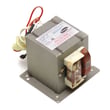
- Not heating or heating weakly: high-voltage circuit (magnetron, diode, capacitor, transformer)
- Sparks or arcing: metal in cavity, damaged waveguide cover, food splatter buildup, damaged interior coating
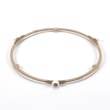
- Turntable noisy or stuck: coupler wear, motor issue, roller/track obstruction
- TV/radio interference: shared circuit or poor grounding
- Confirm the plug is fully seated in a grounded outlet.
- If the outlet is on a wall switch, make sure the switch is on.
- Unplug for 10 seconds, then plug back in.
- Reset the circuit breaker or replace a blown house fuse.
- Make sure the door closes firmly and nothing is pinched in the door area.
Microwave high-voltage components can store dangerous energy even when unplugged; we recommend a qualified technician for internal testing.
| Symptom | Common part area | Example part for this model |
|---|---|---|
| Runs but doesn’t heat | High-voltage heating circuit | Microwave magnetron OM75P-21-ESGN |
| Dead or intermittent | Door safety circuit | Microwave door interlock switch 3405-001034 |
| Runs, then stops or overheats | Thermal protection | Microwave thermostat DE47-20007B |
A microwave that won’t heat, arcs, or won’t start can be a simple power or door-closure issue, but it can also involve safety interlocks or high-voltage parts. Following the manual’s troubleshooting steps helps you avoid unnecessary parts replacement.
Last updated: January 2026
What is the life of a Samsung microwave oven?
A Samsung microwave oven typically lasts about 9 to 10 years with normal home use. For your Samsung ME17H703SHS microwave/hood combo, lifespan depends most on ventilation, keeping filters clean, and avoiding overheating; our ME17H703SHS owner's manual covers the care steps that help it run longer.
Most over-the-range microwaves wear out from heat stress, door-switch wear, and high-voltage component aging.
- Heavy daily use (multiple long cook cycles) shortens life
- Poor airflow or clogged grease filters increases internal heat
- Slamming the door can damage interlock switches over time
- Running the oven empty can damage internal components
- Power surges can stress the control board and high-voltage parts
These symptoms often show up as a microwave nears the end of its service life:
- Runs but does not heat food consistently
- Loud humming or buzzing during heating
- Burning smell or repeated shutdowns
- Intermittent operation when closing the door
- Fan runs but cooking performance drops
| Symptom | Common area to check | Example part on this model |
|---|---|---|
| Runs but no heat | High-voltage circuit | Microwave magnetron OM75P-21-ESGN |
| Intermittent start/stop | Door safety circuit | Microwave door interlock switch 3405-001034 |
| Shuts off from heat | Thermal protection | Microwave thermostat DE47-20007B |
We recommend these habits for the ME17H703SHS:
- Clean the grease filter regularly; the manual notes a filter reminder interval of about every 4 months
- Keep the intake and exhaust areas clear so the cooling fan can move air
- Use microwave-safe cookware and avoid metal or foil contact
- Wipe interior splatters so food residue does not carbonize and cause arcing
A microwave/hood combo sits over the range, so it sees extra heat, steam, and grease. Keeping airflow and filters under control reduces heat buildup, which is the biggest factor in long-term reliability.
Last updated: January 2026
How to reset a microwave Samsung?
To reset a Samsung microwave like model ME17H703SHS, we typically recommend clearing the control and restoring power: press STOP/CLEAR to cancel a cycle, and if the control is unresponsive, unplug the microwave (or switch off the breaker) briefly, then power it back on. For model-specific button functions, use the ME17H703SHS owner's manual.
- Cancel a cooking program: Press STOP/CLEAR once.
- Toggle Child Lock (often mistaken for a “reset”): Press and hold STOP/CLEAR for 3 seconds.
- Clear a “Filter” reminder message: With the microwave in standby, press 0 (or use Options).
- Power reset for a frozen display or keypad: Turn power off at the breaker (or unplug), wait about 60 seconds, then restore power.
If the display is on but buttons do nothing, the control is often locked.
- Make sure the microwave is in standby (not cooking).
- Press and hold STOP/CLEAR for 3 seconds.
- Try starting a short cook cycle to confirm normal operation.
| Reset type | What it fixes | What it does not fix |
|---|---|---|
| STOP/CLEAR | Cancels a running cycle, clears most entries | Power issues, heating problems |
| Child Lock toggle | Restores keypad operation when locked | Blown fuse, door switch failures |
| Power reset | Clears a temporary control glitch | Failed control board, failed high-voltage parts |
Using the right reset saves time: a locked keypad needs the 3-second STOP/CLEAR unlock, while a frozen control often needs a brief power reset. If the unit runs but does not heat after resetting, follow why is my microwave not heating for the most common causes.
Last updated: January 2026


