 Installation guide
 Owner’s manual
 Error Codes




How long do Bosch wall ovens last?
Most Bosch wall ovens last 15 to 20 years with normal use and basic maintenance. For your Bosch HGI8054UC gas range, the oven section typically falls in that same lifespan range when the burner ignition, door seal, and cooling airflow are kept in good working order.
A wall oven’s service life depends more on heat stress and component wear than the cabinet itself.
- Heavy high-heat use (broil, self-clean) shortens component life
- Poor door sealing makes the oven run hotter and longer
- Weak ignition can cause delayed lighting and extra wear
- Blocked vents can overheat controls and wiring
- Regular cleaning prevents burner ports and igniters from getting coated
Use these habits to help your Bosch oven reach the 15 to 20 year mark:
- Keep the oven door closing tightly; replace a worn gasket if heat leaks
- Clean spills promptly to reduce smoke and corrosive residue
- Avoid slamming the door; it stresses hinges and alignment
- Make sure vents are not blocked by foil, pans, or liners
- If ignition becomes slow, address it early (it often prevents bigger failures)
These are frequent wear items that can make an oven feel “old” before the range actually is.
| Part | What you’ll notice when it’s failing | Typical fix |
|---|---|---|
| Oven burner igniter | Slow preheat, no bake ignition, gas smell before lighting | Replace igniter |
| Door gasket | Heat escaping, uneven baking, hotter kitchen | Replace gasket |
| Cooling fan assembly | Control area gets very hot, fan noise, shutdowns | Service fan |
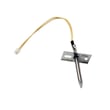
If bake ignition is inconsistent on this model, the range oven burner igniter 00755058 is a common starting point.
A 15 to 20 year lifespan is realistic for Bosch ovens, but most “end of life” complaints are actually a few serviceable parts (igniter, gasket, fan) that restore safe, consistent heating and temperature control.
For model-specific operating and care guidance, follow the HGI8054UC manual.
Last updated: January 2026
What does E05 mean on a Bosch oven?
On a Bosch gas range like model HGI8054UC, an E05 error commonly points to a stuck or continuously pressed control-panel button (key). Releasing the key and clearing any debris or moisture around the control area often resolves it; if it returns, the keypad/control may need service.
- Turn the oven off, then power it down at the breaker for 1 minute and restore power.
- Press each control-panel button once to confirm none feel stuck or “mushy.”
- Wipe the control area with a barely damp cloth, then dry it fully (moisture can mimic a pressed key).
- Remove any protective film or residue around the buttons that could cause binding.
- If the code appears during cleaning, wait 10 to 20 minutes for the panel to dry completely.
If E05 returns after the panel is clean and dry, the issue is usually in the user interface (keypad) or the control’s input circuit.
| What you notice | Most likely cause | What we do next |
|---|---|---|
| One button feels physically stuck | Jammed key | Clean around the key; check for binding per the HGI8054UC owner's manual |
| No buttons feel stuck, but E05 returns | Keypad or control input fault | Follow diagnostics in the HGI8054UC owner's manual; schedule service if needed |
| Clicking/ignition issues happen at the same time | Ignition circuit problem (separate from keypad) | Check igniter/spark components; consider range spark module 12004873 if symptoms match |
A stuck-key error can prevent normal baking or broiling and can also cause unexpected beeps or unresponsive controls. Addressing it early helps avoid repeated lockouts and reduces the chance of heat-cycle interruptions.
Last updated: January 2026
How do I reset a Bosch oven?
To reset your Bosch HGI8054UC gas range oven, we recommend doing a full power reset: turn the range off at the home circuit breaker for about 30 minutes, then restore power. This clears many temporary control glitches and lets the control board reboot.
- Turn the oven controls to Off.
- Switch Off the range circuit breaker (or remove the fuse).
- Wait 30 minutes.
- Switch the breaker On.
- Set the clock (if prompted) and test Bake for a few minutes.
A reset fixes software-like glitches, but it will not fix a failed heating or ignition part. For a Bosch gas range, these are common next checks:
- Error code returns: write down the exact code and when it appears.
- No bake ignition: a weak or failed igniter can prevent the burner from lighting (common symptom is no heat or slow ignition).
- Cooling fan runs but no heat: can point to an ignition or control issue.
- Surface burners clicking constantly: can indicate an ignition circuit problem.
| Symptom | Likely area | Example part for this model |
|---|---|---|
| Bake will not light | Oven ignition | Range oven burner igniter 00755058 |
| Surface burner will not spark | Cooktop ignition | Range surface burner igniter 00631633 |
| Multiple burners not sparking | Spark system | Range spark module 12004873 |
Resetting power is the fastest way to clear a locked-up electronic control and restore normal operation. If the problem comes back quickly, the pattern (error code, clicking, slow ignition) helps pinpoint whether the issue is the igniter, spark module, wiring, or the oven control.
For model-specific operating details and any reset guidance tied to error codes, use the HGI8054UC manual.
Last updated: January 2026
What are common problems with Bosch gas ranges?
Common problems on the Bosch HGI8054UC gas range include burners that click but will not light, an oven that will not heat or heats unevenly, a broiler that will not ignite, and cooling or convection fan noise. Most of these issues trace back to ignition parts, airflow/cleanliness, or a failed control component.
- Surface burner will not light or keeps clicking: dirty burner ports, wet/dirty igniter area, failed igniter, or a spark system issue.
- Oven will not ignite or takes too long to heat: weak oven igniter or an ignition circuit problem.
- Uneven baking: blocked airflow, heavy soil on the oven bottom, or a convection fan problem.
- No spark on any burner: failed spark module or a power/connection issue.
- Gas odor or poor flame quality: burner head not seated, clogged ports, or regulator/conversion setup concerns.
- Confirm power: this range needs electricity for spark ignition and controls; check the outlet and breaker.
- Clean and dry the cooktop burner area: remove caps and heads, clear ports with a soft brush, and dry thoroughly.
- Reseat burner parts: make sure the burner head and cap sit flat and aligned.
- Watch the ignition behavior:
- Clicking with no flame often points to dirty ports or a weak spark at the electrode.
- No clicking at all can point to the spark module or switch/harness.
- For oven ignition issues: if the igniter glows weakly or the burner lights late, the igniter is a top suspect.
| Symptom | Common part to check | Example part for this model |
|---|---|---|
| Oven will not ignite / slow preheat | Oven burner igniter | Range oven burner igniter 00755058 |
| Surface burner will not spark reliably | Surface burner igniter | Range surface burner igniter 00631633 |
| No spark on multiple burners | Spark module | Range spark module 12004873 |
| Clicking issues tied to knob/ignition circuit | Igniter switch and harness | Range igniter switch and harness assembly 12003913 |
Ignition and flame problems can look similar, but the fix is very different (cleaning a burner head vs. replacing an igniter or spark module). Using the correct troubleshooting steps helps restore safe, consistent lighting and even cooking performance.
For model-specific operating tips, cleaning guidance, and burner setup details, use the HGI8054UC owner's manual.
Last updated: January 2026




