- Kenmore refrigerator water filters
- Whirlpool refrigerator water filters
- Samsung refrigerator water filters
- GE refrigerator water filters
- LG refrigerator water filters
- Frigidaire refrigerator water filters
- KitchenAid refrigerator water filters
- Maytag refrigerator water filters
- Kenmore Elite refrigerator water filters
- Estate refrigerator water filters
- GE Profile refrigerator water filters
- Amana refrigerator water filters
- Bosch refrigerator water filters
- Dacor refrigerator water filters
- Electrolux refrigerator water filters
Top DIY repair help
View All Repair Categories
Appliances
Lawn & Garden
Power Tools
Home Improvement
Sports & Leisure
Heating & Cooling
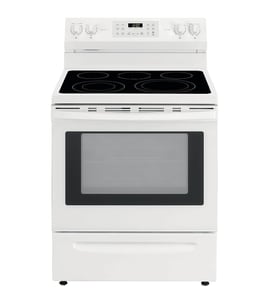
Hotpoint Range Parts — Browse All Models
When you need Hotpoint range parts, Sears PartsDirect makes it easy. Enter your range’s model number in the search bar or browse the list of Hotpoint range models below. Each model page includes illustrated parts diagrams to find the exact components you need. And, with our DIY range repair help, you’ll have step-by-step guidance to complete your repair with confidence.


 Error Codes
Frequently bought Hotpoint parts
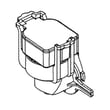
G.e. Dishwasher Pressure Sensor
In Stock
$29.38
17% OFF Was : $35.47

Qty

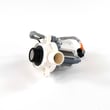
G.e. Washer Drain Pump Assembly
In Stock
$54.67
10% OFF Phone Price : $60.67
Qty
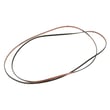
G.e. Dryer Drum Belt
In Stock
$52.52
10% OFF Phone Price : $58.52
Qty
Ge Profile Refrigerator Temperature Sensor
In Stock
$23.42
20% OFF Phone Price : $29.42
Qty
Washer Suspension Rod And Spring Assembly
In Stock
$13.80
13% OFF Phone Price : $15.80
Qty
Washer Shifter Assembly
In Stock
$39.38
17% OFF Was : $47.58
Qty
Popular maintenance items for Ranges
Frigidaire Range Oven Burner Igniter
In Stock
$21.50
22% OFF Phone Price : $27.50
Qty
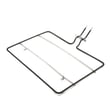
Whirlpool Range Bake Element
In Stock
$54.57
10% OFF Phone Price : $60.57
Qty

Frigidaire Range Bake Element
In Stock
$22.27
21% OFF Phone Price : $28.27
Qty
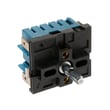
G.e. Range Surface Element Control Switch
Part #WB24X25013
Replaced by #WB24X47186
Manufacturer substitution
This part replaces WB24X25013. Substitute parts can look different from the original.
In Stock
$104.50
Qty
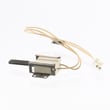
Tappan Range Oven Burner Igniter
In Stock
$73.41
8% OFF Phone Price : $79.41
Qty
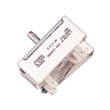
Frigidaire Range Surface Element Control Switch
In Stock
$40.51
13% OFF Phone Price : $46.51
Qty
Troubleshooting common Hotpoint range problems
Before you order replacement parts, it’s best to narrow down what’s causing the issue. Hotpoint ranges are known for their simplicity and durability, but even dependable appliances need attention from time to time. Here are a few problems you can troubleshoot yourself.
Oven door won’t unlock
If your oven door won’t unlock after self-cleaning, first let the oven cool completely. If it remains stuck, a jammed lock motor or broken latch assembly may be to blame. Check for debris blocking the latch and inspect the lock mechanism for signs of wear or electrical failure.
Surface element not heating properly
When a surface element isn’t heating, test the coil or radiant element for continuity using a multimeter. If it’s intact, the surface element switch could be faulty. Make sure the element is seated correctly in its socket before replacing any parts.
Gas burner won’t spark or ignite
If a gas burner won’t spark or ignite, clean the burner head and ports to remove debris and ensure proper gas flow. Moisture on the igniter can also prevent sparking, so allow it to dry. If only one burner fails, the igniter electrode may need replacement; if none spark, the issue may lie with the spark module.
Commonly replaced Hotpoint range parts
Oven door lock: If your oven door stays locked after self-cleaning, the assembly may be stuck or damaged. Replace the oven door lock to restore normal operation.
Surface element switch: When a burner won’t respond to heat settings, a faulty control switch could be the reason. Replace the surface element control switch for smooth, precise adjustments.
Relay control board: The relay board sends power to the heating elements. If the oven won’t heat even though components test fine, replace the relay control board.
Bake element: A burned-out bake element can cause uneven baking or a cold oven. Replace the exposed bake element to restore full heating power.
Radiant surface element: On glass-top models, a burned-out radiant element leads to cold spots. Replace the radiant surface element to bring back consistent heat.
Why use Sears PartsDirect
Sears PartsDirect carries genuine OEM Hotpoint range parts designed to fit your specific model. Using original components helps ensure safe operation, long-lasting performance, and a proper fit every time. Each part includes detailed diagrams and step-by-step guides so you can confidently complete your repair.
Hotpoint range FAQs
Are Hotpoint range parts compatible with GE parts?
Yes; Hotpoint is a GE-owned brand, and many components share designs across models. Always confirm your range’s model number before ordering to ensure an exact fit.
Why does my Hotpoint oven take too long to preheat?
A weak bake element or faulty temperature sensor can slow preheating. Test these parts with a multimeter and replace whichever is defective.
How do I clean a Hotpoint glass cooktop without scratching it?
Use a non-abrasive cleaner and a soft cloth or cooktop scraper. Avoid steel wool or harsh pads that can damage the glass surface.
Where can I find the model number on my Hotpoint range?
Look inside the oven door frame, behind the drawer, or along the edge of the control panel. The label lists both model and serial numbers.
What should I do if my Hotpoint range won’t turn on at all?
Check your home’s circuit breakers and ensure the range is securely plugged in. If the display stays blank, a failed power cord, internal fuse, or control board could be the cause.
Parts & More
Audio Equipment
Bottom-Mount Refrigerator
Cycling
Dishwasher
Front-Engine Lawn Tractor
Furnace
Gas Walk-Behind Mower
Laundry Center
Rear-Engine Riding Mower
Refrigerator
Room Air Conditioner
Treadmill
Water Softener