- Kenmore refrigerator water filters
- Whirlpool refrigerator water filters
- Samsung refrigerator water filters
- GE refrigerator water filters
- LG refrigerator water filters
- Frigidaire refrigerator water filters
- KitchenAid refrigerator water filters
- Maytag refrigerator water filters
- Kenmore Elite refrigerator water filters
- Estate refrigerator water filters
- GE Profile refrigerator water filters
- Amana refrigerator water filters
- Bosch refrigerator water filters
- Dacor refrigerator water filters
- Electrolux refrigerator water filters
Top DIY repair help
View All Repair Categories
Appliances
Lawn & Garden
Power Tools
Home Improvement
Sports & Leisure
Heating & Cooling
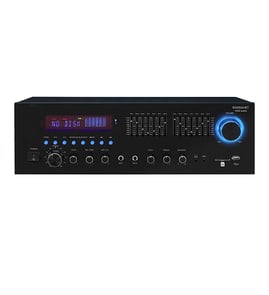
Kenwood Receiver Parts — Browse All Models
Your Kenwood receiver produces the high-fidelity sound reproduction that you expect from a top-quality stereo. Kenwood receiver noise filters minimize distortion so the sound coming from your speakers is crisp and clear. When your Kenwood receiver isn't working as it should, find the repair parts you need to fix the stereo system at Sears PartsDirect.
Browse by Category
Receivers

Popular maintenance items for Receivers

Man,serv
In Stock
$15.49

Qty

Ic
In Stock
$50.13
Qty
Clamp, Fus
Part #153321741
This item is not returnable
In Stock
$2.16
Qty
Dc Board
In Stock
$139.73
Qty
Ic
In Stock
$62.37
Qty
Res
Part #123470211
This item is not returnable
In Stock
$2.57
Qty
Troubleshooting your Kenwood receiver when the remote control doesn't work
- Check the batteries in the remote control. Weak or dead batteries won't power up the remote device. Replace the remote control batteries if they're weak or dead.
- The remote control has an effective range of about 20-feet. Make sure that you're within range of the receiver when attempting to use the remote.
- Check for items blocking the RF sensor on the receiver and move any items out of the way to allow the receiver to receive remote control RF signals.
- The microprocessor inside the remote can fill up its internal memory or the microprocessor can get the memory scrambled at times. Reset the microprocessor and drain the memory in the remote by removing the remote control batteries and holding down one or more buttons on the remote device for several minutes. Reinstall the batteries and the remote may work normally again.
- You may need to replace the remote if it won't work after resetting the microprocessor and it has good batteries.
Safety tips for your Kenwood receiver
- Unplug the receiver's power cord from the electrical wall outlet before performing any repair, cleaning or maintenance.
- If you're not going to use the receiver for a long period of time, disconnect the power cord from the electrical wall outlet.
- Use a surge protector to reduce the possibility of electronic control board and internal wiring damage due to electrical surges or spikes in current through the power supply during electrical storms.
- Don't use the receiver if you spill liquids on the cabinet because the liquids can short out components inside the stereo receiver and cause electrical shock. Unplug the receiver and have a service technician examine and repair the system before using it again.
Parts & More
Air Compressor
Bottom-Mount Refrigerator
Electric Range
Front-Engine Lawn Tractor
Microwave/Hood Combo
Parts
Side-By-Side Refrigerator
Television