- Kenmore refrigerator water filters
- Whirlpool refrigerator water filters
- Samsung refrigerator water filters
- GE refrigerator water filters
- LG refrigerator water filters
- Frigidaire refrigerator water filters
- KitchenAid refrigerator water filters
- Maytag refrigerator water filters
- Kenmore Elite refrigerator water filters
- Estate refrigerator water filters
- GE Profile refrigerator water filters
- Amana refrigerator water filters
- Bosch refrigerator water filters
- Dacor refrigerator water filters
- Electrolux refrigerator water filters
Top DIY repair help
View All Repair Categories
Appliances
Lawn & Garden
Power Tools
Home Improvement
Sports & Leisure
Heating & Cooling
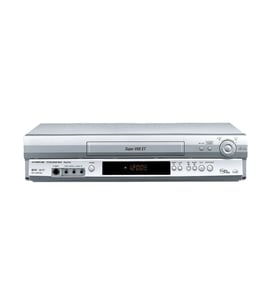
JVC Vhs players & vcrs Parts — Browse All Models
Sears PartsDIrect is a leading supplier of JVC VHS player replacement parts. JVC VHS players use dependable components to play your video cassette tapes but you can never tell when a failure will occur. When you find yourself in need of JVC VHS player replacement parts, trust Sears PartsDirect to have the parts you need to fix your player.

JVC BRS710U vcr
Shop Parts
6 Parts
JVC HR-S8000 vcr
Shop Parts
4 Parts
Frequently bought JVC parts

Hitachi Flat Belt
In Stock
$11.28

Qty

Roller
In Stock
$43.49
Qty
Transformer
In Stock
$21.93
Qty
Pl Inter
Part #483513047716
This item is not returnable
In Stock
$3.78
Qty
Clutch
In Stock
$17.99
Qty
Jvc Ac Head
In Stock
$21.14
Qty
Popular maintenance items for VHS Players & VCRs
Cover
In Stock
$31.99
Qty
Magnavox Part
In Stock
$25.71
Qty
Jc Penny Owner's Manual
Part #IB6762E001
This item is not returnable
In Stock
$4.99
Qty
Magnavox Capacitor
Part #46-20868-3
This item is not returnable
In Stock
$9.33
Qty
Vcr Transmitter
In Stock
$25.71
Qty
Txmtr Ir Mx
In Stock
$118.99
Qty
Cleaning the video cassette tape heads on your JVC VHS player
- You'll need to clean the video cassette tape heads inside your VHS player when video or sound playback deteriorates and tracking adjustments don't fix the problem.
- Gather the cleaning supplies. You'll need pure isopropyl alcohol, cleaning swabs and a fine-woven, lint-free cloth.
- Eject the video cassette tape if you have one loaded in the VHS player then unplug the power cord from the wall outlet to disconnect electrical power from the VHS player.
- Moisten swabs in isopropyl alcohol and carefully wipe the rollers, guides and pins in the tape path.
- Gently wipe the audio and erase heads with a swab moistened in isopropyl alcohol.
- Wet the lint-free cloth in isopropyl alcohol and carefully and gently wipe the drum assembly.
- Reassemble the VHS player and plug in the power cord to restore power.
Replacing the control panel assembly on your JVC VHS player
- Unplug the VHS player's power cord from the electrical wall outlet to disconnect electrical power.
- Remove the cabinet cover mounting screws then pull the cabinet cover off the VHS player.
- Unplug the control panel ribbon cable from the control panel.
- Remove the control panel mounting screws and pull the control panel off the front cover of the VHS player.
- Install the new control panel in the front cover and secure it with the mounting screws. Plug in the control panel ribbon cable to the new control panel.
- Reinstall the VHS player cabinet cover and secure it with the mounting screws.
- Plug the VHS player's power cord back into the electrical wall outlet to restore power.
Parts & More
Bottom-Mount Refrigerator
Dishwasher
Dvd Player
Front-Engine Lawn Tractor
Gas Walk-Behind Mower
Microwave/Hood Combo
Rear-Engine Riding Mower
Water Softener