- Kenmore refrigerator water filters
- Whirlpool refrigerator water filters
- Samsung refrigerator water filters
- GE refrigerator water filters
- LG refrigerator water filters
- Frigidaire refrigerator water filters
- KitchenAid refrigerator water filters
- Maytag refrigerator water filters
- Kenmore Elite refrigerator water filters
- Estate refrigerator water filters
- GE Profile refrigerator water filters
- Amana refrigerator water filters
- Bosch refrigerator water filters
- Dacor refrigerator water filters
- Electrolux refrigerator water filters
Top DIY repair help
View All Repair Categories
Appliances
Lawn & Garden
Power Tools
Home Improvement
Sports & Leisure
Heating & Cooling
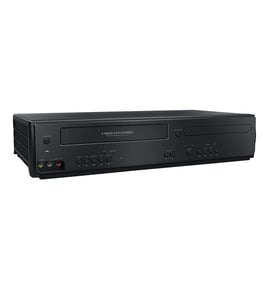
JVC Dvd/vcr combo Parts — Browse All Models
JVC DVD/VCR combo players are dependable and affordable units that rarely break down. Rugged drive components and reliable electronics inside JVC DVD/VCR combo players typically last for years without having problems. When parts do wear out or break on your JVC DVD/VCR combo player, find the replacement parts you need to get the player up and running at Sears PartsDirect.
Browse by Category
DVD/VCR Combos
JVC SR-MV30US dvd vcr
Shop Parts
55 Parts
JVC DR-MV5SUC dvd vcr
Shop Parts
43 Parts
JVC DR-MV5SUS dvd vcr
Shop Parts
43 Parts
JVC HR-XVC25US dvd vcr
Shop Parts
62 Parts
JVC HR-XVC20UR dvd vcr
Shop Parts
51 Parts
JVC HR-XVC1UM dvd vcr
Shop Parts
42 Parts
JVC HM-HDS1U dvd vcr
Shop Parts
52 Parts
Frequently bought JVC parts

Jvc Integrated Circuit
In Stock
$12.36

Qty

Jvc Integrated Circuit
In Stock
$18.80
Qty
A/c Head
In Stock
$33.11
Qty
Magnavox Fuse
Part #483525397109
This item is not returnable
In Stock
$3.78
Qty
Jvc Home Electronics Owner's Manual
In Stock
$54.99
Qty
Ac Cord
Part #483532117084
This item is not returnable
In Stock
$8.46
Qty
Popular maintenance items for DVD/VCR Combos
Cable
In Stock
$28.35
Qty
Ic Memory
In Stock
$55.81
Qty
Ic
Part #988510672
This item is not returnable
In Stock
$7.22
Qty
Ic-pwm Con
In Stock
$52.26
Qty
Calbe,ffc
In Stock
$27.13
Qty
Ic Micom,n
In Stock
$115.48
Qty
Troubleshooting your JVC DVD/VCR combo player when the remote control doesn't work
- Check the batteries in the remote control. Weak or dead batteries won't power up the remote device. Replace the remote control batteries if they're weak or dead.
- The remote control has an effective range of about 20-feet. Make sure that you're within range of the DVD/VCR combo player when attempting to use the remote.
- Check for items blocking the RF sensor on the DVD/VCR combo player and move any items out of the way to allow the DVD/VCR combo player to receive remote control RF signals.
- The microprocessor inside the remote can fill up its internal memory or the microprocessor can get the memory scrambled at times. Reset the microprocessor and drain the memory in the remote by removing the remote control batteries and holding down one or more buttons on the remote device for several minutes. Reinstall the batteries and the remote may work normally again.
- You may need to replace the remote if it won't work after resetting the microprocessor and it has good batteries.
Steps to take when the television won't play your JVC DVD/VCR combo player's video
- Check the television settings and select the correct video input source on the television if necessary.
- Check the HDMI or video cable connections on the back of the DVD/VCR combo player and the television. Reconnect any loose cables. Connect the cables correctly if the cables were connected to the wrong jacks.
- Check the DVD disc or video cassette to make sure it's inserted in the tray properly. The label of the DVD disc should be facing upward.
- Check the DVD disc for deposits or scratches. Clean the DVD disc thoroughly if you find spills or deposits on the disc.
- Reset the DVD/VCR combo player control board by unplugging the DVD/VCR combo player from the electrical wall outlet for several minutes. Plug the DVD/VCR combo player power cord back in to the electrical outlet and attempt to play the DVD disc or video cassette again.
Parts & More
Built-In Microwave
Dishwasher
Elliptical Machine
Exercise Cycle
Floor Scrubber
Front-Engine Lawn Tractor
Garage Door Opener
Gas Range
Gas Wall Oven
Parts
Refrigerator
Side-By-Side Refrigerator
Toys & Games
Wet/Dry Vacuum