- Kenmore refrigerator water filters
- Whirlpool refrigerator water filters
- Samsung refrigerator water filters
- GE refrigerator water filters
- LG refrigerator water filters
- Frigidaire refrigerator water filters
- KitchenAid refrigerator water filters
- Maytag refrigerator water filters
- Kenmore Elite refrigerator water filters
- Estate refrigerator water filters
- GE Profile refrigerator water filters
- Amana refrigerator water filters
- Bosch refrigerator water filters
- Dacor refrigerator water filters
- Electrolux refrigerator water filters
Top DIY repair help
View All Repair Categories
Appliances
Lawn & Garden
Power Tools
Home Improvement
Sports & Leisure
Heating & Cooling
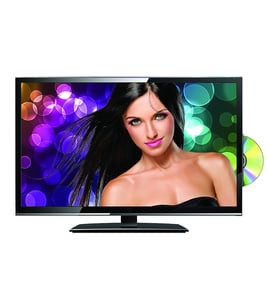
Samsung Lcd television Parts — Browse All Models
Samsung is a leading manufacturer of LCD televisions in the United States. Samsung LCD televisions are known for top performance in video reproduction. When your Samsung television goes out, you'll want to fix it fast. Find the Samsung repair parts you need to fix any television failure at Sears PartsDirect.
Browse by Category
LCD Televisions

 Owner’s manual

Frequently bought Samsung parts

Samsung Dryer Drum Support Roller
In Stock
$33.31
15% OFF Phone Price : $39.31

Qty

Refrigerator Auger Motor Assembly
In Stock
$242.47
5% OFF Phone Price : $254.47
Qty
Suspension Rod And Spring Assembly (dc97-16350u) - Washer Support Part By Samsung
In Stock
$63.60
9% OFF Phone Price : $69.60
Qty

Dryer Thermistor
In Stock
$54.08
10% OFF Phone Price : $60.08
Qty

Samsung Dryer Idler Assembly
In Stock
$40.59
13% OFF Phone Price : $46.59
Qty

Dryer Heating Element Assembly - Dryer Part By Samsung
In Stock
$251.53
5% OFF Phone Price : $263.53
Qty
Popular maintenance items for LCD Televisions

Connector
In Stock
$27.59
Qty
Header Asy
Part #182028711
This item is not returnable
In Stock
$6.03
Qty
Fuse 5a
In Stock
$27.22
Qty
Home Electronics Screw
In Stock
$27.62
Qty
Ic
In Stock
$21.70
Qty
Ic-posi Ad
In Stock
$28.35
Qty
Troubleshooting your Samsung LCD television when it won't power up
- Check that the television power cord is fully plugged into the wall outlet. If you have the television plugged into a surge protector, make sure the surge protector is plugged into the wall outlet.
- Check the electrical wall outlet for power. Plug a night light or small appliance into the electrical wall outlet to see if the outlet has power. If the outlet is dead, reset the house circuit breaker for the electrical wall outlet.
- If the wall outlet is okay and you have the television plugged into a surge protector, reset the surge protector if the surge protector tripped. If the surge protector isn't tripped, plug the television directly into the wall outlet. If the television powers up when plugged directly into the wall outlet, replace the surge protector because it isn't allowing the television to get power.
Connecting your Samsung LCD television to a Wi-Fi network
To connect your television to the Wi-Fi network using Wi-Fi Protected Setup (WPS) button, go to the Network Setup menu and select Wireless Setup. Select the WPS method of Wi-Fi connection from the Wireless Setup menu. Start the WPS wireless setup method on your television then pus the WPS button on your Wi-Fi router to connection your television to the Wi-Fi network.To connect your television to the Wi-Fi network using the router password, follow the same steps as described above to reach the Wireless Setup menu on your television. Select the Scan for available Wi-Fi networks option. Select your Wi-Fi network from the list of available Wi-Fi networks and enter the router password to connect the television to your Wi-Fi router.
Parts & More
Bottom-Mount Refrigerator
Countertop Microwave
Dishwasher
Front-Engine Lawn Tractor
Furnace
Gas Water Heater
Lawn Edger
Microwave
Parts
Side-By-Side Refrigerator
Water Softener