- Kenmore refrigerator water filters
- Whirlpool refrigerator water filters
- Samsung refrigerator water filters
- GE refrigerator water filters
- LG refrigerator water filters
- Frigidaire refrigerator water filters
- KitchenAid refrigerator water filters
- Maytag refrigerator water filters
- Kenmore Elite refrigerator water filters
- Estate refrigerator water filters
- GE Profile refrigerator water filters
- Amana refrigerator water filters
- Bosch refrigerator water filters
- Dacor refrigerator water filters
- Electrolux refrigerator water filters
Top DIY repair help
View All Repair Categories
Appliances
Lawn & Garden
Power Tools
Home Improvement
Sports & Leisure
Heating & Cooling
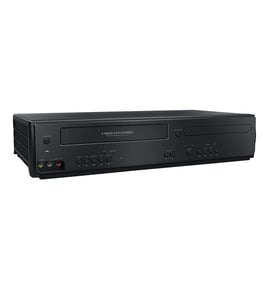
Samsung Dvd/vcr combo Parts — Browse All Models
Samsung DVD/VCR combo players are dependable and affordable units that rarely break down. Rugged drive components and reliable electronics inside Samsung DVD/VCR combo players typically last for years without having problems. When parts do wear out or break on your Samsung DVD/VCR combo player, find the replacement parts you need to get the player up and running at Sears PartsDirect.
Browse by Category
DVD/VCR Combos
 Owner’s manual


Frequently bought Samsung parts
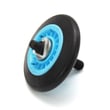
Samsung Dryer Drum Support Roller
In Stock
$33.31
15% OFF Phone Price : $39.31

Qty

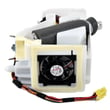
Refrigerator Auger Motor Assembly
In Stock
$242.47
5% OFF Phone Price : $254.47
Qty
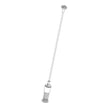
Suspension Rod And Spring Assembly (dc97-16350u) - Washer Support Part By Samsung
In Stock
$63.60
9% OFF Phone Price : $69.60
Qty
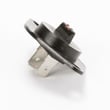
Dryer Thermistor
In Stock
$54.08
10% OFF Phone Price : $60.08
Qty
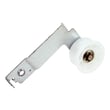
Samsung Dryer Idler Assembly
In Stock
$40.59
13% OFF Phone Price : $46.59
Qty
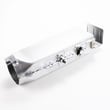
Dryer Heating Element Assembly - Dryer Part By Samsung
In Stock
$251.53
5% OFF Phone Price : $263.53
Qty

Playing a disc on your Samsung DVD/VCR combo player
- Turn on your television and select the video input mode that your DVD/VCR combo player is connected to on your television (HDMI In).
- If you connected the DVD/VCR combo player to an external audio system, turn on your audio system receiver and select the correct audio input on the receiver to play the DVD/VCR combo audio.
- Press the Open/Close button on the DVD player of the DVD/VCR combo to open the disc tray.
- Position the DVD disc gently into the tray with the disc's label facing upward.
- Press the Open/Close button to close the disc tray.
- Press the Play button to play the DVD disc.
Common replacement parts for Samsung DVD/VCR combo players
- HDMI cable. The HDMI cable connects the DVD/VCR combo player to the television and transmits the digital video and audio signals from the DVD player to the television for playback.
- Power cord. The power cord supplies electrical current to the DVD/VCR combo player.
- Disc tray. The disc tray opens and allows you to insert a DVD or CD into the DVD side of the DVD/VCR combo player.
- Remote control. The remote control allows you to control DVD/VCR settings and functions from a remote location. The remote control communicates setting and function selections to the DVD/VCR combo player using RF (radio frequency) signals.
Parts & More
Chest Freezer
Dishwasher
Electric Range
Electric Walk-Behind Mower
Front-Engine Lawn Tractor
Gas Walk-Behind Mower
Lawn & Garden Engine
Microwave
Parts
Rear-Engine Riding Mower
Rear-Tine Tiller
Side-By-Side Refrigerator
Upright Vacuum
Wet/Dry Vacuum