- Kenmore refrigerator water filters
- Whirlpool refrigerator water filters
- Samsung refrigerator water filters
- GE refrigerator water filters
- LG refrigerator water filters
- Frigidaire refrigerator water filters
- KitchenAid refrigerator water filters
- Maytag refrigerator water filters
- Kenmore Elite refrigerator water filters
- Estate refrigerator water filters
- GE Profile refrigerator water filters
- Amana refrigerator water filters
- Bosch refrigerator water filters
- Dacor refrigerator water filters
- Electrolux refrigerator water filters
Top DIY repair help
View All Repair Categories
Appliances
Lawn & Garden
Power Tools
Home Improvement
Sports & Leisure
Heating & Cooling
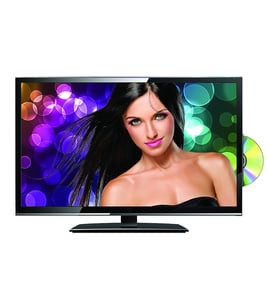
Mitsubishi Lcd television Parts — Browse All Models
Mitsubishi LCD televisions use the latest technology to produce clear, vibrant video on the display screen. Mitsubishi LCD televisions use efficient and dependable control boards and video display components to make sure video images stay clear. When your Mitsubishi LCD television isn't performing as it should, find the repair parts you need to fix the problem at Sears PartsDirect.


 Owner’s manual
Frequently bought Mitsubishi parts

Mitsubishi Txstr Npn
In Stock
$11.00

Qty

Mitsubishi Nylon Nut Inverter
In Stock
$342.99
Qty
Mitsubishi Crt Green
In Stock
$297.49
Qty
Cathode Ray Tube
Part #251C80109
Replaced by #251C801090
Manufacturer substitution
This part replaces 251C80109. Substitute parts can look different from the original.
In Stock
$121.10
Qty
Mitsubishi Blue Crt
In Stock
$347.99
Qty
Mitsubishi Cathode Ray Tube
In Stock
$405.99
Qty
Popular maintenance items for LCD Televisions
Ic Memory
In Stock
$55.81
Qty
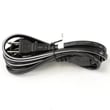
Television Power Cord
In Stock
$10.49
Qty
Resistor
Part #124588811
This item is not returnable
In Stock
$3.81
Qty
Ic Reg
In Stock
$31.86
Qty
Diode
Part #650173401
This item is not returnable
In Stock
$4.51
Qty
Usb Jack
In Stock
$33.23
Qty
Troubleshooting your Mitsubishi LCD television when it won't power up
- Check that the television power cord is fully plugged into the wall outlet. If you have the television plugged into a surge protector, make sure the surge protector is plugged into the wall outlet.
- Check the electrical wall outlet for power. Plug a night light or small appliance into the electrical wall outlet to see if the outlet has power. If the outlet is dead, reset the house circuit breaker for the electrical wall outlet.
- If the wall outlet is okay and you have the television plugged into a surge protector, reset the surge protector if the surge protector tripped. If the surge protector isn't tripped, plug the television directly into the wall outlet. If the television powers up when plugged directly into the wall outlet, replace the surge protector because it isn't allowing the television to get power.
Connecting your Mitsubishi LCD television to a Wi-Fi network
To connect your television to the Wi-Fi network using Wi-Fi Protected Setup (WPS) button, go to the Network Setup menu and select Wireless Setup. Select the WPS method of Wi-Fi connection from the Wireless Setup menu. Start the WPS wireless setup method on your television then pus the WPS button on your Wi-Fi router to connection your television to the Wi-Fi network.To connect your television to the Wi-Fi network using the router password, follow the same steps as described above to reach the Wireless Setup menu on your television. Select the Scan for available Wi-Fi networks option. Select your Wi-Fi network from the list of available Wi-Fi networks and enter the router password to connect the television to your Wi-Fi router.
Parts & More
Bottom-Mount Refrigerator
Chainsaw
Chest Freezer
Elliptical Machine
Gas Line Trimmer
Gas Water Heater
Lawn & Garden Engine
Parts
Refrigerator
Riding Mowers & Tractors
Toaster
Top-Mount Refrigerator