- Kenmore refrigerator water filters
- Whirlpool refrigerator water filters
- Samsung refrigerator water filters
- GE refrigerator water filters
- LG refrigerator water filters
- Frigidaire refrigerator water filters
- KitchenAid refrigerator water filters
- Maytag refrigerator water filters
- Kenmore Elite refrigerator water filters
- Estate refrigerator water filters
- GE Profile refrigerator water filters
- Amana refrigerator water filters
- Bosch refrigerator water filters
- Dacor refrigerator water filters
- Electrolux refrigerator water filters
Top DIY repair help
View All Repair Categories
Appliances
Lawn & Garden
Power Tools
Home Improvement
Sports & Leisure
Heating & Cooling
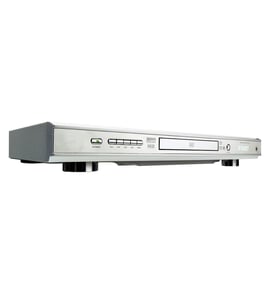
Toshiba Video equipment Parts — Browse All Models
You rely on your Toshiba video equipment to provide the clear video playback you expect from video media. Toshiba video equipment includes the features you look for in video electronics. When your Toshiba video equipment isn't working properly, you can find the repair parts you need to fix the equipment at Sears PartsDirect.
Browse by Category
Video Equipment
Video Equipment

Toshiba M5320 vcr
Shop Parts
12 Parts
Toshiba M6007 vcr
Shop Parts
4 Parts
Frequently bought Toshiba parts

Montgomery Ward Transistor
In Stock
$11.00

Qty

Toshiba Cathode Ray Tube
In Stock
$148.80
Qty
Toshiba Txstr Npn
In Stock
$25.43
Qty
Cathode Ray Tube
In Stock
$911.63
Qty
Toshiba Picture Tube
In Stock
$118.00
Qty
Magnavox Control
In Stock
$15.36
Qty
Popular maintenance items for Video Equipment
Philips Cable Assembly
In Stock
$14.83
Qty
Fr Cabinet
In Stock
$136.82
Qty
Button,ej
In Stock
$12.16
Qty
Magnavox Owner's Manual
Part #IB39390001
This item is not returnable
In Stock
$4.99
Qty
Frame
In Stock
$52.90
Qty
Pcb Led
In Stock
$23.27
Qty
Common replacement parts for Toshiba video equipment
- HDMI cable. The HDMI cable connects the video equipment to the television and transmits the digital video and audio signals from the video equipment to the television for playback.
- Power cord. The power cord supplies electrical current to the video equipment components.
- Disc tray. The disc tray opens and allows you to insert a DVD or CD into the DVD player of the video equipment.
- Remote control. The remote control allows you to control video equipment settings and functions from a remote location. The remote control communicates setting and function selections to the video equipment using RF (radio frequency) signals.
Care and handling tips for DVD and CD discs used in your Toshiba video equipment
- Handle DVD and CD discs by the outer edge or the center hole. Don't touch the media surface of the discs.
- Keep dirt, liquids and other foreign matter away from discs. Remove any dirt, fingerprints, smudges, liquids or other foreign material from the discs by wiping discs with a clean cotton fabric in a straight line from the center of the disc to the outer disc edge. Use DVD/CD cleaning detergent, isopropyl alcohol or methanol to clean stubborn dirt or deposits from discs.
- Store DVD and CD discs upright. Don't bend discs. Don't expose discs to extreme heat or high humidity.
- Don't use adhesive labels to mark DVD or CD discs. Use a non-solvent-based felt-tip marker to label the top side of the disc.
Parts & More
Bottom-Mount Refrigerator
Electric Leaf Blower
Electric Wall Oven
Gas Leaf Blower
Gas Range
Microwave/Hood Combo
Parts
Refrigerator
Television
Top-Mount Refrigerator
Washer
Wine & Beverage Cooler