- Kenmore refrigerator water filters
- Whirlpool refrigerator water filters
- Samsung refrigerator water filters
- GE refrigerator water filters
- LG refrigerator water filters
- Frigidaire refrigerator water filters
- KitchenAid refrigerator water filters
- Maytag refrigerator water filters
- Kenmore Elite refrigerator water filters
- Estate refrigerator water filters
- GE Profile refrigerator water filters
- Amana refrigerator water filters
- Bosch refrigerator water filters
- Dacor refrigerator water filters
- Electrolux refrigerator water filters
Top DIY repair help
View All Repair Categories
Appliances
Lawn & Garden
Power Tools
Home Improvement
Sports & Leisure
Heating & Cooling
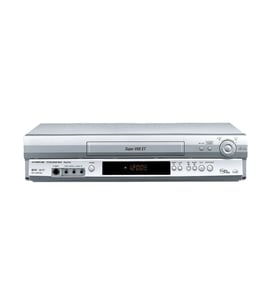
Sanyo Vhs players & vcrs Parts — Browse All Models
Sanyo VHS players are dependable and affordable units that rarely break down. Rugged drive components and reliable electronics inside Sanyo VHS players typically last for years without having problems. When parts do wear out or break on your Sanyo VHS player, find the replacement parts you need to get the player up and running at Sears PartsDirect.

Sanyo VHR9200 vcr
Shop Parts
12 Parts
Sanyo VCR5050 vcr
Shop Parts
6 Parts
Sanyo VCR4200 vcr
Shop Parts
9 Parts
Sanyo FVH515 vcr
Shop Parts
20 Parts
Frequently bought Sanyo parts

Sanyo Picture Tube
In Stock
$72.99

Qty

Cathode Ray Tube
In Stock
$224.99
Qty
Picture Tube
In Stock
$128.00
Qty
Sanyo Integrated Circuit
In Stock
$47.96
Qty
Sanyo Vcr Belt K
Part #VKR9220AM001
This item is not returnable
In Stock
$5.55
Qty
Sanyo Owner's Manual
Part #46-722427-3
This item is not returnable
In Stock
$6.88
Qty
Popular maintenance items for VHS Players & VCRs
Magnavox Power Supply
In Stock
$97.99
Qty
Instruction Book
Part #IB7022E003
This item is not returnable
In Stock
$3.99
Qty
Volume Knob
Part #371660701
This item is not returnable
In Stock
$4.66
Qty
Lever Solenoid
Part #7391900270
This item is not returnable
In Stock
$3.78
Qty
Magnavox Transmitter
In Stock
$25.71
Qty
Plate
In Stock
$43.04
Qty
Cleaning the video cassette tape heads on your Sanyo VHS player
- You'll need to clean the video cassette tape heads inside your VHS player when video or sound playback deteriorates and tracking adjustments don't fix the problem.
- Gather the cleaning supplies. You'll need pure isopropyl alcohol, cleaning swabs and a fine-woven, lint-free cloth.
- Eject the video cassette tape if you have one loaded in the VHS player then unplug the power cord from the wall outlet to disconnect electrical power from the VHS player.
- Moisten swabs in isopropyl alcohol and carefully wipe the rollers, guides and pins in the tape path.
- Gently wipe the audio and erase heads with a swab moistened in isopropyl alcohol.
- Wet the lint-free cloth in isopropyl alcohol and carefully and gently wipe the drum assembly.
- Reassemble the VHS player and plug in the power cord to restore power.
Adjusting the picture tracking on your Sanyo VHS player
Although the VHS player automatically adjusts the tracking when playing a video cassette tape, picture distortion may occur if the tape is in poor condition.
To adjust tracking, press Tracking +/- to display the tracking meter on your VHS player. Press the + or – buttons to adjust tracking until picture distortion disappears.
To resume automatic tracking adjustment of video cassette tapes, eject the tape. When you insert a tape into the VHS player, automatic tracking will be enabled.
Parts & More
Dishwasher
Front-Engine Lawn Tractor
Gas Chainsaw
Gas Walk-Behind Mower
Ice Cream Maker
Miter Saw
Parts
Refrigerator
Side-By-Side Refrigerator
Small Appliance
Televisions With Vcr Or Dvd
Treadmill
Wall Oven/Microwave Combo