- Kenmore refrigerator water filters
- Whirlpool refrigerator water filters
- Samsung refrigerator water filters
- GE refrigerator water filters
- LG refrigerator water filters
- Frigidaire refrigerator water filters
- KitchenAid refrigerator water filters
- Maytag refrigerator water filters
- Kenmore Elite refrigerator water filters
- Estate refrigerator water filters
- GE Profile refrigerator water filters
- Amana refrigerator water filters
- Bosch refrigerator water filters
- Dacor refrigerator water filters
- Electrolux refrigerator water filters
Top DIY repair help
View All Repair Categories
Appliances
Lawn & Garden
Power Tools
Home Improvement
Sports & Leisure
Heating & Cooling
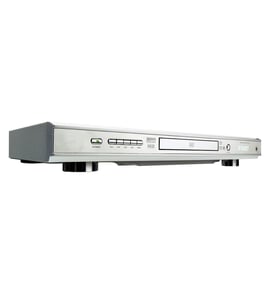
Sanyo Video equipment Parts — Browse All Models
Sanyo video equipment sets the standard for excellence in video and sound playback. You'll enjoy clear video and rich sound when playing videos on your Sanyo video equipment. When your Sanyo video equipment isn't performing as it should, find the replacement parts you need to fix the problem at Sears PartsDirect.

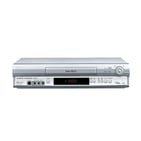
Sanyo VHR9280 vcr
Shop Parts
8 Parts
Sanyo VCR4590 vcr
Shop Parts
9 Parts
Sanyo VHR2350 vcr
Shop Parts
13 Parts
Sanyo VHR9300 vcr
Shop Parts
5 Parts
Sanyo VHR1550 vcr
Shop Parts
3 Parts

Sanyo VHR1100 vcr
Shop Parts
9 Parts
Sanyo SRT500 vcr
Shop Parts
7 Parts

Frequently bought Sanyo parts

Picture Tube
Part #310JCB4N
Replaced by #310JCB4R
Manufacturer substitution
This part replaces 310JCB4N. Substitute parts can look different from the original.
In Stock
$70.00

Qty

Transformer
Part #46-721010-3
Replaced by #004H24271207
Manufacturer substitution
This part replaces 46-721010-3. Substitute parts can look different from the original.
This item is not returnable
In Stock
$4.29
Qty
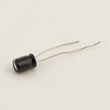
Rca Television Capacitor, 25-volt, 10-mfd
Part #18-267-5
This item is not returnable
In Stock
$6.63
Qty
Picture Tube
Part #510RSB22TC04
Replaced by #510RSB22R
Manufacturer substitution
This part replaces 510RSB22TC04. Substitute parts can look different from the original.
In Stock
$128.00
Qty
Sanyo Vcr Belt K
Part #VKR9206AM001
This item is not returnable
In Stock
$4.80
Qty
Pic Tube
Part #19VJBP22
Replaced by #19VJBP22R
Manufacturer substitution
This part replaces 19VJBP22. Substitute parts can look different from the original.
In Stock
$128.00
Qty
Popular maintenance items for Video Equipment
Tray Cover
In Stock
$14.42
Qty
Lxi Service Manual
In Stock
$123.49
Qty
Pcb-vcr
In Stock
$116.00
9% OFF Phone Price : $128.00
Qty
Core Ferri
Part #145736912
This item is not returnable
In Stock
$7.52
Qty
Ic
Part #670988801
This item is not returnable
In Stock
$7.04
Qty
Spkr Cente
In Stock
$204.99
Qty
Steps to take when the television won't play your Sanyo video equipment's video
- Check the television settings and select the correct video input source on the television if necessary.
- Check the HDMI or video cable connections on the back of the video equipment and the television. Reconnect any loose cables. Connect the cables correctly if the cables were connected to the wrong jacks.
- Check the DVD disc or video cassette to make sure it's inserted in the tray properly. The label of the DVD disc should be facing upward.
- Check the DVD disc for deposits or scratches. Clean the DVD disc thoroughly if you find spills or deposits on the disc.
- Reset the video equipment's control board by unplugging the video equipment from the electrical wall outlet for several minutes. Plug the video equipment power cord back in to the electrical outlet and attempt to play the DVD disc or video cassette again.
Connecting your Sanyo video equipment to the television
- Refer to the user's manual of the television for information on connecting the video equipment to the television. Follow the user's manuals instructions on selecting the type of cable and television connection jack or jacks to use when connecting the video equipment to the television.
- Turn off the video equipment and the television before connecting the video equipment to the television.
- To connect the video equipment to the television using the HDMI cable, plug the HDMI cable into the HDMI Out jack on the video equipment. Plug the other end of the HDMI cable into the HDMI In jack of the television.
- To connect the video equipment to the television using an HDMI-DVI cable and audio cable, plug the HDMI plug into the HDMI Out jack on the video equipment. Plug the DVI connector into the DVI In jack on the television. Connect the audio cable to the Audio Out jacks on the video equipment and the Audio In jacks on the television.
Parts & More
Bottom-Mount Refrigerator
Cooktop
Dishwasher
Electric Leaf Blower
Electric Range
Freestanding Freezer
Front-Engine Lawn Tractor
Line Trimmer
Parts
Rear-Engine Riding Mower
Refrigerator
Side-By-Side Refrigerator
Table Saw
Washer
Weight System
Wine & Beverage Cooler