- Kenmore refrigerator water filters
- Whirlpool refrigerator water filters
- Samsung refrigerator water filters
- GE refrigerator water filters
- LG refrigerator water filters
- Frigidaire refrigerator water filters
- KitchenAid refrigerator water filters
- Maytag refrigerator water filters
- Kenmore Elite refrigerator water filters
- Estate refrigerator water filters
- GE Profile refrigerator water filters
- Amana refrigerator water filters
- Bosch refrigerator water filters
- Dacor refrigerator water filters
- Electrolux refrigerator water filters
Top DIY repair help
View All Repair Categories
Appliances
Lawn & Garden
Power Tools
Home Improvement
Sports & Leisure
Heating & Cooling
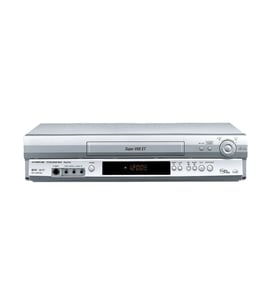
Panasonic Vhs players & vcrs Parts — Browse All Models
Panasonic VHS players set the standard for excellence in video cassette tape playback. You'll enjoy clear video and rich sound when playing video cassette tapes on your Panasonic VHS player. When your Panasonic VHS player isn't performing as it should, find the replacement parts you need to fix the problem at Sears PartsDirect.

Panasonic VH5645XW vcr
Shop Parts
13 Parts
Panasonic PV-4210 vcr
Shop Parts
11 Parts
Panasonic PVS4480K videocassette recorder
Panasonic PV-4456-K videocassette recorder
Frequently bought Panasonic parts
Panasonic Open Lever
Part #F82565X00AP
This item is not returnable
In Stock
$35.03

Qty

Panasonic Cook Tray
In Stock
$28.61
41% OFF Was : $48.77
Qty
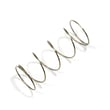
Panasonic Button
Part #F80375K00AP
This item is not returnable
In Stock
$12.90
13% OFF Phone Price : $14.90
Qty
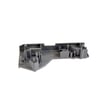
Panasonic Door Hook
Part #F3020-1200
Replaced by #F30206G30CP
Manufacturer substitution
This part replaces F3020-1200. Substitute parts can look different from the original.
In Stock
$17.78
10% OFF Phone Price : $19.78
Qty
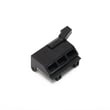
Panasonic Lever
Part #F82565W00AP
This item is not returnable
In Stock
$35.03
Qty
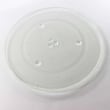
Panasonic Glass Tray
In Stock
$58.82
Qty
Popular maintenance items for VHS Players & VCRs

Integrated Circuit
In Stock
$18.20
Qty
Owner's Manual
Part #IB7714E001
This item is not returnable
In Stock
$8.07
Qty
Service Manual
In Stock
$87.99
Qty
Fe Hd Kit
Part #483531057419
This item is not returnable
In Stock
$9.60
Qty
Magnavox Cass Up As
In Stock
$29.77
Qty
Panasonic Integrated Circuit
In Stock
$41.34
Qty
How to repair a video cassette tape used in your Panasonic VHS player
- Remove all adhesive labels from the spine of the video cassette tape or cut the label along the seam cassette case so you can separate the halves of the cassette case.
- Remove the screws from the back of the cassette tape. Typically there are screws in each corner and a screw in the middle.
- Lay the video cassette tape on a padded surface with the top of the tape facing up. Open the front cover and carefully pull the top off of the tape.
- Route the broken tape ends through the rollers. Release the reel catch and pull some tape out on both ends then let go of the release to lock the reels.
- Cut off any damaged tape. Overlay the ends of the broken video tape and cut across the overlay at a 30-degree angle. Tape the back sides of the video tape ends together using adhesive tape. Trim adhesive tape overlay from the video tape.
- Rewind the video tape back in the cassette case. Reinstall the cassette case cover and reinstall the screws.
- Insert the video cassette tape in the VHS player and check to see if the tape plays properly.
Adjusting the picture tracking on your Panasonic VHS player
Although the VHS player automatically adjusts the tracking when playing a video cassette tape, picture distortion may occur if the tape is in poor condition.
To adjust tracking, press Tracking +/- to display the tracking meter on your VHS player. Press the + or – buttons to adjust tracking until picture distortion disappears.
To resume automatic tracking adjustment of video cassette tapes, eject the tape. When you insert a tape into the VHS player, automatic tracking will be enabled.
Parts & More
Canister Vacuum
Electric Range
Elliptical Machine
Front-Engine Lawn Tractor
Gas Snowblower
Gas Walk-Behind Mower
Portable Air Conditioner
Refrigerator
Room Air Conditioner
Side-By-Side Refrigerator
Slow Cooker
Table Saw
Water & Ice System