- Kenmore refrigerator water filters
- Whirlpool refrigerator water filters
- Samsung refrigerator water filters
- GE refrigerator water filters
- LG refrigerator water filters
- Frigidaire refrigerator water filters
- KitchenAid refrigerator water filters
- Maytag refrigerator water filters
- Kenmore Elite refrigerator water filters
- Estate refrigerator water filters
- GE Profile refrigerator water filters
- Amana refrigerator water filters
- Bosch refrigerator water filters
- Dacor refrigerator water filters
- Electrolux refrigerator water filters
Top DIY repair help
View All Repair Categories
Appliances
Lawn & Garden
Power Tools
Home Improvement
Sports & Leisure
Heating & Cooling
Trending Panasonic Products

Browse by category
Panasonic audio equipment PartsPanasonic automotive PartsPanasonic bread machines PartsPanasonic camcorders PartsPanasonic cameras PartsPanasonic central air conditioners PartsPanasonic dryers PartsPanasonic health & wellness PartsPanasonic home theater systems PartsPanasonic microwave/hood combos PartsPanasonic microwaves PartsPanasonic office PartsPanasonic room air conditioners PartsPanasonic televisions PartsPanasonic vacuum cleaners PartsPanasonic video equipment Parts
Top Panasonic Models
 Owner’s manual
Popular Panasonic Parts
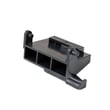
Panasonic Open Lever
Part #F82565X00AP
This item is not returnable
In Stock
$35.03

Qty

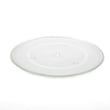
Panasonic Cook Tray
In Stock
$28.61
41% OFF Was : $48.77
Qty
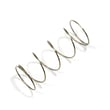
Panasonic Button
Part #F80375K00AP
This item is not returnable
In Stock
$12.90
13% OFF Phone Price : $14.90
Qty
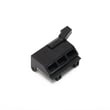
Panasonic Lever
Part #F82565W00AP
This item is not returnable
In Stock
$35.03
Qty
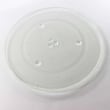
Panasonic Glass Tray
In Stock
$58.82
Qty

Panasonic Panasonic Cover
Part #F20559V00XP
This item is not returnable
In Stock
$34.74
Qty
Troubleshooting tips for your Panasonic equipment
- Surround sound isn’t working right—If you're experiencing difficulties with your surround sound, you’ll want to check a few things. You’ll first want to make sure that your source of entertainment is available in surround sound. Some programs or DVDs don’t offer this feature, which may be why the surround sound isn’t working correctly. If surround sound is available, check your wire connections. To use surround sound, you’ll need an HDMI cable. Using any other cable will not properly transmit the source component to your home theater system.
- Fax machine has no dial tone—If you set up your fax machine and are unable to hear a dial tone, the problem could be caused by a bad phone line cord. First, check to make sure the fax machine is plugged into a phone line jack. If it is and the problem persists, then try using an analog phone to test it out. If you receive a tone, then it's a problem with your phone line cord. To solve this problem, replace the cord.
- Vacuum brush roll not spinning—Check for hair or debris jammed in the brush roller and clear out the brush roller if it’s jammed. Check the drive belt and replace the belt if it’s worn or broken.
- Distorted color on television—If you notice distorted color, flashing dots or bad quality in the picture, it's likely an issue with your screen. Ninety percent of bad screens aren't repairable, which means you'll most likely need to get a replacement to solve the problem.
Top five Panasonic camera parts
- Sensor—The sensor is perhaps one of the most important components of a digital camera. It's what captures light and converts it into an image. If you zoom in on your photo and notice several lines, then you may have a bad sensor.
- Lens—The lens works to store images on a device. If you notice scratches or blemishes on your lens, you may need to replace it to maintain quality photos.
- Flash switch—Flash is important for adding extra light to your photos. Using flash correctly can result in better-quality photos because the sensor can capture more. A flash switch is used for turning the flash on or off. If the flash isn't working, it may just need to be activated.
- Focus motor—In order for a camera’s focus to operate correctly, it must use a motor. The motor moves the lens to adjust a subject into a clear image. If the lens doesn't move or moves slower than normal, you may have a faulty motor that needs replacing.
Using Sears PartsDirect to order replacement parts
Sears PartsDirect is an ideal solution to finding replacement parts. To keep your Panasonic products in best working condition, consider us for all of your replacement part needs.
Parts & More
Bottom-Mount Refrigerator
Canister Vacuum
Dishwasher
Electric Range
Furnace
Gas Line Trimmer
Gas Range
Gas Walk-Behind Mower
Lawn Vacuum
Microwave
Parts
Side-By-Side Refrigerator
Vacuum Cleaner