- Kenmore refrigerator water filters
- Whirlpool refrigerator water filters
- Samsung refrigerator water filters
- GE refrigerator water filters
- LG refrigerator water filters
- Frigidaire refrigerator water filters
- KitchenAid refrigerator water filters
- Maytag refrigerator water filters
- Kenmore Elite refrigerator water filters
- Estate refrigerator water filters
- GE Profile refrigerator water filters
- Amana refrigerator water filters
- Bosch refrigerator water filters
- Dacor refrigerator water filters
- Electrolux refrigerator water filters
Top DIY repair help
View All Repair Categories
Appliances
Lawn & Garden
Power Tools
Home Improvement
Sports & Leisure
Heating & Cooling
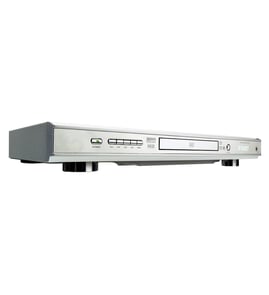
Panasonic Dvd player Parts — Browse All Models
Panasonic DVD players set the standard for excellence in video and sound playback. You'll enjoy clear video and rich sound when playing digital media on your Panasonic DVD player. When your Panasonic DVD player isn't performing as it should, find the replacement parts you need to fix the problem at Sears PartsDirect.
Browse by Category
DVD Players
 Owner’s manual
Panasonic DVD-A100U/CA dvd player
Frequently bought Panasonic parts
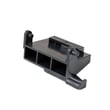
Panasonic Open Lever
Part #F82565X00AP
This item is not returnable
In Stock
$35.03

Qty

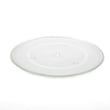
Panasonic Cook Tray
In Stock
$28.61
41% OFF Was : $48.77
Qty
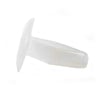
Panasonic Canoe Clip
Part #F90804W00AP
This item is not returnable
In Stock
$12.90
13% OFF Phone Price : $14.90
Qty
Panasonic Panasonic Sensor
In Stock
$61.47
Qty
Panasonic Motor
In Stock
$37.49
14% OFF Phone Price : $43.49
Qty
Panasonic Cover
Part #F20555K00AP
This item is not returnable
In Stock
$12.90
13% OFF Phone Price : $14.90
Qty
Popular maintenance items for DVD Players

Pcb Assembly
In Stock
$87.03
Qty
Panel,assy
In Stock
$33.33
Qty
Ic
In Stock
$12.67
Qty
Pcb Displa
In Stock
$76.15
Qty
Pcb Front
In Stock
$56.70
Qty
Ic Mask
In Stock
$36.76
Qty
Troubleshooting your Panasonic DVD player when the remote control doesn't work
- Check the batteries in the remote control. Weak or dead batteries won't power up the remote device. Replace the remote control batteries if they're weak or dead.
- The remote control has an effective range of about 20-feet. Make sure that you're within range of the DVD player when attempting to use the remote.
- Check for items blocking the RF sensor on the DVD player and move any items out of the way to allow the DVD player to receive remote control RF signals.
- The microprocessor inside the remote can fill up its internal memory or the microprocessor can get the memory scrambled at times. Reset the microprocessor and drain the memory in the remote by removing the remote control batteries and holding down one or more buttons on the remote device for several minutes. Reinstall the batteries and the remote may work normally again.
- You may need to replace the remote if it won't work after resetting the microprocessor and it has good batteries.
Care and handling tips for discs used in your Panasonic DVD player
- Handle DVD and CD discs by the outer edge or the center hole. Don't touch the media surface of the discs.
- Keep dirt, liquids and other foreign matter away from discs. Remove any dirt, fingerprints, smudges, liquids or other foreign material from the discs by wiping discs with a clean cotton fabric in a straight line from the center of the disc to the outer disc edge. Use DVD/CD cleaning detergent, isopropyl alcohol or methanol to clean stubborn dirt or deposits from discs.
- Store DVD and CD discs upright. Don't bend discs. Don't expose discs to extreme heat or high humidity.
- Don't use adhesive labels to mark DVD or CD discs. Use a non-solvent-based felt-tip marker to label the top side of the disc.
Parts & More
Bottom-Mount Refrigerator
Dishwasher
Electric Line Trimmer
Front-Engine Lawn Tractor
Gas Line Trimmer
Room Air Conditioner
Side-By-Side Refrigerator
Treadmill
Walk-Behind Mower
Water Pump