- Kenmore refrigerator water filters
- Whirlpool refrigerator water filters
- Samsung refrigerator water filters
- GE refrigerator water filters
- LG refrigerator water filters
- Frigidaire refrigerator water filters
- KitchenAid refrigerator water filters
- Maytag refrigerator water filters
- Kenmore Elite refrigerator water filters
- Estate refrigerator water filters
- GE Profile refrigerator water filters
- Amana refrigerator water filters
- Bosch refrigerator water filters
- Dacor refrigerator water filters
- Electrolux refrigerator water filters
Top DIY repair help
View All Repair Categories
Appliances
Lawn & Garden
Power Tools
Home Improvement
Sports & Leisure
Heating & Cooling
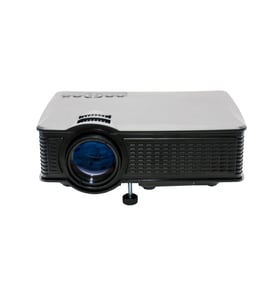
Olivetti Office Parts — Browse All Models
Olivetti makes office products that help keep your business running smoothly. Whether its fax machines or copiers, Olivetti office products are essential tools for your business. When your Olivetti office equipment breaks down, find the repair parts you need to fix the products at Sears PartsDirect.

Olivetti 710 PD calculator
Popular maintenance items for Office
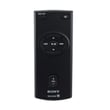
Remote Commander (rm-x400)
In Stock
$25.03
19% OFF Phone Price : $31.03

Qty

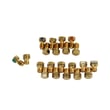
Sears Range Lp Conversion Kit
In Stock
$37.05
14% OFF Phone Price : $43.05
Qty
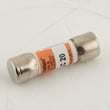
Thermador Microwave Fuse
In Stock
$101.13
Qty
Range Extra Low Surface Burner Potentiometer
In Stock
$76.42
Qty
Kenmore Microwave Door Monitor Switch
Part #5304512529
This item is not returnable
In Stock
$33.99
Qty
Range Nut, 1-mm, 22-tpi
In Stock
$22.92
21% OFF Phone Price : $28.92
Qty
Top-selling Olivetti office equipment parts
- Printer toner cartridges. Toner cartridges store the printer ink and distribute the ink during printing.
- Paper feeder. The paper feeder holds blank paper and automatically feed the paper through the machine during printing.
- USB connector port. The USB connector port connects the printer to a computer or tablet using a USB cable.
- Print head. The print head delivers ink to the paper during printing.
Troubleshooting tips for your Olivetti printer when it won't print documents
- Check printer power supply. Make sure that the printer is plugged into a working electrical outlet or power strip. Make sure the printer is powered on.
- Check the printer data connection. Make sure that the printer cable is plugged into the computer and the printer or that the Blue Tooth settings for the printer are configured properly and working.
- Check your computer settings. Make sure that you're sending the data to the correct printer.
- Reboot the computer and printer to reset controls on both devices.
Parts & More
Bottom-Mount Refrigerator
Canister Vacuum
Electric Range
Front-Engine Lawn Tractor
Gas Range
Refrigerator
Room Air Conditioner