- Kenmore refrigerator water filters
- Whirlpool refrigerator water filters
- Samsung refrigerator water filters
- GE refrigerator water filters
- LG refrigerator water filters
- Frigidaire refrigerator water filters
- KitchenAid refrigerator water filters
- Maytag refrigerator water filters
- Kenmore Elite refrigerator water filters
- Estate refrigerator water filters
- GE Profile refrigerator water filters
- Amana refrigerator water filters
- Bosch refrigerator water filters
- Dacor refrigerator water filters
- Electrolux refrigerator water filters
Top DIY repair help
View All Repair Categories
Appliances
Lawn & Garden
Power Tools
Home Improvement
Sports & Leisure
Heating & Cooling
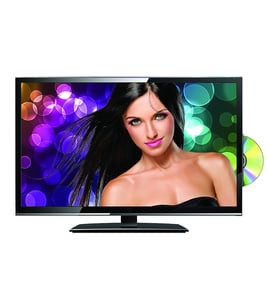
Hitachi Lcd television Parts — Browse All Models
Sears PartsDirect is a leading supplier of replacement parts for Hitachi LCD televisions. Hitachi LCD televisions use active matrix display grids to deliver sharp, clear images across thin film transistor displays. When your Hitachi LCD television quits working properly, get the repair parts you need to fix the television at Sears PartsDirect.
Browse by Category
LCD Televisions

 Owner’s manual
Frequently bought Hitachi parts

Hitachi Home Electronics Transistor
In Stock
$10.36

Qty

Hitachi Sq Cut Bel
In Stock
$10.26
Qty
Picture Tube
Part #510HJB22NEW
Replaced by #510HJB22R
Manufacturer substitution
This part replaces 510HJB22NEW. Substitute parts can look different from the original.
In Stock
$128.00
Qty
Hitachi Home Electronics Integrated Circuit
In Stock
$10.74
Qty
Hitachi Cathode Ray Tube Assembly
In Stock
$131.49
Qty
Symphonic Transistor
Part #483513047911
This item is not returnable
In Stock
$3.27
Qty
Popular maintenance items for LCD Televisions
Resistor
Part #124588811
This item is not returnable
In Stock
$3.81
Qty
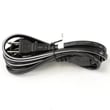
Television Power Cord
In Stock
$10.49
Qty
Ic Memory
In Stock
$55.81
Qty
Diode
Part #650173401
This item is not returnable
In Stock
$4.51
Qty
Ic Reg
In Stock
$31.86
Qty
Ic
In Stock
$10.01
Qty
Connecting your Hitachi LCD television to a Wi-Fi network
To connect your television to the Wi-Fi network using Wi-Fi Protected Setup (WPS) button, go to the Network Setup menu and select Wireless Setup. Select the WPS method of Wi-Fi connection from the Wireless Setup menu. Start the WPS wireless setup method on your television then pus the WPS button on your Wi-Fi router to connection your television to the Wi-Fi network.To connect your television to the Wi-Fi network using the router password, follow the same steps as described above to reach the Wireless Setup menu on your television. Select the Scan for available Wi-Fi networks option. Select your Wi-Fi network from the list of available Wi-Fi networks and enter the router password to connect the television to your Wi-Fi router.
Maintenance tips for your Hitachi LCD television
- Unplug the television from the wall outlet before performing any cleaning and maintenance tasks.
- Wipe down the LCD screen gently using a soft, lint-free cloth.
- Remove deposits or stains from the screen using a soft cloth slightly moistened with a solution of mild soap (dish detergent) and warm water. Wipe soap residue off the screen using a soft cloth slightly moistened with plain water. Dry the screen using a soft, lint-free cloth.
- Never use strong chemicals or solvents such as paint thinner, alcohol or benzene for cleaning the LCD screen.
- Check the television stand for stability and tighten any loose screws or fasteners. Make sure the television is properly secured to the home entertainment stand so it won't topple.
- Check the mounting brackets for the home entertainment stand. Tighten any loose screws in the mounting brackets.
- Clean dust and lint from ventilation slots and grills in the television cabinet. Use dry, canned air to clear air ventilation slots and grills if needed. Wipe down the television cabinet with a soft cloth moistened with water. Dry the cabinet with a soft, lint-free cloth.
- Plug the television power cord back into the wall outlet.
Parts & More
Dishwasher
Front-Engine Lawn Tractor
Gas Chainsaw
Gas Walk-Behind Mower
Ice Cream Maker
Refrigerator
Side-By-Side Refrigerator
Small Appliance