- Kenmore refrigerator water filters
- Whirlpool refrigerator water filters
- Samsung refrigerator water filters
- GE refrigerator water filters
- LG refrigerator water filters
- Frigidaire refrigerator water filters
- KitchenAid refrigerator water filters
- Maytag refrigerator water filters
- Kenmore Elite refrigerator water filters
- Estate refrigerator water filters
- GE Profile refrigerator water filters
- Amana refrigerator water filters
- Bosch refrigerator water filters
- Dacor refrigerator water filters
- Electrolux refrigerator water filters
Top DIY repair help
View All Repair Categories
Appliances
Lawn & Garden
Power Tools
Home Improvement
Sports & Leisure
Heating & Cooling
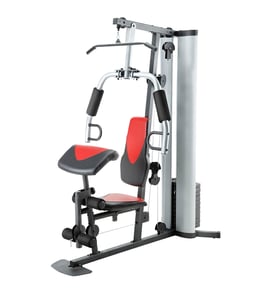
Excel Weight system Parts — Browse All Models
Excel manufactures weight systems that convert your home into an effective workout gym. You can build your strength by working on regularly on your Excel weight system. When you need repair parts for your Excel weight system, you'll find the replacement parts you need at Sears PartsDirect.


Excel 15632 exercise bench
Shop Parts
133 Parts
Popular maintenance items for Weight Systems
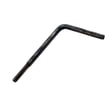
Treadmill Walking Belt Alignment Tool
Part #128457
This item is not returnable
In Stock
$2.82
26% OFF Phone Price : $3.82

Qty

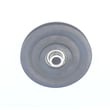
Weight System Cable Pulley
Part #226917
This item is not returnable
In Stock
$13.82
13% OFF Phone Price : $15.82
Qty
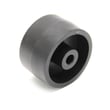
Proform Exercise Equipment Transport Wheel
Part #148803
This item is not returnable
In Stock
$2.99
Qty
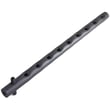
Weight System Weight Selector
In Stock
$66.69
8% OFF Phone Price : $72.69
Qty
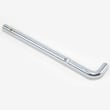
Weight System Weight Pin
In Stock
$17.60
10% OFF Phone Price : $19.60
Qty
Toyostove Exercise Equipment Magnet
Part #113842
This item is not returnable
In Stock
$2.17
Qty
Common replacement parts for Excel weight systems
- Weight cables. Weight cables attach lifting components to the weight stacks to provide resistance during lifting.
- Weight cable pulleys. Weight cable pulleys attach to the weight system frame and help guide cables from the lifting components to the weight stacks.
- Weight stack carriage. The weight stack carriage holds, supports and aligns the stack of weights so the weights remain stable during lifting.
- Fasteners. Fasteners such as bolts, nuts, screws and pins hold the various lifting components of the weight system together.
Replacing a cable on your Excel weight system
- Wear work gloves to protect your hands when replacing the cable.
- Remove the key from the weight stack
- Create slack in the cable by adjusting the tension bolt.
- Remove the bolt that connects the cable to the lifting component.
- Release the cable from the weight stack.
- Release the pulley or pulleys that the cable goes through and remove the cable from the weight system.
- Route the new cable through the pulley(s) and reassemble the weight system. Tighten all fasteners securely. Remove slack from the new cable so it lifts the weight stack properly.
Parts & More
Dishwasher
Front-Engine Lawn Tractor
Gas Cooktop
Parts
Room Air Conditioner