 Installation guide
 Owner’s manual




Who created JVM7195EK3ES?
GE created the JVM7195EK3ES microwave/hood combo; it is a GE-branded over-the-range microwave model in the JVM7195 series. For model identification details (where to find the model and serial label), use the JVM7195EK3ES owner's manual.
What “created by” means for this model
When customers ask who created a model, it typically refers to the brand that designed and produced the appliance and the model family it belongs to.
- Brand for this model: GE
- Product type: microwave/hood combo (over-the-range microwave)
- Model family shown in documentation: JVM7195 (also references JNM7196 in the same manual)
- Model and serial number location: label inside the oven
How to confirm you have the exact model
Because JVM model numbers can look similar, we recommend confirming the full model number from the rating label before ordering parts like a control board, door switch, or turntable motor.
- Open the microwave door and look for the label inside the oven cavity
- Write down the full model number and serial number
- Match the model number exactly, including all letters and numbers
- Use that exact model number when selecting replacement parts
Quick check table
| What to check | Where to look | Why it matters |
|---|---|---|
| Model number | Label inside the oven | Ensures correct parts fit and wire harness connections match |
| Serial number | Same label | Helps identify production variation when applicable |
| Series name (JVM7195) | Manual cover and label | Confirms you are in the right product family |
Why it matters
Microwave/hood combos often share similar styling across multiple model numbers, but internal parts like the control panel assembly, door interlock switches, and mounting hardware can differ. Confirming “JVM7195EK3ES” prevents ordering the wrong GE replacement part.
Last updated: February 2026
Do all over-the-range microwaves have the same dimensions?
No. Over-the-range microwaves are built around common cabinet widths, but they do not all share the same dimensions. For your GE JVM7195EK3ES microwave/hood combo, always confirm the exact cutout and mounting requirements in the installation guide before replacing the unit.
What’s “standard” (and what isn’t)
Most OTR microwaves are designed to fit typical kitchen layouts, but height, depth, and mounting patterns vary by model.
- Width: 30 inches is most common; some models are 24 inches
- Height: standard OTR units are often around 16 to 17 inches; low-profile models are shorter
- Depth: commonly about 15 to 18 inches (front-to-back)
- Mounting: wall plate location and top-cabinet bolt pattern can differ
- Venting: recirculating vs. outside venting changes duct alignment needs
What to measure before you buy
Measure your existing space and compare it to the replacement microwave’s specs.
- Cabinet opening width (inside-to-inside)
- Clearance between cooktop and microwave bottom
- Depth available (including door swing and handle clearance)
- Location of the wall mounting plate and upper cabinet bolt holes
- Vent path (rear, top, or recirculating)
Quick fit check: typical ranges
| Fit item | Typical OTR range | Why it varies |
|---|---|---|
| Width | 24 to 30 in. | Cabinet opening standards differ |
| Height | ~10 to 17 in. | Low-profile vs. standard designs |
| Depth | ~15 to 18 in. | Door design, fan housing, trim |
Why it matters
Even a small difference in height or depth can cause cabinet interference, poor vent alignment, or a mismatch with the existing mounting plate. Using the model-specific measurements and templates in the installation guide prevents rework and helps ensure safe, secure mounting.
Last updated: February 2026
What is the average lifespan of a GE microwave?
Most GE microwaves, including over-the-range microwave/hood combos like model JVM7195EK3ES, typically last about 7 to 10 years with normal household use. Lifespan depends most on heat load, ventilation, and basic care such as keeping filters clean and avoiding misuse.
Typical lifespan and what changes it
A microwave’s life is usually limited by wear on high-voltage components, door interlock parts, and control electronics.
- Light use (reheating, short cook times): often reaches the upper end of the range
- Heavy use (multiple long cycles daily): tends to shorten lifespan
- Poor airflow (grease buildup, clogged filters): increases heat stress on internal parts
- Power issues (frequent outages/surges): can damage the control board
- Door slamming: accelerates wear on door switches and latches
For model-specific care items and maintenance intervals, follow the owner's manual.
Maintenance that helps a microwave last longer
These steps reduce overheating and prevent common failures in a microwave/hood combo.
- Clean grease from the vent grille and surrounding intake areas regularly
- Wash reusable vent filters as directed; replace charcoal filters on recirculating setups
- Do not run the microwave empty; it can overheat internal components
- Keep the door closing smoothly; do not slam it
- Use microwave-safe cookware only (no metal/foil)
- Replace worn airflow parts promptly (filters, fan components)
Quick reference: common wear items vs. symptoms
| Area | What you notice | What it often points to |
|---|---|---|
| Venting/filters | More smoke/odor, weak exhaust | Dirty or saturated charcoal filter |
| Door/interlock | Won’t start, stops when door moves | Interlock switch or lever wear |
| Heating system | Runs but doesn’t heat | High-voltage component issue |
| Turntable | Plate not rotating | Turntable motor or coupler issue |
If your unit is recirculating (not vented outside), the charcoal filter is a routine replacement item; the manual notes replacement is commonly every 6 to 12 months depending on use. The model’s matching replacement is the microwave charcoal filter WB02X11544.
Why it matters
Knowing the typical 7 to 10 year lifespan helps you decide whether to maintain and replace wear items (filters, bulbs, switches) or plan for a larger repair when major components like the control board or magnetron fail.
Last updated: February 2026
What are common problems with GE JVM7195EK3ES microwaves?
Common problems with the GE JVM7195EK3ES microwave/hood combo include the oven not starting, running but not heating, loud noises, a non-rotating turntable, vent odor issues on recirculating setups, and keypad or display glitches. Many symptoms trace to power, door interlocks, airflow, or high-voltage parts.
Most common symptoms and likely causes
- Won’t start: tripped breaker, loose plug, door not fully latched, failed interlock switch
- Runs but doesn’t heat: high-voltage diode, magnetron, or transformer issue
- Grinding or rattling: turntable coupler or motor wear; fan blade obstruction
- Turntable not rotating: tray not seated, coupler stripped, motor failed
- Smoke or odors (recirculating): charcoal filter saturated
Quick checks we recommend first
- Reset power: unplug for 1 minute or reset the breaker.
- Close the door firmly; test again without pushing on the door.
- Clean reusable vent filters; replace the charcoal filter if you recirculate.
- Reseat the glass tray and coupler; confirm the tray turns freely by hand.
- If it runs but won’t heat, stop using it and move to diagnosis.
Parts that commonly fix these issues
| Symptom | Common suspect part | Example part for this model |
|---|---|---|
| Won’t start | Door interlock switch | Micro-switch WB24X830 |
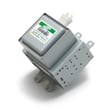
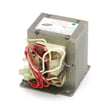
| Runs but no heat | High-voltage diode, magnetron | Microwave high-voltage diode WB27X1160, microwave magnetron WB27X11079 |
| Turntable not turning | Turntable motor, coupler | Microwave turntable motor WB26X10233, microwave turntable motor coupler WB06X10815 |
| Odors when recirculating | Charcoal filter | Microwave charcoal filter WB02X11544 |
Why it matters
A “won’t start” issue is often a door interlock or power problem, but “runs and won’t heat” points to the high-voltage system, which can store dangerous energy even when unplugged.
For model-specific troubleshooting and normal operating sounds, use the owner's manual.
Last updated: February 2026


