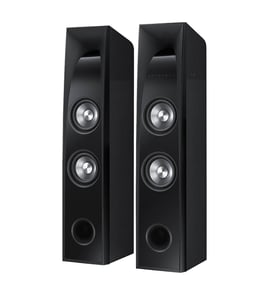

How many ohms is the Sony SS-U201?
The Sony SS-U201 speaker is an 8-ohm speaker. Use 8 Ω when matching it to a receiver or when replacing a speaker so the amplifier load stays in the safe range.
How to confirm the impedance on your SS-U201
- Check the rear label for “IMPEDANCE” or the Ω symbol
- Look near the speaker terminals (spring clips or binding posts)
- Verify both left and right speakers show the same rating
- If the label is missing, check the driver label behind the grille
- Use a multimeter to measure DC resistance (DCR) as a quick sanity check
Multimeter check: what readings mean
A multimeter measures DC resistance, which reads lower than the rated impedance.
| Rated speaker impedance | Typical DC resistance reading (approx.) | What it tells you |
|---|---|---|
| 4 Ω | 3.0 to 3.6 Ω | Lower-impedance load |
| 6 Ω | 4.5 to 5.5 Ω | Common in compact systems |
| 8 Ω | 6.0 to 7.2 Ω | Typical for many home speakers |
For step-by-step meter use, see how to use a multimeter to test electrical parts video.
Why it matters
Matching impedance helps prevent amplifier overheating and distortion. Using a lower-impedance speaker than the receiver is designed for increases current draw; using a higher-impedance speaker reduces maximum output.
Last updated: February 2026
How to make Sony rear speakers louder?
To make rear speakers louder in a Sony setup, we raise the rear-channel level at the source (receiver/soundbar) first, then confirm wiring and speaker polarity for your SS-U201 speaker system so the rear channels are not being canceled or limited.
Quick checks that usually fix “rear speakers too quiet”
- Increase the rear/surround speaker level in your receiver or soundbar settings (often labeled Rear, Surround, or Surround Back).
- Turn Night mode / Dynamic range compression off; these features reduce surround impact.
- Confirm the content is actually 5.1/7.1 (many TV channels and streams are stereo unless you select a surround track).
- Verify speaker wire polarity: match + to + and - to - at both ends.
- Check for a loose strand of wire shorting the terminals.
- If your system has it, run auto-calibration (test tones) and then fine-tune rear level.
Step-by-step: set rear level the right way
- Play a known surround source (movie with a 5.1 track).
- Open your receiver/soundbar speaker level menu.
- Raise rear/surround level in small steps (about 1 to 2 dB at a time).
- Use the built-in test tone to confirm the rear speakers are producing similar loudness to the fronts.
Wiring and placement tips (SS-U201)
Rear speakers can sound “quiet” when placement is working against you.
| Item to check | What to do | Why it helps |
|---|---|---|
| Polarity | Keep + and - consistent | Prevents phase cancellation |
| Distance | Place rears closer if needed | Reduces level loss |
| Height | Aim for ear level to slightly above | Improves surround presence |
| Obstructions | Avoid blocking with furniture | Preserves clarity |
Why it matters
Rear channels carry effects and ambience; if the rear level is too low (or wiring is out of phase), surround sound collapses into the front speakers and the system feels flat.
Related DIY help
- Use a meter to confirm continuity and rule out a bad wire run: how to use a multimeter to test electrical parts video
- If you find a nicked cable or loose connection: how to repair broken or damaged wires video
Last updated: February 2026
Why is my Sony speaker not working?
If your Sony SS-U201 speaker isn’t working (no sound, weak sound, or intermittent audio), the most common causes are a bad connection, a problem upstream (receiver/amp settings or source), or a failed speaker component such as the driver or internal wiring.
Quick checks that fix most “no sound” problems
- Confirm the receiver/amp is powered on and not muted.
- Verify the correct input/source is selected (Bluetooth, AUX, TV, etc.).
- Swap left and right speaker channels at the receiver to see if the problem follows the speaker.
- Inspect the speaker wire ends for loose strands that can short the terminals.
- Try a different speaker wire or a different output channel on the receiver.
- If you use spring clips or binding posts, reseat the wire and tighten/lock it.
Test the speaker vs. the receiver (fast isolation)
Use this simple swap test to pinpoint where the failure is:
| Test | What you do | What it means |
|---|---|---|
| Channel swap | Move the SS-U201 to the other receiver channel | If the same speaker stays silent, the issue is in the speaker or its wire |
| Speaker swap | Connect a known-good speaker to the same receiver channel | If the known-good speaker is silent, the issue is the receiver/channel/source |
| Wire swap | Use a different wire on the SS-U201 | If it starts working, the original wire or termination was the problem |
What to check on the SS-U201 itself
Unplug the receiver/amp before touching wiring.
- Look for a pushed-in woofer/tweeter dome, torn surround, or rubbing sound.
- Listen for crackling that changes when you wiggle the wire at the terminals (loose terminal or internal lead).
- If the speaker plays very quietly, the driver voice coil or crossover connection may be failing.
- If it cuts in and out, suspect a broken conductor in the speaker wire or a loose internal connection.
A multimeter can help confirm an open driver or wiring issue; our how to use a multimeter to test electrical parts video walks through the basics.
Why it matters
Running a receiver into a shorted speaker wire or a failing driver can trigger protection mode, cause distortion, or damage the amplifier channel. Finding out whether the problem follows the speaker, the wire, or the receiver prevents unnecessary parts replacement.
Last updated: February 2026