



How do you clean the filter on a GE top load washer?
Most GE top load washers, including model GTW490ACJ6WW, do not have a customer-cleanable “lint filter” like some older washers; instead, we focus on clearing drain restrictions and keeping the tub clean so lint and debris do not build up.
- Unplug the washer before any inspection.
- Check the drain path for clogs: coins, socks, and lint often restrict flow.
- Inspect the drain hose for kinks, pinches, or a crushed section.
- Make sure the standpipe or laundry sink drains quickly (a slow house drain mimics a washer clog).
- If the washer is not draining well, the drain pump is the most common service part to inspect/replace.
- Run a Drain/Spin cycle with the tub empty.
- Listen for the pump running; a steady hum with little water movement points to a blockage or failing pump.
- If safe to do so, remove the drain hose from the standpipe and drain into a bucket to confirm strong flow.
| Symptom | Most common cause | What to do next |
|---|---|---|
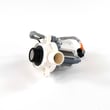
| Won’t drain or drains slowly | Clog in hose or pump | Check hose; consider GE washer drain pump assembly WH23X28418 |
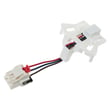
| Stops before spin | Drain issue or lid lock issue | Check drain first; then lid lock function |
| Leaves lint on clothes | Overloading, too much detergent, poor drain | Reduce load size; use correct detergent amount |
A restricted drain system traps lint and debris in the wash water, which can redeposit on clothes and also prevent proper spinning. Keeping the drain path clear helps cleaning performance and reduces strain on the pump.
For code-based troubleshooting, we use the GE gtw top load washer error codes guide to match symptoms to the most likely failed part.
Last updated: February 2026
What are the parts inside a washing machine drum?
Inside the drum area of your GE GTW490ACJ6WW washer, you will typically find the washplate (or agitator-style parts), the inner spin basket, and the drive and drain components that move water and clothes through wash and spin.
These are the most common “inside the drum” components on a top-load washer like the GTW490ACJ6WW:
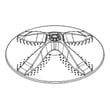
- Washplate or agitator-style component that circulates clothes (example: washer washplate WH43X32857)
- Inner spin basket that holds the load during wash and spin (example: washer spin basket WH45X26175)
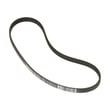
- Drive system parts under the basket that create agitation and spin (belt, pulley, clutch, gear case)
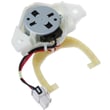
- Shifter mechanism that switches between agitation and spin (example: washer shifter assembly WH03X30517)
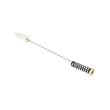
- Suspension rods and springs that stabilize the tub during spin (example: washer suspension rod and spring assembly WH16X26911)
- Drain path parts that remove water after wash and rinse (pump and drain hose)
| Part | What it does | Common symptom when it fails |
|---|---|---|
| Washplate | Moves clothes through water and detergent | Poor cleaning, clothes not circulating |
| Spin basket | Holds clothes and spins out water | Loud banging, wobble, out-of-balance |
| Shifter | Changes modes between agitate and spin | Won’t spin, stuck in one mode |
| Suspension rods | Keeps tub centered during spin | Excessive vibration, walking |
| Drain pump | Pumps water out of the tub | Won’t drain, water left in tub |
We usually focus on these parts when you see one of the following:
- Washer fills and agitates but will not spin (often shifter, clutch, belt)
- Washer spins but bangs hard or goes out of balance (often suspension or basket issues)
- Washer will not drain or leaves water behind (often pump or drain hose)
- Grinding, squealing, or burning-rubber smell (often belt or pulley)
If you are troubleshooting a no-spin or no-drain condition, our GE gtw top load washer error codes guide helps narrow the failure to the most likely component.
The “drum” is really a system: the basket and washplate handle the clothes, while the drive, shifter, suspension, and drain parts underneath control motion and water removal. Identifying which function failed (wash, drain, or spin) points you to the right replacement part.
Last updated: February 2026
Where to find model number on a GE washer?
On your GE top-load washer model GTW490ACJ6WW, the model number is typically printed on a sticker under the lid near the right-side lid hinge area. If you do not see it there, check the back of the control panel or the rear cabinet near the water inlet connections.
- Under the lid, along the rim near the right hinge
- Under the lid, along the rim near the opening (front edge)
- Back of the control panel (rear exterior)
- Rear cabinet near the hot and cold water inlet valves
- Lower rear panel area (rear exterior)
- Use a flashlight and look for a white or silver rating label
- Wipe dust or detergent residue off the rim so the print is readable
- Take a photo of the label so you can zoom in on the model and serial
- Write down the full model number exactly as shown (letters and numbers)
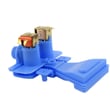
We use the exact model number to match the correct GE washer parts and diagrams for your machine. Even small model variations can change which parts fit, such as the washer water inlet valve assembly WH13X26535 or the GE washer drain pump assembly WH23X28418.
| Label item | What it’s used for |
|---|---|
| Model number (GTW490ACJ6WW) | Finding correct parts and diagrams |
| Serial number | Identifying production run for service history |
| Electrical ratings | Verifying power requirements |
Last updated: February 2026


