


At what distance should I zero my PCWM3080AFA?
PCWM3080AFA is a Frigidaire electric oven/microwave combo, not a firearm, so there is no “zeroing distance” setting for this appliance. If you meant calibrating oven temperature or checking microwave door alignment, use the troubleshooting steps below and replace failed components as needed, such as the wall oven microwave fuse and holder 318647300.
What you might be trying to do instead
Here are the most common “zero” type tasks for an oven/microwave combo like PCWM3080AFA:
- Oven temperature calibration (oven bakes too hot or too cool)
- Clock or control reset (after a power outage)
- Microwave door alignment or interlock issue (unit will not start, stops when door moves)
- Electrical “no power” diagnosis (display dead, intermittent power)
Quick checks we recommend (safe first steps)
- Confirm the unit has power at the breaker; reset the breaker fully OFF then ON.
- If the display is dead, unplug or shut off power for 2 minutes, then restore power.
- If the microwave will not run, check that the door closes firmly and does not sag.
- If the unit is completely dead or keeps losing power, a blown fuse is a common cause.
- If the microwave starts only when you lift or push the door, the door interlock system is a likely suspect.
Parts that commonly relate to “won’t start” or “no power” symptoms
| Symptom | Common area | Example part on this model page |
|---|---|---|
| Display dead, no response | Line fuse / holder | Wall oven microwave fuse and holder 318647300 |
| Won’t run unless door is pressed | Door interlock | Interlock l A23242801 |
| Random behavior, buttons not responding | Electronic control | Wall oven microwave electronic control board A18493801 |
Why it matters
Using the right fix for the right symptom prevents repeat failures. For example, replacing a fuse without addressing a door interlock or shorted high-voltage component can cause the new fuse to blow again.
Last updated: February 2026
What is PCWM3080AFA?
PCWM3080AFA is the model number for a Frigidaire electric oven/microwave combo. We use this model number to match your exact unit to the correct replacement parts, such as door components, controls, and microwave safety parts like fuses and interlocks.
Why the model number matters for parts
Using the exact model number (PCWM3080AFA) helps prevent ordering the wrong part when multiple versions look similar but fit differently.
- Confirms the correct fit and electrical rating
- Matches the right door style and mounting points
- Helps identify the correct control board and wiring connections
- Narrows down compatible microwave safety switches and fuses
- Reduces returns caused by “looks the same” parts
Common parts people replace on PCWM3080AFA
These are examples of parts listed for this model that often come up during troubleshooting and repair:
- Wall oven microwave fuse and holder 318647300
- Interlock l A23242801
- Wall oven microwave electronic control board A18493801
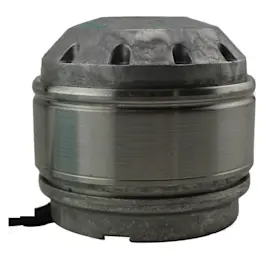
- Cooking appliance cooling fan A18653201
- Door glass 555118433
Quick troubleshooting guide (what the symptom often points to)
| Symptom | Common area to check | Example part listed for this model |
|---|---|---|
| No power or dead display | Fuse, power feed, control | Fuse and holder, control board |
| Runs but does not heat (microwave) | High-voltage components | Magnetron, diode, capacitor |
| Door won’t start cycle or shows door error | Door interlock switches | Interlock |
| Overheating or loud cooling noise | Cooling airflow, fan | Cooling fan |
Why it matters
Microwave and oven components are model-specific; using PCWM3080AFA ensures you get the correct Frigidaire parts for safe operation and proper fit.
Last updated: February 2026
What is the average lifespan of PCWM3080AFA?
For the Frigidaire PCWM3080AFA electric oven/microwave combo, the average lifespan is about 10 to 15 years with normal household use and basic maintenance (keeping vents clear, cleaning filters, and avoiding repeated power surges).
Typical lifespan by major section
Different sections age at different rates; replacing a wear item can extend overall service life.
- Microwave high-voltage components (magnetron, diode, capacitor) often wear sooner under heavy use
- Cooling and venting parts (fan motor, blade, filter) affect heat management and reliability
- Electronic controls can fail early if exposed to heat, moisture, or electrical spikes
- Door switches and latches can wear from frequent opening and slamming
| Component area | Typical service life | What you notice first |
|---|---|---|
| Controls and user interface | 8 to 15 years | Dead display, erratic buttons, resets |
| Microwave heating system | 7 to 12 years | No heat, loud hum, burning smell |
| Fans and venting | 8 to 15 years | Overheating, noisy fan, weak airflow |
What shortens lifespan fastest
These are the most common conditions that reduce life expectancy on combo units like PCWM3080AFA:
- Running the microwave empty or with improper cookware
- Blocked airflow from grease buildup or a clogged filter A20022801
- Repeated overheating from failed cooling airflow (fan or motor issues)
- Power interruptions or surges that stress the control board
- Slamming the door, which can damage interlocks and switches
Why it matters
A combo unit depends on good airflow and stable power. Keeping the venting path clean and addressing early symptoms (noisy fan, weak microwave heat, intermittent display) helps prevent cascading failures that can shorten the appliance’s overall lifespan.
Last updated: March 2026