 Installation guide
 Owner’s manual



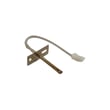
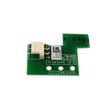
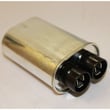

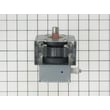
How to find GE wall oven model number?
On the GE JT3800SH1SS wall oven/microwave combo, the model number is printed on a label located on the side trim or on the front frame behind the oven door. Use that exact model number when ordering parts or checking installation requirements in the JT3800SH1SS owner's manual.
- Open the lower oven door and look along the front frame behind the door
- Check the side trim area for a rating label
- Write down both the model and serial numbers exactly as shown
- Take a clear photo of the label for reference when shopping parts
- If the label is hard to read, use a flashlight and wipe dust lightly with a dry cloth
Finding the correct model number prevents ordering the wrong control board, sensor, or door parts for your wall oven/microwave combo.
| You need | Why it matters | Example for this model |
|---|---|---|
| Model number | Matches the correct parts diagrams and compatible parts | JT3800SH1SS |
| Serial number | Helps identify production details used in some service lookups | Record from label |
| Full label photo | Reduces mistakes when entering numbers online | Keep on your phone |
- Mixing up similar model families (for example, JT3800 vs. JK3800)
- Copying only part of the model number (missing letters or suffixes)
- Using a microwave door label instead of the wall oven rating label
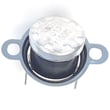
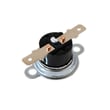
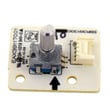
GE wall oven/microwave combo parts can vary by model and revision; using the exact model number ensures you get the right items, such as the wall oven temperature sensor WB21X10165 or the correct control board.
If you need to search beyond the parts listed for JT3800SH1SS, we also support model-based lookup on Sears PartsDirect.
Last updated: February 2026
How to reset a GE double oven?
To reset the electronic controls on your GE JT3800SH1SS wall oven/microwave combo, turn the circuit breaker OFF (or remove the fuse) for 1 minute, then restore power. If the control is locked or a keypad is unresponsive, use the built-in control reset steps in the JT3800SH1SS owner's manual.
- Power reset (hard reset): breaker OFF for 1 minute, then ON.
- Cancel and re-enter cooking: press Clear/Off, then set your bake, broil, microwave, or timed function again.
- Unlock controls: press and hold Settings / Lock Controls for 3 seconds.
- If one side of the control panel does not respond: press and hold Clear/Off on the other side of the display for 30 seconds.
- After a power outage/surge: reset the clock, then reprogram any cooking function.
- Turn the oven and microwave functions OFF.
- Switch the dedicated wall oven breaker OFF (or remove the fuse).
- Wait 60 seconds.
- Restore power and wait for the display to fully boot.
- Set the clock if prompted, then test Bake or Microwave.
| Symptom on display | What it usually indicates | What to do |
|---|---|---|
| Display is blank | No power, tripped breaker, or blown fuse | Reset breaker/replace fuse, then set clock |
| “Control is LOCKED” | Control lock is enabled | Hold Settings for 3 seconds |
| Display is lit but oven will not start | Selection not confirmed or door not closed | Close door, press Start/Pause or press selector dial |
| Pads on one side do not work | Control needs a keypad reset | Hold Clear/Off for 30 seconds |
A proper reset clears temporary control glitches after a surge, restores normal keypad response, and helps you confirm whether the issue is power-related, a locked control, or a failing component.
If resets do not restore normal operation and you are seeing temperature-related problems (overheating, underheating, or error behavior), a common part to check is the wall oven temperature sensor WB21X10165. For ordering, use the parts list for JT3800SH1SS or search by model at Sears PartsDirect.
Last updated: February 2026
How long does a GE wall oven last?
Most GE wall ovens, including the GE JT3800SH1SS wall oven/microwave combo, last 12 to 15 years with normal household use. Lifespan depends most on heat exposure, how often you run self-clean, and whether key components (like the cooling fan and temperature sensor) stay in good working order.
A wall oven’s service life is mainly driven by how hard the electronics and heating system work over time.
- Usage frequency: daily cooking shortens life compared to occasional use
- High-heat cycles: frequent broiling and long bakes add stress to wiring and boards
- Self-clean use: high temperatures accelerate wear on door locks, sensors, and control boards
- Ventilation and cooling: a weak cooling system can overheat controls
- Maintenance habits: keeping the door seal tight and the cavity clean reduces heat loss and strain
If the oven starts running hot/cold, takes longer to preheat, or shows intermittent control issues, these are the components we check first.
| Symptom | Commonly involved part | Example part for this model |
|---|---|---|
| Oven temperature seems inaccurate | Temperature sensing circuit | Wall oven temperature sensor WB21X10165 |
| Fan runs a lot, is noisy, or oven area gets unusually hot | Cooling system | Wall oven cooling fan assembly WB26T10066 |
| Display or functions act erratically | Electronic control | Wall oven control board WB27X32624 |
These steps reduce heat stress and prevent avoidable failures.
- Use self-clean only when needed; wipe spills sooner instead
- Keep racks positioned correctly and avoid blocking airflow inside the cavity
- Let the cooling fan finish its run after cooking (it can run after shutoff)
- Replace a worn gasket promptly to prevent heat leakage (example: wall oven door seal WB35X32825)
- Follow cleaning and operating guidance in the JT3800SH1SS owner’s manual
A wall oven/microwave combo is electronics-heavy; keeping temperatures stable and controls cool is what protects expensive boards and sensors. Small issues like a weak cooling fan or leaking door seal can shorten the oven’s overall life.
Last updated: February 2026