 Owner’s manual



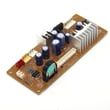
Can you put aluminum foil in an Advantium?
Yes, you can use aluminum foil with the GE SCB1001MSS001 Advantium, but only in specific ways. Never cover the turntable, racks, trays, or any oven surface with foil because it can cause arcing; use foil only as a small food cover when the cooking mode and cookware instructions allow it (see the SCB1001MSS001 owner's manual).
- Use foil only in small pieces to shield or tent parts of food (for example, to prevent over-browning).
- Keep foil tight to the food; loose edges can spark.
- Keep foil away from the oven walls and door area.
- Use the correct tray for the mode (metal tray for speedcook and bake; glass tray for microwave features).
- Stop the oven immediately if you see sparking or hear popping.
- Do not line the oven bottom with foil.
- Do not cover the turntable, wire rack, trays, or any part of the oven with foil.
- Do not wrap an entire dish or container in foil.
- Do not use foil as a “drip liner” under food.
| Cooking mode | Tray/cookware used | Foil guidance |
|---|---|---|
| Microwave features | Clear glass tray | Avoid foil unless the manual specifically calls for it; foil near walls or as a liner can arc. |
| Speedcook / bake | Non-stick metal tray | Do not cover trays or oven surfaces with foil; use only small, tight shields on food when needed. |
| Broil / toast / 2-level baking | Wire rack with aluminum baking sheet (per manual) | Follow the manual’s tray setup; do not add foil liners or coverings that can arc. |
Advantium ovens combine microwave energy with heating elements. Foil used as a liner or placed near metal parts can create arcing (sparking), which can damage the cavity, trays, or door area and can ruin food.
Last updated: February 2026
Do all GE over-the-range microwaves mount the same?
No. GE over-the-range (OTR) microwaves do not all mount the same; the wall bracket shape, top-cabinet bolt spacing, and venting cutouts vary by model. When you replace an OTR microwave, install it using the mounting bracket and template that come with the new unit.
- Use the new microwave’s wall mounting bracket and top-cabinet hardware
- Follow the paper template for drilling the cabinet and wall holes
- Confirm venting direction before cutting (recirculating, roof vent, or rear wall vent)
- Verify the outlet location and grounding match the installation requirements
- Support the microwave from below while removing or tightening the top bolts
| Item to compare | What often differs | What must match |
|---|---|---|
| Wall mounting bracket | Hole pattern, bracket height | Stud alignment and template holes |
| Top cabinet bolts | Spacing, bolt length | New bolt locations and hardware |
| Venting | Damper position, exhaust outlet | Same vent path or approved conversion |
| Overall size | Depth, clearance needs | Cabinet clearance and door swing |
Using the wrong bracket or bolt pattern can leave the microwave poorly supported and can cause vibration, noise, or vent leaks. The correct bracket and template also ensure the unit sits level and vents as designed.
GE SCB1001MSS001 is a built-in microwave (not an over-the-range model). For built-in installations, follow the built-in mounting and clearance requirements in the SCB1001MSS001 owner’s manual. For an OTR replacement, always use the installation instructions included with the new OTR microwave.
Last updated: February 2026
Is GE Profile considered high end?
Yes. GE Profile is generally considered GE’s premium, high-end mainstream line, positioned above standard GE appliances because it typically adds upgraded design, more cooking features, and more advanced controls. It still sits below GE’s true luxury tier (Monogram).
Your GE SCB1001MSS001 is an Advantium-style built-in microwave/speedcook unit; these models are commonly sold as premium offerings because they combine multiple cooking modes (microwave plus speedcook features) and more complex electronics. For feature details and cooking modes, use the SCB1001MSS001 owner’s manual.
| GE line | Typical market position | What you usually get |
|---|---|---|
| GE (standard) | Core, value to mid-range | Essential features, simpler controls |
| GE Profile | Premium mainstream (high end) | More features, upgraded styling, more automation |
| Monogram | Luxury | Highest-end materials, design, and premium feature sets |
- More cooking modes and presets (for example, speedcook options)
- More sensors and control boards managing performance
- More specialized parts (door interlocks, latch hardware, display boards)
- Higher replacement-part costs compared to basic models
- More emphasis on built-in fit and finish
Knowing the product tier helps set expectations for repair approach and parts selection. Premium models like the SCB1001MSS001 often rely on safety interlocks and electronic controls; when symptoms involve the door not starting or stopping mid-cycle, door-switch components such as the primary switch WB24X10047 are common checkpoints.
Last updated: February 2026
What are common problems with GE Profile microwaves?
Common problems we see on GE Profile-style microwaves like model SCB1001MSS001 include no heat, no power, a turntable that will not rotate, sparking or arcing in the cavity, and keypad or display issues. Many symptoms trace back to door interlock switches, a thermal cut-off, or the control board; use the SCB1001MSS001 owner’s manual to match symptoms to features and normal operation.
- Not heating: Often a high-voltage circuit problem (magnetron, transformer, diode, capacitor) or a control issue.
- Dead or intermittent power: Door interlock switch problem, thermal cut-off opening, or a fuse/power supply issue.
- Runs but stops when the door is moved: Door latch or interlock alignment issue.
- Turntable not spinning: Turntable motor, coupler, or tray support problem.
- Sparking/arcing: Metal/foil in the cavity, food splatter buildup, or a damaged waveguide cover.
- Sensor cooking errors: Opening the door during sensor cooking can trigger a sensor error; restarting the cycle typically clears it.
- Confirm the outlet has power (try a small appliance on the same outlet).
- Make sure the door closes firmly and is not sagging.
- Remove any metal racks/foil and clean food splatter from the cavity.
- If using sensor modes, avoid opening the door mid-cycle; close the door and restart.
- If the unit is beeping after cooking, that reminder behavior is normal on many models.
| Symptom | Common suspect part | Example part for this model |
|---|---|---|
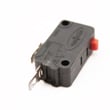
| No power or shuts off | Door interlock switch | Primary switch WB24X10047 |
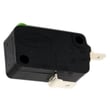
| Blows fuse or acts erratic with door | Monitor switch | Monitor switch WB24X25397 |
| Dead after overheating | Safety thermostat | Microwave thermal cut-off WB21X10148 |
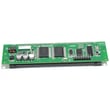
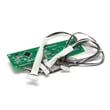
| Random operation, no response, wrong functions | Electronic control | GE microwave power control board WB27X10858 |
| Turntable will not rotate | Turntable drive | Microwave turntable motor WB26X10193 |
| Sparking near the side wall | Waveguide area protection | Microwave waveguide cover WB06X10638 |
Microwave symptoms can look similar even when the root cause is different. For example, a “no heat” complaint can be a door interlock issue (unit will not safely energize) or a high-voltage failure (unit runs but food stays cold). Correct diagnosis helps avoid replacing the wrong part.
Last updated: February 2026
What is the difference between 120v and 240v Advantium?
GE Advantium speedcook ovens come in both 120V and 240V versions; the main difference is the electrical supply and the total cooking power available, which affects how quickly the oven can heat and speedcook. For your GE SCB1001MSS001, use the electrical rating information in the SCB1001MSS001 owner’s manual to confirm what voltage your specific unit requires.
- Power available: 240V models deliver higher total wattage to heating components.
- Cooking speed: 240V units typically speedcook faster and recover heat quicker in oven-style modes.
- Circuit requirements: 120V uses a dedicated 120V branch circuit; 240V uses a dedicated 240V branch circuit.
- Breaker style: 120V is typically single-pole; 240V is typically 2-pole.
- Outlet and wiring: Receptacle type and wire gauge must match the nameplate rating.
| Feature | 120V Advantium | 240V Advantium |
|---|---|---|
| Supply | 120V | 240V |
| Breaker | Single-pole | 2-pole |
| Total heating capability | Lower | Higher |
| Best fit | Homes without a 240V built-in circuit | Homes prewired for 240V built-in appliances |
Even though your question is about Advantium, the safest way to match any GE built-in unit to the right circuit is to verify the unit’s rating:
- Check the rating label (voltage, amps, watts) on the oven frame or behind the control area.
- Compare it to the specifications in the SCB1001MSS001 owner’s manual.
- Confirm your home circuit matches the rating (breaker size, wire gauge, receptacle).
- If the circuit does not match, have an electrician correct the wiring before installation.
Using the wrong voltage or circuit can cause nuisance breaker trips, weak heating performance, or damage to electrical components such as the control board.
Last updated: February 2026
What's the average lifespan of a GE microwave?
A GE microwave typically lasts about 8 years. Most units fall in the 5 to 10 year range depending on daily run time, ventilation, and how clean the cooking cavity stays. For your GE SCB1001MSS001, following the care and safety guidance in the SCB1001MSS001 owner’s manual helps you reach that typical lifespan.
Most built-in microwaves and speedcook-style units wear out based on heat stress and door use.
- Heavy daily use (multiple long cook cycles) shortens life
- Running the oven empty can damage internal components
- Grease buildup and blocked airflow increase heat stress
- Door slamming can wear door latches and interlock switches
- Arcing from metal or foil misuse can damage the cavity and waveguide area
| Usage pattern | Typical lifespan | What we see most often |
|---|---|---|
| Light (1 to 3 short cycles/day) | 9 to 12 years | Fewer heat-related failures |
| Average (3 to 8 cycles/day) | 6 to 10 years | Normal wear on door and electronics |
| Heavy (all-day, long reheats) | 4 to 7 years | More heat stress, more service calls |
These symptoms often show up before a no-heat or no-power failure:
- Takes longer than normal to heat the same food
- Intermittent operation when closing the door
- Loud humming, buzzing, or burning smell
- Display glitches or unresponsive keypad
- Visible sparking (arcing) during cooking
If you’re seeing door-related symptoms, the door safety circuit is a common wear area; parts like the primary switch WB24X10047 and monitor switch WB24X25397 are designed to stop operation if the door is not safely latched.
Microwaves rely on a door interlock system and high-voltage components; as parts age, performance issues can turn into no-heat, no-start, or arcing problems. Keeping the cavity clean and using cookware correctly reduces heat and electrical stress and helps the unit last longer.
Last updated: February 2026


