 Owner’s manual
 Error Codes




Do LG ovens have fuses?
Yes, LG electric ranges like model LSEL6335D can be protected by a household fuse or circuit breaker, and some internal circuits may also use protective devices. The owner’s manual for this model focuses on safe power connection and tells you where to find your home’s breaker or fuse. See the LSEL6335D owner’s manual for electrical and safety guidance.
What “fuse” usually means on an LG range
In most homes, “the fuse” is not inside the oven cavity. It is typically one of these:
- A double-pole circuit breaker (common in modern panels)
- A pair of cartridge fuses in an older fuse box
- A thermal safety device inside the range (varies by design and is not always called a “fuse”)
Quick checks when the oven has no power
Before testing parts, we recommend these safe, high-value checks:
- Confirm the range is plugged in and the cord is not loose at the outlet.
- Check the home electrical panel for a tripped double breaker (reset fully OFF, then ON).
- If you have fuses, check for a blown fuse and replace with the same type and rating.
- If the display is blank but the breaker is on, power at the outlet may be missing (electrician-level check).
- If the display works but the oven will not heat, the issue is usually not a “fuse”; it is often a sensor, control, or heating circuit problem.
When it is more likely a part than a fuse
If your LSEL6335D has power but bakes inconsistently, overheats, or throws temperature-related errors, a common diagnostic path is checking the oven temperature sensor.
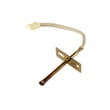
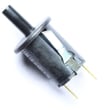
- Compatible example part for this model: LG range oven temperature sensor EBG61305805
Common symptom-to-part mapping
| Symptom | More likely cause | Less likely cause |
|---|---|---|
| Completely dead (no display) | House breaker/fuse, outlet, cord/terminal connection | Oven sensor |
| Display on, oven will not heat | Control issue, wiring, heating circuit | House fuse |
| Temperature inaccurate | Sensor out of spec | House breaker/fuse |
Why it matters
A “no power” complaint is often solved at the electrical supply (breaker/fuse). Replacing internal parts without confirming correct 240V supply can waste time and money and may not restore operation.
Last updated: January 2026
How do I reset my LG electric stove?
To reset an LG electric range like model LSEL6335D, we recommend doing a power reset: turn the oven mode knob to OFF, then switch the range’s circuit breaker OFF for 1 minute and back ON. If the control is locked, hold Control Lock for 3 seconds to unlock (see the LSEL6335D owner’s manual).
Quick reset steps (most common)
- Turn all cooktop knobs to OFF.
- Turn the oven mode knob to OFF.
- At your home electrical panel, switch the range breaker OFF.
- Wait 60 seconds.
- Switch the breaker ON.
- Reset the clock if it’s flashing, then test Bake and a surface element.
If the panel won’t respond, check Control Lock
On LSEL6335D, the Control Lock feature disables the cooktop and oven mode knob.
- Press and hold Control Lock for 3 seconds to toggle it off.
- Look for Loc or a lock icon on the display.
- Try a simple function (Light, Clock, or Bake) after unlocking.
When a “reset” points to a repair instead
If the range resets but a burner or the oven still will not heat, the issue is usually a failed heating circuit component, not a setting.
Common suspects on electric ranges include:
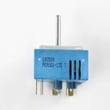
- Surface element control switch (burner won’t regulate heat)
- Radiant surface element (burner won’t heat)
- Oven temperature sensor (oven temperature is erratic or error codes)
- Electronic control board (display issues, random beeping, no response)
| Symptom after reset | Most likely area to check | Example compatible part for this model |
|---|---|---|
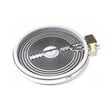
| One burner won’t heat | Cooktop element or switch | LG range dual radiant element MEE62385201 |
| Oven temp seems wrong | Sensor circuit | LG range oven temperature sensor EBG61305805 |
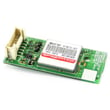
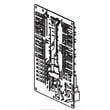
| Display glitches or dead | Control/display electronics | Range display board EBR85871801 |
Why it matters
A proper reset clears temporary control glitches after a power interruption. If heat still fails afterward, focusing on the correct component (switch, element, sensor, or board) saves time and helps avoid replacing the wrong part.
Last updated: January 2026
Is the F9 error related to the oven's temperature sensor?
Yes. On the LG LSEL6335D electric range, an F9 error can be related to the oven temperature sensor because the control uses that sensor feedback to confirm the oven is heating normally; if the oven cannot heat up fast enough, the control may trigger F9. See the troubleshooting section in the LSEL6335D owner’s manual.
What F9 usually means on this model
F9 is commonly tied to a preheat performance problem (the oven is not reaching temperature within an expected time). The temperature sensor is one of the key inputs the control board relies on to detect that condition.
Quick checks we recommend first
- Cancel the cycle, let the oven cool, then try Bake again to confirm it repeats.
- Verify the oven door closes fully and the gasket is sealing.
- Make sure you are using the correct mode (Bake vs Convection) and a reasonable set temperature.
- If the oven is heating weakly or unevenly, suspect a heating circuit issue.
- If the oven heats normally sometimes and fails other times, suspect an intermittent sensor or control issue.
Parts that can cause an F9-style preheat failure
If basic checks do not help, these components are common suspects on electric ranges like the LSEL6335D:
| Component | How it can trigger F9 | What you might notice |
|---|---|---|
| Oven temperature sensor | Sends incorrect temperature feedback | Temperature swings, long preheat, inaccurate baking |
| Control board / relay function | Does not send steady power to elements | Random heat loss, intermittent errors |
| Wiring harness/connectors | High resistance or loose connection | Works when cold, fails when hot |
For the sensor used on this model, see LG range oven temperature sensor EBG61305805.
Why it matters
When the sensor feedback is wrong (or the control cannot drive the heating circuit correctly), the oven may underheat, overheat, or take too long to preheat. That affects cooking results and can lead to repeated error codes.
Last updated: January 2026
Why is my LG electric range not turning on?
If your LG LSEL6335D electric range is not turning on, the most common cause is a power supply problem (tripped double-pole breaker, loose cord, or a heat-damaged connection at the rear terminal area). If the display lights but cooking will not start, Control Lock or the electronic controls may be preventing operation.
Quick checks we recommend first (no disassembly)
- Reset the double-pole range breaker: switch it fully OFF, then back ON.
- Confirm the outlet is a proper range outlet and the cord is fully seated.
- Press any key to wake the control panel (this model can require a key press to activate the display).
- Turn Control Lock off (press and hold Control Lock for 3 seconds).
- Set the oven mode knob to OFF, then select Bake and press START.
What to check based on what you see
| What you notice | What it usually means | Next step |
|---|---|---|
| No display, nothing works | No power or missing one leg of power | Reset breaker; verify power at outlet |
| Display flickers or powers on and off | Loose or overheated power connection | Have the rear connection area inspected |
| Display works but START will not run | Control settings or control problem | Verify Control Lock; then evaluate controls |
Parts that can be involved (when symptoms match)
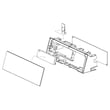
If the display is on but the touch controls are erratic or the unit will not start any function after you confirm Control Lock is off, these model-compatible parts may be involved:
If you suspect a power connection issue at the rear terminal area, we cannot identify the exact replacement terminal block part number for LSEL6335D from the model-specific parts list provided here. In that case, match the terminal block using the model’s parts diagrams and the original part markings before ordering.
Why it matters
A range that seems “dead” is often missing proper 240V power or has a failing connection. Confirming power and lock settings first helps prevent unnecessary control board replacement.
For model-specific control panel and Control Lock steps, we follow the LSEL6335D owner’s manual.
Last updated: January 2026




