Owner’s manual
 Error Codes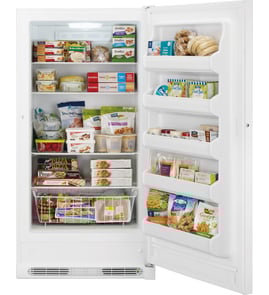




Is there a reset button on a GE upright freezer?
GE upright freezers like model FUF21DLRCWW typically do not have a single master “reset” button that restores everything. Instead, you reset specific functions from the door control panel (for example, silencing a High Temp alarm with Alarm Reset) or you power-cycle the freezer by unplugging it.
What you can reset on the control panel
On FUF21DLRCWW, the electronic control on the front of the door includes an Alarm Reset button and other function keys.
- High Temp alarm: press Alarm Reset to silence the alarm; the display stays on until temperature returns to normal.
- Door open alarm (if active): close the door fully and clear any packages blocking it.
- Turbo Freeze: press Turbo Freeze to toggle the mode (it also turns off automatically after its timed run).
- Control lock: use the control lock function to prevent accidental button presses.
How to do a true “reset” (power cycle)
A power cycle clears many temporary control glitches.
- Unplug the freezer from the outlet.
- Wait 2 to 5 minutes.
- Plug it back in.
- Allow several hours for temperatures to stabilize after any setting change.
| Reset method | What it affects | When to use it |
|---|---|---|
| Alarm Reset button | Silences High Temp alarm (and related alarm behavior) | Alarm keeps sounding but you are actively troubleshooting airflow, door seal, or warm load |
| Unplug and replug | Reboots the control board and user interface | Display acting odd, buttons unresponsive, nuisance alarms |
If “DEMO” is on, turn Demo mode off
If the Demo light is on, the freezer can appear to run incorrectly. The manual includes a specific key sequence to exit Demo mode.
- Press Alarm Reset first.
- Then use the control-panel button combination described in the owner's manual.
Why it matters
A “reset” does not fix the underlying cause of a High Temp alarm. Most repeat alarms come from warm air entering the cabinet (door not sealing, frequent openings) or restricted airflow, so confirming the door closes and seals properly is just as important as silencing the alarm.
Last updated: February 2026
Where is the model number on a GE upright freezer?
On the GE FUF21DLRCWW upright freezer, the model and serial number label is located inside the cabinet on the top inner case liner, toward the front. This is the quickest place to check when you need the exact model number for parts or troubleshooting.
Where to look first (fastest method)
- Open the freezer door and look up along the top inside wall (ceiling area)
- Check near the front edge of the cabinet liner
- Use a flashlight; the label can be easier to read from an angle
For a diagram-style reference and wording used by GE, see the owner's manual.
Other common label locations on upright freezers
If the label is missing, painted over, or hard to read, these are the next most common spots:
- Inside the cabinet on a side wall
- Behind the kick plate (lower front grille area)
- On the back exterior of the unit
- Along the door frame area (less common, but possible)
Why the exact model number matters
The model number ensures we match the correct parts and revisions for your freezer. Even small model-number differences can change which items fit, such as a door gasket, electronic control board, or temperature sensor.
| What you need it for | Example on this model page |
|---|---|
| Ordering the right replacement part | Control board, sensors, defrost parts |
| Looking up diagrams and part locations | Exploded views and part lists |
| Troubleshooting by configuration | No-frost system components |
Tips for recording it correctly
- Write down both the model number and serial number
- Take a clear photo of the label for future reference
- Match letters and numbers exactly (for example, FUF21DLRCWW)
Last updated: February 2026
Why is my GE upright freezer not freezing?
If your GE FUF21DLRCWW upright freezer is running but not freezing, the most common causes are the temperature control being set too warm, the door not sealing or being held open by packages, or the freezer not having enough time to cool after a power loss or unplugging (allow about 4 hours). For model-specific operating and troubleshooting steps, use the owner's manual.
Quick checks we recommend first
- Make sure the door closes fully and nothing is blocking it.
- Reduce long or frequent door openings.
- Set the temperature control colder, then wait several hours for it to stabilize.
- If the freezer was recently unplugged or had a power outage, allow about 4 hours to cool completely.
- Confirm there is adequate air space around the cabinet for ventilation.
- Avoid loading large amounts of warm food at once; it forces a long recovery.
What the symptoms usually point to
| What you notice | Likely cause | What to do next |
|---|---|---|
| Freezer temperature is too warm | Control set too warm or door left open | Set colder; check door for obstructions |
| Temperature display flashing or high temp alarm | Recent power outage raised internal temp | Keep door closed; allow time to recover |
| Runs a lot but still warm | Warm food load, hot room, poor airflow around cabinet | Improve airflow; limit warm loads |
| Food softening/defrosting | Plug issue or breaker/fuse problem | Push plug in fully; reset breaker/replace fuse |
Parts that can cause “not freezing” when they fail
If the basic checks above do not restore freezing, a failed sensor, defrost component, or control can prevent proper cooling. These are common suspects for this model:
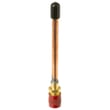
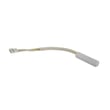
- Freezer temperature sensor WR55X27914 (misreads temperature and can affect run time)
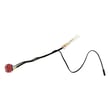
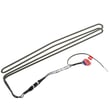
- Freezer defrost sensor WR09X27221 (can contribute to defrost problems and warming)
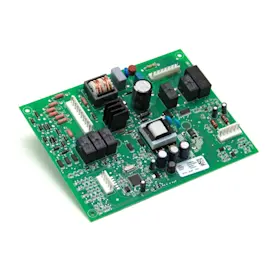
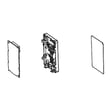
- Freezer electronic control board WR55X30692 (controls cooling and defrost logic)
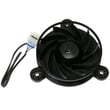
- Freezer evaporator fan motor assembly WR60X35365 (poor airflow across the evaporator can reduce cooling)
Why it matters
A no-frost upright freezer like the FUF21DLRCWW depends on correct airflow, accurate temperature sensing, and a working defrost system. When any of those are off, temperatures rise and food can begin to thaw even if the unit seems to be running.
Last updated: February 2026